# @title Setup: libraries, chart colors and the data location
# Text after a "#" is a comment: Python ignores it, it is there for human readers.

# Step 1: load the libraries. `import` loads a library, a toolbox written by
# other people, and `as np` gives it a short nickname, so the code stays short.
import numpy as np                              # numbers and arrays
import pandas as pd                             # data tables
import plotly.express as px                     # quick charts from data tables
import plotly.graph_objects as go               # charts built piece by piece
import plotly.io as pio                         # settings shared by every chart
from plotly.subplots import make_subplots       # several panels in one figure
# sliders, buttons and menus for the interactive figures
from ipywidgets import interact, interact_manual, FloatSlider, ToggleButtons, Dropdown, SelectMultiple, fixed

# Step 2: one light blue/green look for every chart
BLUE, TEAL, GREEN, GRAY = "#16528c", "#008070", "#7fb23a", "#8a96a3"
pio.templates.default = "plotly_white"
# the same chart size in Colab and on the website
pio.templates["plotly_white"].layout.update(width=860, height=480)
px.defaults.color_discrete_sequence = [BLUE, TEAL, GREEN, "#5aa0d8", "#0b4f47"]
WIDE = {"description_width": "initial"}         # show the full slider labels

# Step 3, Colab only: let Plotly charts appear inside the interactive widgets.
# `try` runs the indented lines; if the import fails (we are not in Colab),
# `except` skips them.
try:
    import google.colab
    google.colab.output.enable_custom_widget_manager()
except ImportError:
    pass                                        # not running in Colab: nothing to do

# Step 4: the data files of this chapter live in the book's GitHub repository
DATA_URL = "https://raw.githubusercontent.com/quarcs-lab/macro102-site/main/data/ch09/"9. An Introduction to the Short Run
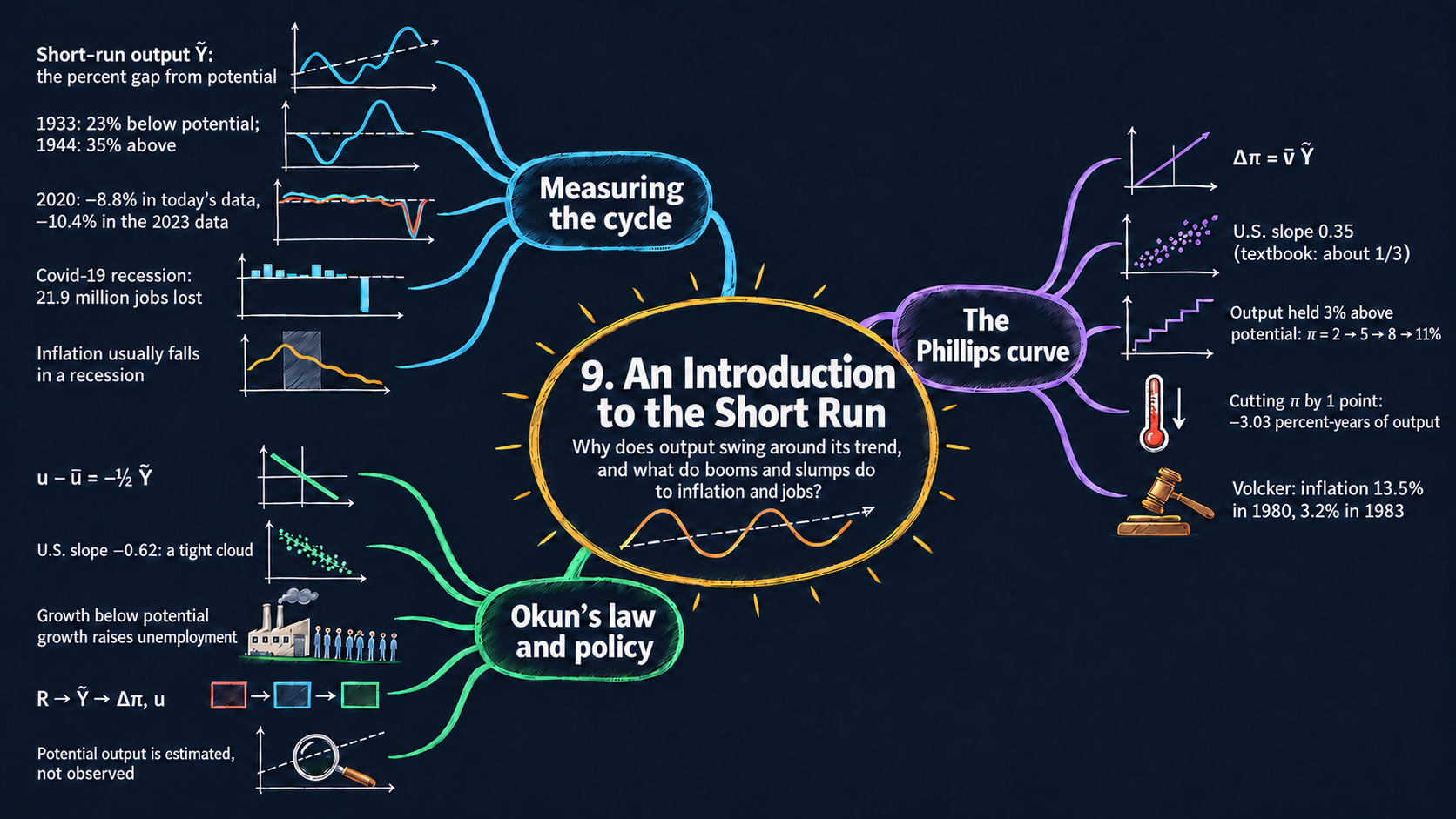




Learning goals
The long-run model of Chapters 3–8 tells us where the economy is heading on average. This chapter looks at the ups and downs around that path. By the end of it you will be able to:
- split actual output into potential output \(\bar{Y}_t\) and short-run output \(\tilde{Y}_t\), derive its percent, log and growth-rate forms, and compute \(\tilde{Y}_t\) from data;
- describe U.S. recessions with data on output, employment and inflation, and measure what they cost;
- explain the Phillips curve and solve it forward in time, to derive the inflation path of a lasting boom and the output cost of bringing inflation down;
- use Okun’s law to move between short-run output and unemployment, derive its growth-rate form, and read the comparative statics of both relationships (sign and slope of each effect, and which line moves);
- in Python: shade recessions on a chart, fit a straight line with
np.polyfit, compare two vintages of the same data, and simulate inflation year by year with a loop.
Model overview
Picture Islandia again, the small island country whose tools we followed in Chapter 5. Over many years its output climbs along a smooth path, set by its tools, its workers and its ideas. Year to year, though, the ride is bumpy. In some years Harbor Boatworks runs extra shifts and new boats are hard to get; in other years its yards fall quiet, islanders lose their jobs, and prices rise more slowly. This chapter does not yet build a full model of these swings; instead it builds the frameworks that the next chapters rest on: a way to measure the swings, and two rules that link them to inflation and to unemployment.
NoteThe big idea
The question. How far is Islandia from its long-run path in a given year, and what does that distance do to inflation and to jobs?
The answer in one sentence. The output gap \(\tilde{Y}_t\), the percentage distance between actual and potential output, pushes inflation up or down every year (the Phillips curve) and moves unemployment away from its natural rate (Okun’s law).
What goes in and what comes out. We choose the path of potential output, the swings of the cycle, the slope of the Phillips curve and long-run inflation. The frameworks give back the gap and the growth of actual output, inflation year by year, cyclical unemployment, and the output it costs to bring inflation down.
Road map.
- Trend and cycle: the definitions, how to work with them as percentages, logs and growth rates, and what the framework predicts.
- The Phillips curve: how the gap moves inflation, solved forward in time.
- Okun’s law: from the output gap to the unemployment gap (working with the law).
- A preview of the full short-run model: how the next chapters connect the pieces.
- Model in code: the key results as Python functions, each checked with numbers.
Notation. A bar marks a value that the short-run model takes as given: potential output, long-run inflation and the natural rate of unemployment come from the long-run model, and slopes such as \(\bar{\nu}\) (the Greek letter nu) are chosen from outside. Letters without a bar are endogenous. A tilde marks a short-run deviation from the long run. Short-run output and inflation are both in percent, so changes in inflation are in percentage points (“points”), as in the textbook’s figures.
| Symbol | Meaning | Type |
|---|---|---|
| \(Y_t\) | actual output in year \(t\) | endogenous |
| \(\tilde{Y}_t\) | short-run output: the percentage gap between actual and potential output | endogenous |
| \(g_{Y,t}\) | growth rate of actual output | endogenous |
| \(\pi_t\) | inflation rate in year \(t\), in percent | endogenous |
| \(u_t\) | unemployment rate | endogenous |
| \(R_t\) | real interest rate (last block only) | endogenous |
| \(\bar{Y}_t\) | potential output, handed over by the long-run model | parameter |
| \(\bar{Y}_0, \bar{g}\) | potential output in year 0, and its growth rate | parameters |
| \(\bar{\pi}\) | long-run inflation rate | parameter |
| \(\bar{u}\) | natural rate of unemployment | parameter |
| \(\bar{\nu}\) | slope of the Phillips curve | parameter |
| \(\Delta x_t\) | the change from the year before, \(x_t - x_{t-1}\) | notation |
Islandia’s baseline. The textbook’s Figs. 9.1 and 9.6 print no numbers. So every model figure and every worked example below uses one illustrative baseline for Islandia:
- potential output starts at \(\bar{Y}_0 = 100\) and grows by \(\bar{g} = 2\) percent a year;
- short-run output follows a wave between \(+2\) and \(-2\) percent (the \(\pm 2\%\) marked in Fig. 9.1) that repeats every 8 years, \(\tilde{Y}_t = 2\sin(2\pi t/8)\) percent. In whole years it takes the values \(0, +1.41, +2, +1.41, 0, -1.41, -2, -1.41, 0\);
- the slope of the Phillips curve is \(\bar{\nu} = 0.33\), close to the textbook’s estimate of about 1/3 for U.S. data;
- long-run inflation is \(\bar{\pi} = 2\) percent, and Okun’s slope is \(-1/2\).
Fig. 9 works through a textbook exercise that comes with its own numbers (\(\bar{\nu} = 1\), \(\tilde{Y} = +3\%\)), and there we use those.
Trend and cycle: potential output and short-run output
Definitions
Two models with two jobs. The book works with two models at the same time:
| Model | What it determines | Built in |
|---|---|---|
| long-run model | potential output \(\bar{Y}_t\) and long-run inflation \(\bar{\pi}\) | Chapters 3–8 (the combined Solow–Romer model of Chapter 6, the quantity theory of Chapter 8) |
| short-run model | actual output \(Y_t\) and actual inflation \(\pi_t\), year by year or quarter by quarter | Chapters 9–15 |
Inside the short-run model, \(\bar{Y}_t\) and \(\bar{\pi}\) are exogenous. The long-run model hands them over, and that is why they carry bars. The endogenous variables are \(Y_t\) and \(\pi_t\). Long-run inflation has no time subscript: in the end it is a steady target that policymakers choose (Chapter 13).
Potential output \(\bar{Y}_t\) is what Islandia produces when its tools, workers and ideas are used at a pace it can keep up year after year. Think of it as a cruising speed, not a top speed. For a while Harbor Boatworks can produce more than potential, by running overtime shifts and putting off repairs to its slipways. In a bad year it produces less.
Shocks push actual output away from potential. On Islandia they come in many forms:
- a jump in the price of imported fuel, or a sudden freeze in lending;
- a tax cut, or a new technology that delivers more (or less) than hoped;
- a storm, or a boom or a slump in Mainland, Islandia’s trading partner.
The short run is the stretch of time over which such deviations last, usually around two years.
Short-run output. We can always write output as its trend plus the distance from it, \(Y_t = \bar{Y}_t + (Y_t - \bar{Y}_t)\). But a shortfall of 100 boats is a disaster for a tiny economy and a rounding error for a giant one. So we measure the distance relative to potential output:
ImportantKey result: short-run output
\[\tilde{Y}_t \equiv \frac{Y_t - \bar{Y}_t}{\bar{Y}_t}. \tag{1}\]
It is positive in a boom (\(Y_t > \bar{Y}_t\)), negative in a slump (\(Y_t < \bar{Y}_t\)), and zero when the economy runs exactly at potential.
\(\tilde{Y}_t\) goes by several names. It is the percentage gap between actual and potential output, the output gap, or detrended output: what remains of output after the trend has been removed.
Recessions. A recession begins when short-run output turns negative. It is usually counted as over once short-run output hits its lowest point and starts to rise, even though output is still below potential at that moment. In the United States, the dates of each peak and trough are set by a dating committee of the NBER, the National Bureau of Economic Research. It looks at employment, sales and industrial production, not just at GDP.
Short-run output measures how far Islandia runs above or below its sustainable pace, as a percentage of potential output.
Working with the definitions
Step 1: actual output as potential output times a factor. Multiply both sides of equation (1) by \(\bar{Y}_t\), then add \(\bar{Y}_t\) to both sides:
\[\tilde{Y}_t\bar{Y}_t = Y_t - \bar{Y}_t \quad\Longrightarrow\quad Y_t = \bar{Y}_t + \tilde{Y}_t\bar{Y}_t.\]
Factoring out \(\bar{Y}_t\) gives equation (2) in the box below.
ImportantKey result: actual output = trend × cycle
\[Y_t = \bar{Y}_t\,(1 + \tilde{Y}_t). \tag{2}\]
The cycle factor is a little above 1 in a boom and a little below 1 in a slump.
Islandia in numbers. In year 2, at the top of the boom, potential output is \(100\times1.02^2 = 104.04\) and \(\tilde{Y}_2 = +2\%\), so actual output is \(104.04\times1.02 = 106.12\). In year 6, at the bottom of the slump, potential is \(100\times1.02^6 = 112.62\) and actual output is \(112.62\times0.98 = 110.36\). Going back with equation (1), \((110.36 - 112.62)/112.62 = -0.02\): a gap of \(-2\) percent.
The function actual_output builds the baseline in exactly this way. It multiplies the trend \(\bar{Y}_t = 100\times(1.02)^t\) (compound growth, Appendix C.3) by the cycle factor \(1 + 0.02\sin(2\pi t/8)\).
Step 2: the trend drops out. The trend sits in both the numerator and the denominator of equation (1). In the baseline, \(Y_t - \bar{Y}_t = \bar{Y}_t\times0.02\sin(2\pi t/8)\). Dividing by \(\bar{Y}_t\) cancels the growth factor \((1.02)^t\) and leaves \(\tilde{Y}_t = 2\sin(2\pi t/8)\) percent, whatever the growth rate of potential output. When the trend is steep, the cycle is harder to spot in a chart of \(Y_t\), but \(\tilde{Y}_t\) does not change at all (Fig. 1).
Step 3: short-run output as a log difference. Take the natural log of equation (2). The log of a product is the sum of the logs (Appendix C.4):
\[\ln Y_t = \ln\bar{Y}_t + \ln(1 + \tilde{Y}_t).\]
When \(x\) is small, \(\ln(1+x) \approx x\) (Appendix C.6). Apply it with \(x = \tilde{Y}_t\) and move \(\ln\bar{Y}_t\) to the left-hand side. The result is equation (3) in the box after step 4: to a close approximation, the gap in percent is the log of actual output minus the log of potential output.
The approximation works very well for ordinary gaps: \(\ln(1.02) = 0.0198\) and \(\ln(0.98) = -0.0202\), both within 0.03 points of \(\pm 2\%\). It is less accurate in very deep slumps: a gap of \(-10\%\) has a log difference of \(\ln(0.90) = -0.105\), half a point away. Many statistical agencies report gaps in logs for this very reason, since logs turn ratios into differences.
Step 4: growth rates. Write equation (3) for year \(t\) and for year \(t-1\), and subtract the second from the first:
\[\ln Y_t - \ln Y_{t-1} \approx \left(\ln\bar{Y}_t - \ln\bar{Y}_{t-1}\right) + \left(\tilde{Y}_t - \tilde{Y}_{t-1}\right).\]
The change in the log of a variable is approximately its growth rate (Appendix C.5). Potential output grows at the rate \(\bar{g}\), so the first bracket is \(\bar{g}\) and the second is \(\Delta\tilde{Y}_t\):
ImportantKey result: the gap in logs and in growth rates
\[\tilde{Y}_t \approx \ln Y_t - \ln\bar{Y}_t \tag{3}\]
\[g_{Y,t} \approx \bar{g} + \Delta\tilde{Y}_t \tag{4}\]
Islandia in numbers. From year 1 to year 2 the gap rises from \(+1.41\) to \(+2\), so output grows by about \(2 + 0.59 = 2.59\) percent. From year 4 to year 5 the gap falls from \(0\) to \(-1.41\), so output grows by only about \(2 - 1.41 = 0.59\) percent.
The exact version of equation (4) comes from dividing equation (2) for year \(t\) by equation (2) for year \(t-1\): \(Y_t/Y_{t-1} = (1+\bar{g})\times(1+\tilde{Y}_t)/(1+\tilde{Y}_{t-1})\).
TipIn words: growing, yet sliding into a slump
Islandia’s output has two engines: the trend, which always pushes forward at \(\bar{g}\), and the cycle, which adds speed while the gap widens upward and takes speed away while it shrinks. Between years 4 and 5 Harbor Boatworks still builds a few more boats than the year before, so output still grows. But it grows more slowly than potential, so the gap opens below zero: Islandia is sliding into a slump while its output rises.
Step 5: quarterly and annualized rates. GDP is published every quarter, and quarterly growth is usually reported as an annualized rate: the growth we would get if the quarter’s pace lasted a full year. Compounding over four quarters gives \((1+g_q)^4 - 1\), which is close to \(4g_q\) when \(g_q\) is small. A quarter with 1 percent growth is reported as \(1.01^4 - 1 = 4.06\%\), roughly 4 percent. In the other direction, potential output that grows by 2 percent a year grows by \(1.02^{1/4} - 1 = 0.496\%\) per quarter, just under a quarter of 2 percent.
Actual growth is trend growth plus the change in the gap, so Islandia can keep growing and still slide into a slump.
NoteCheck your understanding
1. In year 1 of the baseline, potential output is \(100\times1.02 = 102\) and short-run output is \(+1.41\) percent. What is Islandia’s actual output?
Answer
By equation (2), \(Y_1 = \bar{Y}_1(1+\tilde{Y}_1) = 102\times1.0141 \approx 103.44\).
2. In a deep slump, Islandia’s actual output is 95 percent of potential. What is the gap by equation (1), and what is the log difference of equation (3)? Why do we rarely worry about the difference between them?
Answer
Equation (1) gives \((95 - 100)/100 = -5\) percent. The log difference is \(100\ln(0.95) \approx -5.13\) percent, a little larger in size. They differ by only about \(0.13\) points, because \(\ln(1+x) \approx x\) is accurate for small \(x\).
What the framework predicts
Growth alone does not tell us where the economy stands. Equation (4) has one number we can observe, \(g_{Y,t}\), and two we cannot, \(\bar{g}\) and \(\Delta\tilde{Y}_t\). Suppose GDP grows at an annualized 5 percent. That fits potential growth of 5 percent with an unchanged gap. It fits just as well potential growth of 2 percent with a gap that widened by 3 points. Potential output is never observed, so it has to be estimated. Three methods are common:
- draw a smooth trend through real GDP;
- average the actual GDP of the quarters around each date;
- like the U.S. Congressional Budget Office (CBO), compute what a Solow-style production function delivers when labor and capital are at sustainable levels.
Each estimate can be revised as new data come in, and the measured gaps shift with it (Fig. 3).
A slump does not need falling output. In the baseline, Islandia’s output never shrinks: its slowest growth is about 0.6 percent a year. Still, Islandia spends four years out of every eight below potential. A recession is defined by the gap, not by the sign of growth.
What a slump costs. Add up short-run output over the years below potential. The total is the output lost, measured as a percent of one year’s potential output. In the baseline, the slump years 5, 6 and 7 give \(-1.41 - 2 - 1.41 = -4.83\) percent of a year’s potential output. Over the whole cycle, though, the boom years add \(+4.83\), and the total is exactly zero. So smoothing out the cycle completely would gain far less than the cost of one recession, because the booms would disappear too.
Comparative statics.
| Change | Path of \(\bar{Y}_t\) | Short-run output \(\tilde{Y}_t\) | Growth of actual output \(g_Y\) |
|---|---|---|---|
| faster potential growth \(\bar{g}\) | steeper trend | unchanged (step 2) | rises one for one, equation (4) |
| bigger swings of the cycle | unchanged | larger booms and slumps | larger swings around \(\bar{g}\) |
| larger economy, higher \(\bar{Y}_0\) | scaled up | unchanged | unchanged |
In logs, equation (3) reads \(\ln Y_t \approx \ln\bar{Y}_t + \tilde{Y}_t\). So the elasticity of actual output with respect to potential output is 1, and each point of short-run output adds about one percent to actual output.
A slump is about the gap, not about falling output, and over a full cycle the booms and slumps cancel out.
NoteCheck your understanding
1. Islandia’s potential output now grows by 4 percent a year instead of 2, while the cycle stays the same. What is short-run output in year 6? About how fast does actual output grow from year 4 to year 5?
Answer
Short-run output in year 6 is still \(-2\) percent: the trend cancels out of equation (1) (step 2). By equation (4), output grows by about \(4 - 1.41 = 2.59\) percent from year 4 to year 5.
2. Islandia’s GDP grows by 3 percent this year, and potential output grows by 2 percent. Is Islandia in a boom?
Answer
We cannot tell yet. By equation (4), the gap rose by about \(3 - 2 = 1\) point, so it is closing from below or widening from above. If the gap started at \(-2\) percent, it is now about \(-1\) percent: Islandia is recovering, but it is still in a slump. Growth tells us how the gap changes, not where it is.
The Phillips curve
Assumptions
The short-run model stands on three premises. In our own words, and for Islandia:
- Shocks never stop. Something is always hitting Islandia, pushing \(Y_t\) away from \(\bar{Y}_t\) or inflation away from \(\bar{\pi}\).
- Policy can move output in the short run. The Bank of Islandia and the Islandia Treasury can raise or lower spending, and with it output, for a while. In this chapter we go one step further and let policymakers pick \(\tilde{Y}_t\) directly. Chapters 11 and 12 show how they do it.
- Output and inflation trade off over time. A hot economy makes inflation speed up, and a cold one makes it slow down. This premise is the Phillips curve, in the box below.
ImportantKey result: the Phillips curve
\[\Delta\pi_t \equiv \pi_t - \pi_{t-1} = \bar{\nu}\,\tilde{Y}_t, \qquad \bar{\nu} > 0. \tag{5}\]
The slope \(\bar{\nu}\) is the number of points by which inflation rises in a year for each percent that output runs above potential.
Islandia in numbers. With \(\bar{\nu} = 0.33\), a boom of \(\tilde{Y}_t = +2\%\) raises inflation by \(0.33\times2 = 0.66\) points in a year, and a slump of \(-2\%\) lowers it by \(0.66\) points.
TipIn words: why prices speed up in a boom
When demand runs hot, Harbor Boatworks is working beyond its sustainable pace. It pays overtime at premium wages, its machines run without a break, and its boats are scarce. So it raises its prices by more than the inflation everyone expected. When every firm on the island does the same at once, inflation itself goes up. In a slump the yards have idle capacity, firms hold back their price increases to win customers, and inflation comes down.
The curve is about the change in inflation, not its level. Chapter 12 builds a fuller version that adds a term for price shocks, such as a jump in the price of oil.
A hot economy speeds inflation up and a cold one slows it down: the gap moves the change in inflation, not its level.
Solving the model
Step 1: a rule that carries inflation forward. Add \(\pi_{t-1}\) to both sides of equation (5):
\[\pi_t = \pi_{t-1} + \bar{\nu}\,\tilde{Y}_t.\]
This is a difference equation (Appendix C.10). Feed it last year’s inflation and this year’s short-run output, and it returns this year’s inflation.
Step 2: apply it year after year. Start from inflation \(\pi_0\) in year 0:
\[\pi_1 = \pi_0 + \bar{\nu}\tilde{Y}_1,\] \[\pi_2 = \pi_1 + \bar{\nu}\tilde{Y}_2 = \pi_0 + \bar{\nu}\left(\tilde{Y}_1 + \tilde{Y}_2\right),\] \[\pi_3 = \pi_2 + \bar{\nu}\tilde{Y}_3 = \pi_0 + \bar{\nu}\left(\tilde{Y}_1 + \tilde{Y}_2 + \tilde{Y}_3\right).\]
Carrying on for \(t\) years gives equation (6) in the box.
ImportantKey result: inflation as a running total
\[\pi_t = \pi_0 + \bar{\nu}\sum_{s=1}^{t}\tilde{Y}_s. \tag{6}\]
Islandia in numbers. Over the baseline cycle, inflation goes \(2 \to 2.47 \to 3.13 \to 3.59\) percent in years 1 to 3, stays at \(3.59\) in year 4, and is back at 2 percent in year 8, because the gaps of a full cycle add up to zero.
TipIn words: inflation keeps a tally
Think of inflation as a tally that Islandia keeps of all its past booms and slumps. A boom that has ended still leaves inflation higher than before. Only a slump of the same total size wipes the tally back to where it started.
Step 3: steady inflation. Inflation stays constant, \(\Delta\pi_t = 0\), exactly when \(\tilde{Y}_t = 0\). Any inflation rate can last as long as output sits at potential. That is why the Phillips curve cannot pin down long-run inflation \(\bar{\pi}\): it comes from the long run and from policy.
Step 4: a boom that lasts. Suppose policymakers hold output at the same gap \(\tilde{Y}\) every year. Then the sum in equation (6) is \(t\) copies of \(\tilde{Y}\), and \(\pi_t = \pi_0 + \bar{\nu}\tilde{Y}\,t\). Inflation climbs in a straight line, by \(\bar{\nu}\tilde{Y}\) points every year, and it never stops. With the baseline slope \(0.33\) and a gap held at \(+2\) percent, inflation rises by \(0.66\) points a year: \(2 \to 2.66 \to 3.32 \to 3.98\) percent. Fig. 9 runs this experiment.
Step 5: the output cost of lowering inflation. Set \(t = T\) in equation (6), subtract \(\pi_0\) from both sides and divide by \(\bar{\nu}\). The result is equation (7):
ImportantKey result: the cost of a disinflation
\[\sum_{s=1}^{T}\tilde{Y}_s = \frac{\pi_T - \pi_0}{\bar{\nu}}. \tag{7}\]
To bring inflation down, the gaps must add up to a negative number, and the slope alone fixes how large that total is. The ratio \(1/\bar{\nu}\), the output lost per point of disinflation, is often called the sacrifice ratio.
Islandia in numbers. With \(\bar{\nu} = 0.33\), lowering inflation by one point takes a cumulative gap of \(-1/0.33 = -3.03\) percent-years: for example, \(-3.03\) percent for a single year, or \(-1.01\) percent in each of three years.
Policy decides how to spread the pain over the years. It does not decide how much pain there is in total.
Inflation remembers every past gap, so bringing it down takes a slump whose total size the slope alone decides.
NoteCheck your understanding
1. Islandia’s inflation has drifted up to 4 percent, and the Bank of Islandia wants it back at 2 percent. With \(\bar{\nu} = 0.33\), what cumulative gap does that take? If the Bank spreads it evenly over four years, how deep is the slump each year?
Answer
By equation (7), the gaps must add up to \((2 - 4)/0.33 \approx -6.06\) percent-years. Spread over four years, that is about \(-1.52\) percent of output in each year.
2. Starting from inflation of 2 percent, policymakers hold Islandia’s output 1 percent above potential for three years, then bring it back to potential. Where does inflation end up, and does it drift back to 2 percent on its own?
Answer
By equation (6), inflation ends at \(2 + 0.33\times3 = 2.99\) percent, about 3 percent. It stays there: at potential, \(\Delta\pi_t = 0\) (step 3). Getting back to 2 percent needs a slump that adds up to \(-0.99/0.33 = -3\) percent-years (equation 7).
What the model predicts
| Short-run output | Change in inflation | Path of inflation |
|---|---|---|
| \(\tilde{Y}_t > 0\) (boom) | \(\Delta\pi_t = \bar{\nu}\tilde{Y}_t > 0\) | rising |
| \(\tilde{Y}_t = 0\) (at potential) | \(\Delta\pi_t = 0\) | steady at any level |
| \(\tilde{Y}_t < 0\) (slump) | \(\Delta\pi_t = \bar{\nu}\tilde{Y}_t < 0\) | falling |
Comparative statics. One more percent of short-run output changes the change in inflation by the slope, \(\partial\Delta\pi_t/\partial\tilde{Y}_t = \bar{\nu}\). Both variables are already in percent, so the slope works like an elasticity.
- A steeper curve (higher \(\bar{\nu}\)) turns the line counterclockwise around the origin. A boom then pushes inflation up faster, and a disinflation gets cheaper: its output cost \(1/\bar{\nu}\) in equation (7) falls.
- A price shock (Chapter 12) shifts the whole line up: inflation rises even with output at potential.
- A different long-run inflation rate \(\bar{\pi}\) leaves the line where it is, because the curve is about changes in inflation.
Inflation peaks as the slump begins. By equation (6), inflation rises while \(\tilde{Y}_t > 0\) and falls while \(\tilde{Y}_t < 0\). Its highest point is therefore the moment the gap crosses zero from above: the start of a recession. In Islandia’s baseline cycle, inflation peaks at \(3.59\) percent in years 3 and 4 and then falls back to 2 percent. Fig. 5 shows the same pattern in U.S. data: inflation tends to peak close to the start of each recession and to fall during it.
No free lunch from a permanent boom. Keeping output above potential buys inflation that rises year after year (step 4). And inflation that is too high comes down only after a stretch of output below potential (equation 7). That is how the Volcker disinflation of the early 1980s worked (Fig. 6).
Inflation peaks just as a slump begins, and no policy can hold output above potential without ever-rising inflation.
NoteCheck your understanding
1. Suppose Islandia’s Phillips curve were steeper, with \(\bar{\nu} = 0.5\) instead of \(0.33\). How many percent-years of output would it cost to lower inflation by one point?
Answer
By equation (7), the sacrifice ratio is \(1/\bar{\nu} = 1/0.5 = 2\) percent-years, down from \(3.03\).
2. In the baseline cycle, the boom peaks in year 2, yet inflation is highest in years 3 and 4. Why the delay?
Answer
Equation (5) ties the gap to the change in inflation. In year 3 the gap is smaller than in year 2, but still positive, so inflation keeps rising. In year 4 the gap is zero and inflation holds still. Only from year 5, when the gap turns negative, does inflation fall.
Okun’s law
Definitions
The unemployment rate is \(u_t\). The natural rate of unemployment \(\bar{u}\) is the rate the economy settles at in the long run (Chapter 7): the labor-market partner of potential output. The difference \(u_t - \bar{u}\) is cyclical unemployment. Okun’s law is a rule of thumb fitted to U.S. data (Fig. 8):
ImportantKey result: Okun’s law
\[u_t - \bar{u} = -\tfrac{1}{2}\,\tilde{Y}_t. \tag{8}\]
For each percent that output falls short of potential, unemployment sits half a point above its natural rate.
Islandia in numbers. At the bottom of the baseline slump, \(\tilde{Y} = -2\%\), so Islandia’s unemployment is \(-\tfrac{1}{2}\times(-2) = 1\) point above its natural rate.
TipIn words: why jobs move less than output
When orders dry up, Harbor Boatworks does not only let workers go. It also cuts hours, and it keeps some workers on the payroll even when it does not quite need them, to have them ready for the recovery. And some islanders who lose their jobs stop looking for work for a while, so they are not counted as unemployed. That is why the slope of Okun’s law is smaller than 1 in size.
Working with the law
Step 1: from unemployment back to output. Multiply both sides of equation (8) by \(-2\):
\[\tilde{Y}_t = -2\,(u_t - \bar{u}).\]
In the baseline slump, \(\tilde{Y} = -2\%\) goes with unemployment 1 point above its natural rate. The other way round, unemployment 1 point below the natural rate signals output 2 percent above potential.
Step 2: changes in unemployment. Write equation (8) for years \(t\) and \(t-1\) and subtract. The natural rate is constant, so it drops out:
\[\Delta u_t = -\tfrac{1}{2}\,\Delta\tilde{Y}_t.\]
Equation (4) says that \(\Delta\tilde{Y}_t \approx g_{Y,t} - \bar{g}\). Putting it in place of \(\Delta\tilde{Y}_t\) gives the growth form of Okun’s law:
ImportantKey result: Okun’s law in growth rates
\[\Delta u_t \approx -\tfrac{1}{2}\left(g_{Y,t} - \bar{g}\right). \tag{9}\]
Islandia in numbers. From year 4 to year 5 of the baseline, output grows by only about 0.6 percent, so unemployment rises by about \(-\tfrac{1}{2}(0.6 - 2) = +0.7\) point.
Step 3: the Phillips curve in terms of unemployment. Put \(\tilde{Y}_t = -2(u_t - \bar{u})\) from step 1 into the Phillips curve, equation (5):
\[\Delta\pi_t = \bar{\nu}\times\left[-2\,(u_t - \bar{u})\right] = -2\bar{\nu}\,(u_t - \bar{u}).\]
Inflation rises when unemployment is below its natural rate and falls when it is above it. With \(\bar{\nu} = 0.33\), each point of unemployment above the natural rate lowers inflation by \(0.66\) points a year. This is the form in which the trade-off was first spotted in the data, with unemployment on the horizontal axis (Chapter 12 tells that story).
Islandia loses jobs whenever its output grows more slowly than potential, even while output is still growing.
NoteCheck your understanding
1. Islandia’s unemployment rate is 1.5 points above its natural rate. What is the output gap? With \(\bar{\nu} = 0.33\), how fast is inflation changing?
Answer
By step 1, \(\tilde{Y} = -2\times1.5 = -3\) percent. By equation (5), \(\Delta\pi = 0.33\times(-3) = -0.99\) points a year. The unemployment form of step 3 gives the same answer: \(-2\times0.33\times1.5 = -0.99\).
2. Islandia’s output grows by 2 percent, exactly as fast as potential, but unemployment stays 1 point above its natural rate. Does this contradict Okun’s law?
Answer
No. Equation (9) says \(\Delta u_t \approx 0\) when output grows at \(\bar{g}\): unemployment stays put, whatever its level. Growth at the trend rate never closes a gap. To bring unemployment down, Islandia’s output must grow faster than potential for a while.
What the law predicts
| Short-run output \(\tilde{Y}_t\) | \(+2\%\) | \(0\) | \(-2\%\) | \(-4\%\) |
|---|---|---|---|---|
| Cyclical unemployment \(u_t - \bar{u}\) (points) | \(-1\) | \(0\) | \(+1\) | \(+2\) |
- Booms pull unemployment below the natural rate and slumps push it above. The two gaps move together closely, as the tight cloud of points in Fig. 8 shows.
- A steeper Okun slope (larger in size) would mean bigger swings in unemployment for the same output gap.
- Together with equation (7): with \(\bar{\nu} = 0.33\), cutting inflation by one point costs \(3.03\) percent-years of output, or about \(\tfrac{1}{2}\times 3.03 \approx 1.5\) point-years of extra unemployment.
- Because the two gaps move in step, the later short-run chapters can follow output alone, and translate it into unemployment with equation (8) whenever they need to.
A preview of the full short-run model
Assumptions
The full model still takes the long run as given: \(\bar{Y}_t\), \(\bar{\pi}\) and \(\bar{u}\) come from outside. It keeps the three premises above, and fills Islandia with more actors: islanders who consume, Harbor Boatworks deciding how much to invest, the Islandia Treasury spending, trade with Mainland, and the Bank of Islandia running monetary policy.
How the pieces fit together
The next chapters build a chain of cause and effect. It runs from the interest rate to output, and from output to inflation and unemployment:
ImportantKey result: the short-run chain
\[\underbrace{R_t}_{\text{real interest rate}} \;\xrightarrow{\ \text{IS curve}\ }\; \tilde{Y}_t \;\xrightarrow{\ \text{Phillips curve}\ }\; \Delta\pi_t, \qquad \tilde{Y}_t \;\xrightarrow{\ \text{Okun's law}\ }\; u_t - \bar{u}.\]
The signs run all the way through: a higher \(R_t\) means a lower \(\tilde{Y}_t\), then falling inflation and higher unemployment.
- The IS curve (Chapter 11) says that a higher real interest rate \(R_t\) cuts investment and other spending financed by borrowing, and so lowers short-run output.
- The MP curve (Chapter 12) shows how a central bank, by choosing a short-term nominal rate (the federal funds rate, for the Fed), sets the real interest rate in the short run.
- The Phillips curve, equation (5), then turns short-run output into a change in inflation, and Okun’s law, equation (8), turns it into unemployment.
This chapter skips the first link: it lets policymakers choose \(\tilde{Y}_t\) directly.
TipIn words: from the Bank’s rate to islanders’ jobs
Suppose the Bank of Islandia raises its interest rate. Borrowing gets dearer, so Harbor Boatworks puts off its new slipway and islanders buy fewer boats on credit. Spending falls, output drops below potential, and the yards hire fewer workers. With idle capacity, firms raise their prices more slowly, and inflation eases.
What the model predicts
- Policy can lean against shocks and keep \(\tilde{Y}_t\) close to zero, which keeps inflation steady (equation 5).
- It cannot hold output above potential year after year without inflation climbing without limit (equation 6).
- High inflation comes down only through a period of output below potential, at a total cost set by the slope (equation 7).
- In practice the job is harder than in the model, because potential output is not observed (equation 4) and new shocks keep arriving.
Policy can keep inflation steady by keeping output near potential, but it can never buy a lasting boom.
NoteCheck your understanding
1. A shock pushes Islandia’s output 2 percent below potential for one year, and policy does nothing. By how much do inflation and unemployment move that year?
Answer
By equation (5), inflation falls by \(0.33\times2 = 0.66\) points. By equation (8), unemployment rises to \(\tfrac{1}{2}\times2 = 1\) point above its natural rate.
2. The Bank of Islandia lowers the real interest rate to fight that slump. Trace the signs through the chain.
Answer
A lower \(R_t\) raises spending, so \(\tilde{Y}_t\) rises toward zero (the IS curve). A smaller slump means inflation falls less (equation 5) and unemployment comes closer to its natural rate (equation 8).
NoteRecap
- Trend and cycle: actual output is the trend times a cycle factor, \(Y_t = \bar{Y}_t(1+\tilde{Y}_t)\), and short-run output \(\tilde{Y}_t\) is the percentage gap (Fig. 1).
- Growth is not the gap: \(g_{Y,t} \approx \bar{g} + \Delta\tilde{Y}_t\), so output can grow during a slump, and the gap depends on an estimate of potential (Fig. 3).
- The Phillips curve: \(\Delta\pi_t = \bar{\nu}\tilde{Y}_t\), so a boom raises inflation and a slump lowers it (Fig. 6); inflation peaks as a recession begins (Fig. 5).
- Inflation is a running total: a lasting boom raises inflation without end (Fig. 9), and each point of disinflation costs \(1/\bar{\nu}\) percent-years of output.
- Okun’s law: \(u_t - \bar{u} = -\tfrac{1}{2}\tilde{Y}_t\), so each percent of output below potential adds half a point of unemployment (Fig. 8).
- The road ahead: the next chapters add the links from the interest rate to output, \(R_t \to \tilde{Y}_t \to \Delta\pi_t\) and \(u_t\).
Model in code
Now we turn the Key results into Python. The section has four parts: the setup (folded, because it is the same in every chapter), the model as functions, numerical checks of the Key results, and the drawing and data tools that the figures use (folded too). Run its cells once, in order. Every later section of the notebook reuses them.
Setup
Run the setup cells once, before anything else. They load the Python libraries, give every chart the same look, store the address of the chapter’s data and define two helpers that only the book website needs. You can use the notebook without reading them; open the box if you are curious.
NoteShow the setup code
The first cell loads the libraries and sets the look of the charts. Its comments explain each step.
The website cannot run Python, so each interactive figure also gets a version with a precomputed slider. The next two helpers build those versions and keep the other countries one click away in the legend. Run them and move on.
# @title Helper for the website versions (run this cell; you do not need to read it)
def slider_figure(make_figure, name, values, start, label=None):
    """Join precomputed versions of a figure with one slider (the website cannot run Python).

    Arguments
        make_figure : the function that draws the figure, e.g. phillips_diagram
        name        : the argument the slider moves, e.g. "nu"
        values      : the values of that argument to precompute
        start       : the value shown first
        label       : the slider's label (the argument name if None)
    Returns
        one Plotly figure with all versions and a slider that shows one at a time
    """
    # Step 1: draw the figure once for every value
    figures = [make_figure(**{name: v}) for v in values]
    first = values.index(start)
    # Step 2: copy every curve into one figure; only the start value's are visible
    fig = go.Figure(layout=figures[first].layout)
    owner = []                          # which precomputed figure each trace is from
    for i, f in enumerate(figures):
        for trace in f.data:
            trace.visible = (i == first)
            fig.add_trace(trace)
            owner.append(i)
    # Step 3: one slider step per value: its curves, title, labels and shapes
    steps = []
    for i, f in enumerate(figures):
        layout = {"title": f.layout.title.to_plotly_json(),
                  "annotations": [a.to_plotly_json() for a in f.layout.annotations],
                  "shapes": [s.to_plotly_json() for s in f.layout.shapes]}
        visible = [o == i for o in owner]
        steps.append(dict(method="update", label=str(values[i]), args=[{"visible": visible}, layout]))
    fig.update_layout(sliders=[dict(active=first, steps=steps, pad=dict(t=60),
                                    currentvalue=dict(prefix=(label or name) + " = "))])
    return fig
# @title Helper for the website's country legends (run this cell; you do not need to read it)
def add_legend_traces(fig, traces, keep=()):
"""Add traces that start hidden but stay in the legend (click to show them).
If the figure has a slider, its steps only switch the figure's own traces, so the countries you
clicked on stay on the chart when you move the slider.
Arguments
fig : a Plotly figure, with or without a slider
traces : the extra traces, e.g. one per other country
keep : the names of the traces that are drawn from the start
Returns
the same figure, with the extra traces added
"""
# Step 1: add the traces; all but those in `keep` show only in the legend.
# `len` counts the items of a list: here the figure's own traces.
n = len(fig.data)
for t in traces:
if t.name not in keep:
t.visible = "legendonly"
fig.add_trace(t)
# Step 2: make every slider step switch only the first n traces (the figure's own)
for slider in fig.layout.sliders:
steps = []
for step in slider.steps:
steps.append(dict(method=step.method, label=step.label,
args=[step.args[0], step.args[1], list(range(n))]))
slider.steps = steps
return figThe model as functions
The frameworks of this chapter are three short formulas: the definition of short-run output, equations (1) and (2), the Phillips curve, equation (5), and Okun’s law, equation (8). We write each one as a Python function: a named recipe that takes inputs and gives back a result. Islandia’s baseline gives the default values. The first cell builds Islandia’s output: the trend, the cycle around it, and the gap between the two.
# `def` creates a function. Its inputs are the arguments in parentheses.
# `g=2.0` gives g a default value, used whenever we do not pass one.
# The text in triple quotes describes the function.
def potential_output(t, g=2.0, Y0=100.0):
    """Potential output Ybar_t: a smooth trend that grows g percent a year.

    Islandia's trend, as in Fig. 1:  Ybar_t = Y0 (1 + g/100)^t

    Arguments
        t  : the year (a number or an array of years)
        g  : growth rate of potential output, g-bar, in percent
        Y0 : potential output in year 0, Ybar_0
    Returns
        potential output in year t, Ybar_t
    """
    # `return` gives back the result; `**` means "to the power of"
    return Y0 * (1 + g / 100) ** t


def actual_output(t, A=2.0, g=2.0, cycle=8):
    """Actual output Y_t: potential output times a cycle factor.

    Equation (2):  Y_t = Ybar_t (1 + Y~_t),  with Y~_t = A sin(2 pi t / cycle) percent

    Arguments
        t     : the year (a number or an array of years)
        A     : the size of the swings, in percent (+A at the top, -A at the bottom)
        g     : growth rate of potential output, g-bar, in percent
        cycle : the length of one cycle, in years
    Returns
        actual output in year t, Y_t
    """
    # `np.sin` is the sine function, a smooth wave between -1 and 1 (`np.pi` is
    # the number pi), so the wave repeats every `cycle` years
    return potential_output(t, g) * (1 + A / 100 * np.sin(2 * np.pi * t / cycle))


def short_run_output(Y, Ybar):
    """Short-run output Y~: the percentage gap between actual and potential output.

    Equation (1):  Y~ = 100 (Y - Ybar) / Ybar

    Arguments
        Y    : actual output (a number or a column of data)
        Ybar : potential output, Ybar
    Returns
        short-run output, in percent
    """
    # positive in a boom, negative in a slump
    return 100 * (Y - Ybar) / Ybar
The next two functions link the gap to inflation and to unemployment. Each one is a straight line through zero: with no gap, inflation is steady and unemployment is at its natural rate.
def phillips_curve(Y_tilde, nu=0.33):
    """The Phillips curve: the change in inflation caused by short-run output.

    Equation (5):  delta pi = nu-bar * Y~

    Arguments
        Y_tilde : short-run output Y~, in percent
        nu      : slope of the Phillips curve, nu-bar
    Returns
        the change in inflation, in percentage points
    """
    # a boom (Y~ > 0) raises inflation, a slump (Y~ < 0) lowers it
    return nu * Y_tilde


def okun_law(Y_tilde, slope=-0.5):
    """Okun's law: cyclical unemployment from short-run output.

    Equation (8):  u - u-bar = slope * Y~, with a slope of -1/2

    Arguments
        Y_tilde : short-run output Y~, in percent
        slope   : Okun's slope (-1/2 in the textbook)
    Returns
        cyclical unemployment u - u-bar, in percentage points
    """
    # each percent of output below potential adds half a point of unemployment
    return slope * Y_tilde
Checking the key results
The formulas came from algebra. Now we check them with numbers, one Key result at a time, using Islandia’s baseline: potential output grows 2 percent a year, short-run output swings between \(+2\) and \(-2\) percent, and \(\bar{\nu} = 0.33\).
Check 1: equations (1) and (2), and the trend drops out. At the top of the boom (year 2) and the bottom of the slump (year 6), we compute short-run output from the baseline and rebuild actual output from it. Then we change the growth of potential output and recompute short-run output in year 6.
# Step 1: the top of the boom (year 2) and the bottom of the slump (year 6).
# A `for` loop repeats its indented lines once for each value after `in`.
for t in (2, 6):
    # `Ybar, Y = a, b` gives two variables their values in one line
    Ybar, Y = potential_output(t), actual_output(t)
    Y_tilde = short_run_output(Y, Ybar)
    # An f-string, f"... {value:+.2f}", puts a value into the text;
    # ":.2f" means "two decimals", and the "+" adds a sign
    print(f"Year {t}: potential {Ybar:.2f}, actual {Y:.2f}, Y~ = {Y_tilde:+.2f}% (equation 1)")
    # equation (2): rebuild actual output from the trend and the gap
    print(f"        equation (2): Ybar x (1 + Y~) = {Ybar * (1 + Y_tilde / 100):.2f}")

# Step 2: Y~ in year 6 for three growth rates of potential output
for g in (0.0, 2.0, 4.0):
    Y_tilde = short_run_output(actual_output(6, g=g), potential_output(6, g=g))
    print(f"Potential grows {g:.0f}% a year: Y~ in year 6 = {Y_tilde:+.2f}%")
Year 2: potential 104.04, actual 106.12, Y~ = +2.00% (equation 1)
equation (2): Ybar x (1 + Y~) = 106.12
Year 6: potential 112.62, actual 110.36, Y~ = -2.00% (equation 1)
equation (2): Ybar x (1 + Y~) = 110.36
Potential grows 0% a year: Y~ in year 6 = -2.00%
Potential grows 2% a year: Y~ in year 6 = -2.00%
Potential grows 4% a year: Y~ in year 6 = -2.00%Check 2: the log difference, equation (3). For gaps of different sizes we compare the exact gap with \(100\times(\ln Y - \ln\bar{Y}) = 100\ln(1+\tilde{Y})\).
# For gaps from +2 to -10 percent, compare Y~ with the log difference of equation (3).
# `np.log` is the natural logarithm; ":+6.1f" reserves 6 characters for the
# number, so that the columns line up.
for gap in (2.0, -2.0, -5.0, -10.0):
    log_gap = 100 * np.log(1 + gap / 100)  # ln Y - ln Ybar, in percent
    print(f"Y~ = {gap:+6.1f}%   log difference = {log_gap:+7.2f}%   error {log_gap - gap:+.2f} points")
Y~ = +2.0% log difference = +1.98% error -0.02 points
Y~ = -2.0% log difference = -2.02% error -0.02 points
Y~ = -5.0% log difference = -5.13% error -0.13 points
Y~ = -10.0% log difference = -10.54% error -0.54 pointsCheck 3: growth rates, equation (4). Year by year over one cycle, we compare the exact growth rate of actual output with potential growth (2 percent) plus the change in short-run output.
# `range(1, 9)` counts 1, 2, ..., 8, so the loop visits every year of one cycle
for t in range(1, 9):
    # Step 1: the exact growth rate of Y, from this year's and last year's levels
    exact = 100 * (actual_output(t) / actual_output(t - 1) - 1)
    # Step 2: Y~ this year and last year
    gap_now = short_run_output(actual_output(t), potential_output(t))
    gap_before = short_run_output(actual_output(t - 1), potential_output(t - 1))
    # Step 3: equation (4) with g = 2: potential growth plus the change in Y~
    approx = 2.0 + (gap_now - gap_before)
    print(f"Year {t}: Y~ = {gap_now:+5.2f}%   growth of Y = "
          f"{exact:4.2f}% (exact), {approx:4.2f}% (equation 4)")
Year 1: Y~ = +1.41% growth of Y = 3.44% (exact), 3.41% (equation 4)
Year 2: Y~ = +2.00% growth of Y = 2.59% (exact), 2.59% (equation 4)
Year 3: Y~ = +1.41% growth of Y = 1.41% (exact), 1.41% (equation 4)
Year 4: Y~ = +0.00% growth of Y = 0.58% (exact), 0.59% (equation 4)
Year 5: Y~ = -1.41% growth of Y = 0.56% (exact), 0.59% (equation 4)
Year 6: Y~ = -2.00% growth of Y = 1.39% (exact), 1.41% (equation 4)
Year 7: Y~ = -1.41% growth of Y = 2.61% (exact), 2.59% (equation 4)
Year 8: Y~ = +0.00% growth of Y = 3.46% (exact), 3.41% (equation 4)Check 4: the Phillips curve over one cycle, equations (5) and (6). We move inflation forward one year at a time with equation (5), and compare it with the running-total formula, equation (6). Inflation should peak in years 3 and 4 and be back at 2 percent by the end of the cycle.
# Step 1: year 0, inflation at its long-run rate
pi = 2.0
# `total_gap` is a running total: it starts at zero and adds one year's gap
# each time round the loop
total_gap = 0.0

# Step 2: move inflation forward one year at a time
for t in range(1, 9):
    Y_tilde = short_run_output(actual_output(t), potential_output(t))
    # one year of equation (5): `pi = pi + ...` replaces last year's inflation
    # with this year's
    pi = pi + phillips_curve(Y_tilde)
    total_gap = total_gap + Y_tilde
    # equation (6): long-run inflation plus nu-bar times the running total
    formula = 2.0 + 0.33 * total_gap
    print(f"Year {t}: Y~ = {Y_tilde:+5.2f}%   inflation "
          f"{pi:.3f}% (year by year), {formula:.3f}% (equation 6)")
Year 1: Y~ = +1.41% inflation 2.467% (year by year), 2.467% (equation 6)
Year 2: Y~ = +2.00% inflation 3.127% (year by year), 3.127% (equation 6)
Year 3: Y~ = +1.41% inflation 3.593% (year by year), 3.593% (equation 6)
Year 4: Y~ = +0.00% inflation 3.593% (year by year), 3.593% (equation 6)
Year 5: Y~ = -1.41% inflation 3.127% (year by year), 3.127% (equation 6)
Year 6: Y~ = -2.00% inflation 2.467% (year by year), 2.467% (equation 6)
Year 7: Y~ = -1.41% inflation 2.000% (year by year), 2.000% (equation 6)
Year 8: Y~ = +0.00% inflation 2.000% (year by year), 2.000% (equation 6)The same running total measures the cost of the slump: the gaps of years 5 to 7 add up to the output lost, and the whole cycle adds up to zero.
# Step 1: add up the gaps of the slump, years 5 to 7
lost = 0.0
for t in (5, 6, 7):
    lost = lost + short_run_output(actual_output(t), potential_output(t))
print(f"Output lost in years 5-7: {lost:.2f} percent of a year's potential output")

# Step 2: the whole cycle adds up to zero. `abs` is the absolute value: it drops
# the meaningless minus sign of a tiny rounding error such as -0.0000000000000004
print(f"Sum of Y~ over the whole cycle (years 1-8): {abs(total_gap):.2f}")
Output lost in years 5-7: -4.83 percent of a year's potential output
Sum of Y~ over the whole cycle (years 1-8): 0.00Check 5: the cost of a disinflation, equation (7). To lower inflation from 2 to 1 percent with \(\bar{\nu} = 0.33\), equation (7) asks for a cumulative gap of \(-3.03\) percent-years. We try it all in one year and spread over three years: both must end at 1 percent.
# Step 1: equation (7), the cumulative Y~ that lowers inflation from 2 to 1 percent
needed = (1.0 - 2.0) / 0.33
print(f"Cumulative Y~ needed: {needed:.2f} percent-years")

# Step 2: two paths for Y~. `[a, b, c]` is a list, here one Y~ per year.
fast = [needed]                                               # all of it in one year
slow = [needed / 3, needed / 3, needed / 3]                   # spread over three years

# Step 3: a loop inside a loop. The outer one picks a path, the inner one runs
# through its years with equation (5); `len(path)` is the number of years.
for path in (fast, slow):
    pi = 2.0
    for Y_tilde in path:
        pi = pi + phillips_curve(Y_tilde)
    print(f"{len(path)} year(s) at Y~ = {path[0]:+.2f}%: inflation ends at {pi:.2f}%")

# Step 4: Okun's law, equation (8), turns the lost output into extra unemployment
print(f"Okun's law: extra unemployment, summed over the years = {okun_law(needed):+.2f} point-years")
Cumulative Y~ needed: -3.03 percent-years
1 year(s) at Y~ = -3.03%: inflation ends at 1.00%
3 year(s) at Y~ = -1.01%: inflation ends at 1.00%
Okun's law: extra unemployment, summed over the years = +1.52 point-yearsCheck 6: Okun’s law, equations (8) and (9). From year 4 to year 5 of the baseline, output still grows. We compute the change in unemployment from equation (8) and from the growth form, equation (9). Then we check that the Phillips curve in unemployment terms, \(\Delta\pi = -2\bar{\nu}(u - \bar{u})\), gives the same answer as equation (5).
# Step 1: Y~ in years 4 and 5, and the growth of output in between
gap_4 = short_run_output(actual_output(4), potential_output(4))
gap_5 = short_run_output(actual_output(5), potential_output(5))
growth = 100 * (actual_output(5) / actual_output(4) - 1)

# Step 2: the change in unemployment from equation (8), then from equation (9)
change_u = okun_law(gap_5) - okun_law(gap_4)
print(f"Year 4 to 5: output grows {growth:.2f}%, unemployment changes by {change_u:+.2f} points (equation 8)")
print(f"Equation (9): -1/2 x ({growth:.2f} - 2) = {-0.5 * (growth - 2.0):+.2f} points")

# Step 3: cyclical unemployment at the bottom of the baseline slump, Y~ = -2%
u_gap = okun_law(-2.0)
print(f"Y~ = -2%: u - u_bar = {u_gap:+.2f} points")

# Step 4: the Phillips curve in unemployment terms must match equation (5)
print(f"Phillips curve with unemployment: -2 x 0.33 x ({u_gap:+.2f}) = {-2 * 0.33 * u_gap:+.2f}; "
      f"with output: {phillips_curve(-2.0):+.2f}")
Year 4 to 5: output grows 0.56%, unemployment changes by +0.71 points (equation 8)
Equation (9): -1/2 x (0.56 - 2) = +0.72 points
Y~ = -2%: u - u_bar = +1.00 points
Phillips curve with unemployment: -2 x 0.33 x (+1.00) = -0.66; with output: -0.66The two ways of computing the change in unemployment differ a little (0.71 against 0.72 points), because equation (4) is an approximation.
Drawing and data tools
The figures share a few tools: one writes a curve’s name next to the curve, one shades the U.S. recessions, and the others load the data for other countries and give every country its own color. Run them and move on, or open the box to see how they work.
NoteShow the drawing and data tools
The textbook writes the name of each curve next to it, so our model figures do the same instead of using a legend. side says whether the name sits above ("bottom"), beside ("middle") or below ("top") the end point.
# @title Drawing tool: a curve's name next to its end point
def add_end_label(fig, x, y, text, color, side="middle", row=None, col=None, xanchor="left"):
    """Write a curve's name next to its end point (x, y), in the curve's color.

    Arguments
        fig      : the figure to draw on
        x, y     : the end point of the curve
        text     : the curve's name, e.g. "Phillips curve"
        color    : its color, e.g. TEAL
        side     : "bottom" puts the name above the point, "middle" beside it,
                   "top" below it
        row, col : the panel to draw in (only for figures with two panels, Figs. 1 and 9)
        xanchor  : "left" writes the name to the right of the point, "right" to its left
    """
    # `a if condition else b` is a one-line choice: it gives a when the condition is
    # true and b otherwise. Here it moves the name 4 pixels to the right or the left.
    fig.add_annotation(x=x, y=y, text=text, showarrow=False, xanchor=xanchor, yanchor=side,
                       xshift=4 if xanchor == "left" else -4, font=dict(color=color, size=15),
                       row=row, col=col)
Several data figures shade the U.S. recessions, so we write the shading once, here. A small file lists the start (peak) and end (trough) month of every U.S. recession since 1960, as dated by the National Bureau of Economic Research (NBER).
# @title Data tool: shading the U.S. recessions
# Step 1: read the recession dates. `pd.read_csv` reads a data file into a
# DataFrame, a table with named columns, and `parse_dates=[...]` turns text
# such as "2020-02-01" into real dates.
recessions = pd.read_csv(DATA_URL + "recessions.csv", parse_dates=["peak", "trough"])


def shade_recessions(fig, start="1960-01-01"):
    """Shade every NBER recession, from peak to trough, that ends after the date start.

    Used in Figs. 3 and 5.

    Arguments
        fig   : the figure to draw on, with dates on the horizontal axis
        start : a date such as "1970-01-01"; recessions that end earlier are left out
    """
    # Step 2: `zip(recessions.peak, recessions.trough)` hands over one (peak, trough)
    # pair at a time, and the `if` skips recessions that end before `start`
    for peak, trough in zip(recessions.peak, recessions.trough):
        if trough >= pd.Timestamp(start):
            # `fig.add_vrect` shades the band between the two dates
            fig.add_vrect(x0=peak, x1=trough, fillcolor=BLUE, opacity=0.15, line_width=0)


# Step 3: show the last three recessions of the file
recessions.tail(3)| peak | trough | |
|---|---|---|
| 6 | 2001-03-01 | 2001-11-01 |
| 7 | 2007-12-01 | 2009-06-01 |
| 8 | 2020-02-01 | 2020-04-01 |
The textbook’s data figures show the United States. The same concepts are measured for other countries too, and this notebook lets you add them. One file collects them, a year per row, for the OECD members and several large emerging economies:
# @title Data tool: the data for other countries
# one row per country and year
panel = pd.read_csv(DATA_URL + "short_run_panel.csv")
# show the first rows of 2020
panel[panel.year == 2020].head()| iso3 | country | year | gdp_real | gdp_potential | output_gap | unemployment | inflation | inflation_source | unemployment_trend | |
|---|---|---|---|---|---|---|---|---|---|---|
| 59 | ARG | Argentina | 2020 | 1.07698 | NaN | NaN | NaN | 42.015 | WDI | NaN |
| 125 | AUS | Australia | 2020 | 1.50124 | 1.55782 | -3.632 | 6.473 | 0.847 | WDI | 5.083 |
| 191 | AUT | Austria | 2020 | 0.53734 | 0.56490 | -4.877 | 5.363 | 1.382 | WDI | 5.309 |
| 257 | BEL | Belgium | 2020 | 0.66142 | 0.69928 | -5.413 | 5.562 | 0.737 | WDI | 6.282 |
| 313 | BRA | Brazil | 2020 | 3.61542 | NaN | NaN | 13.722 | 3.212 | WDI | 10.617 |
gdp_realandgdp_potentialare actual and potential real GDP, in trillions of 2021 dollars at purchasing power parity (PPP, prices made comparable across countries), andoutput_gapis short-run output \(\tilde{Y}\) in percent. All three come from the OECD’s Economic Outlook. The OECD estimates potential output for its members only, from 1985 at the earliest.inflationis CPI inflation from the World Bank (inflation_sourcesays which database:WDI, the World Bank’s Global Inflation DatabaseGID, or the OECD).unemploymentis the unemployment rate, andunemployment_trenda smooth trend through it (more in Fig. 8).
The file also has the OECD’s own numbers for the United States. The figures use the textbook’s U.S. data (the CBO and the BLS) instead, and Fig. 3 compares the two. So we keep the other countries in others, and give every country a fixed color.
Several countries are often shown together: all the countries with an output gap (Figs. 3, 7 and 8), and the groups of the website’s menu in Fig. 5. No two countries in the same view should share a color, so we list the menu’s groups first.
# @title Data tool: the country groups of the menu in Fig. 5
# A dictionary such as {"Japan": "#16528c"} maps a name to a value.
# Here each group's name maps to a list of countries.
GROUPS_9 = {"G7": ["Canada", "France", "Germany", "Italy", "Japan", "United Kingdom"],
            # a country may sit in two groups, e.g. France in the G7 and the euro area
            "Euro area": ["Austria", "Belgium", "Croatia", "Estonia", "Finland", "France", "Germany",
                          "Greece", "Ireland", "Italy", "Latvia", "Lithuania", "Luxembourg", "Netherlands",
                          "Portugal", "Slovak Republic", "Slovenia", "Spain"],
            "Other Europe": ["Bulgaria", "Czechia", "Denmark", "Hungary", "Iceland", "Norway", "Poland",
                             "Romania", "Sweden", "Switzerland", "Turkey"],
            "Americas and Asia-Pacific": ["Argentina", "Australia", "Brazil", "Canada", "Chile", "China",
                                          "Colombia", "Costa Rica", "India", "Indonesia", "Israel", "Japan",
                                          "Mexico", "New Zealand", "Peru", "South Korea", "Thailand"],
            "Other emerging economies": ["Russia", "Saudi Arabia", "South Africa", "Turkey", "Bulgaria",
                                         "Romania"]}
The colors come from a small tool. Its palette has 44 colors: Plotly’s 24 dark ones, and the 20 darker ones of its 26 “Alphabet” colors.
# @title Color tool: a palette of 44 colors, and the color for one country
# Step 1: the colors that are too pale on white
LIGHT = ["#F7E1A0", "#E2E2E2", "#FBE426", "#16FF32", "#1CFFCE", "#2ED9FF"]
# Step 2: build the palette. `PALETTE = []` starts an empty list, and `.append`
# adds one color at a time.
PALETTE = []
# Plotly's 24 dark colors, all but one medium blue ...
for c in px.colors.qualitative.Dark24:
    if c != "#2E91E5":
        PALETTE.append(c)
# ... and the 20 "Alphabet" colors that are not too pale: 44 in all
for c in px.colors.qualitative.Alphabet:
    if c not in LIGHT:
        PALETTE.append(c)
# the medium blue is too close to the U.S. navy, so it comes last
PALETTE.append("#2E91E5")


def first_free(used, taken):
    """The palette color least used by a country's group-mates.

    It prefers a color that no country has taken yet.

    Arguments
        used  : the colors of the countries shown together with this one (a list)
        taken : the colors that any country already has
    Returns
        one color of PALETTE
    """
    # Step 1: the first color that neither the group-mates nor any other country uses.
    # `return` inside a loop stops the function at the first color that fits.
    for c in PALETTE:
        if c not in used and c not in taken:
            return c
    # Step 2: none is free, so take the color the group-mates use least.
    # `used.count(c)` counts how often c appears in the list `used`, and
    # `reversed(PALETTE)` walks through the palette from its last color,
    # far from the colors always on show.
    best = PALETTE[-1]
    for c in reversed(PALETTE):
        if used.count(c) < used.count(best):
            best = c                    # a big group shares out the colors evenly
    return best
group_colors walks through the countries one by one and gives each the best free color.
# @title Color tool: a color for every country
def group_colors(names, groups, fixed=None):
    """Give each country a color that no other country in its groups uses, if possible.

    Arguments
        names  : every country, in the order they get their colors
        groups : the lists of countries shown together (the menu's views)
        fixed  : {country: color} for the textbook's countries, so the default view
                 keeps the book's colors (None for no fixed colors)
    Returns
        a dictionary {country: color}
    """
    # Step 1: `dict(fixed or {})` starts from a copy of the fixed colors
    # (an empty dictionary when there are none)
    colors = dict(fixed or {})
    for name in names:
        # `continue` skips a country that already has a color
        if name in colors:
            continue
        # Step 2: `used` collects the colors of the countries shown with this one
        used = []
        for group in groups:
            if name in group:
                for other in group:
                    if other in colors:
                        used.append(colors[other])
        # Step 3: the best free color for this country
        colors[name] = first_free(used, list(colors.values()))
    return colors
The United States keeps the chapter’s blue, and every other country gets a color that no country of its groups uses.
# @title Color tool: the country colors of the chapter
# Step 1: the other countries, and the list of every economy, United States first
others = panel[panel.country != "United States"]
COUNTRIES = ["United States"] + sorted(others.country.unique())
# the countries with an output gap, shown together in Figs. 3, 7 and 8
WITH_GAP = sorted(others.dropna(subset=["output_gap"]).country.unique())
# Step 2: a color for each country; the United States keeps the chapter's blue
COLORS = group_colors(COUNTRIES, [WITH_GAP] + list(GROUPS_9.values()), {"United States": BLUE})
print(len(COUNTRIES), "economies:", ", ".join(COUNTRIES[:8]), "...")
51 economies: United States, Argentina, Australia, Austria, Belgium, Brazil, Bulgaria, Canada ...Trend and cycle
We start with a made-up economy to see the key idea of the chapter: actual output equals potential output plus short-run fluctuations around it.
Fig. 1: Economic fluctuations and short-run output
Goal. See how removing the trend from actual output leaves the ups and downs of the business cycle.
Panel (a) draws actual output \(Y_t\) around a smooth potential output \(\bar{Y}_t\). Panel (b) draws short-run output \(\tilde{Y}_t\) from equation (1): the same wiggle, with the trend taken out. The gray bars in panel (a) are the gaps \(Y - \bar{Y}\) at the top of the boom and at the bottom of the slump.
The function below draws both panels. It only calls the output functions of “Model in code”, so all of its code is drawing code: open it to see how the two panels are built.
Show the drawing code
# @title Drawing code: Fig. 1, panel (b), short-run output
def fluctuations_panel_b(fig, t, Y, Ybar, A):
    """Panel (b) of Fig. 1: short-run output over one cycle, with a boom and a slump.

    The teal curve is Y~ from equation (1), and the dashed line Y~ = 0 is output at
    potential.

    Arguments
        fig  : the two-panel figure; panel (b) is row 1, column 2
        t    : the times, in years
        Y    : actual output at those times, Y
        Ybar : potential output at those times, Ybar
        A    : the size of the swings, in percent
    """
    # Step 1: the curve of short-run output, equation (1)
    fig.add_trace(
        go.Scatter(
            x=t,
            y=short_run_output(Y, Ybar),
            name="Short-run output, Ỹ",
            line=dict(color=TEAL, width=3),
        ),
        row=1,
        col=2,
    )
    # Step 2: `fig.add_hline` draws a horizontal line, here at Y~ = 0: output at
    # potential
    fig.add_hline(y=0, line=dict(color=GREEN, width=2, dash="dash"), row=1, col=2)
    add_end_label(fig, 8, 0, "Ỹ", TEAL, "bottom", 1, 2)
    # Step 3: the labels of the boom (year 2) and the slump (year 6); xref="x2"
    # and yref="y2" place them in panel (b)
    fig.add_annotation(
        x=2,
        y=A,
        xref="x2",
        yref="y2",
        text="Boom: Ỹ > 0",
        showarrow=False,
        yshift=14,
    )
    fig.add_annotation(
        x=6,
        y=-A,
        xref="x2",
        yref="y2",
        text="Slump: Ỹ < 0",
        showarrow=False,
        yshift=-14,
    )
    # the vertical axis of panel (b), fixed
    fig.update_yaxes(range=[-5.2, 5.2], row=1, col=2)
Show the drawing code
# @title Drawing code: Fig. 1, actual, potential and short-run output
def fluctuations(A=2.0, g=2.0):
    """Actual and potential output (a) and short-run output (b), over one 8-year cycle.

    Draws Fig. 1 (adapted from Fig. 9.1 in Jones). The gray bars in panel (a) are the
    gaps Y - Ybar at the top of the boom (year 2) and the bottom of the slump (year 6).

    Arguments
        A : the size of the swings, in percent
        g : growth rate of potential output, g-bar, in percent
    Returns
        a Plotly figure
    """
    # Step 1: the curves, equation (2). `np.linspace(0, 8, 201)` gives 201 evenly
    # spaced times from 0 to 8 years: t[50] = 2 and t[150] = 6
    t = np.linspace(0, 8, 201)
    Y, Ybar = actual_output(t, A, g), potential_output(t, g)

    # Step 2: `make_subplots(rows=1, cols=2)` makes two panels side by side, and
    # `row=..., col=...` tells `add_trace` which panel to draw in
    titles = ("(a) Actual and potential output", "(b) Short-run output, Ỹ (percent)")
    fig = make_subplots(rows=1, cols=2, subplot_titles=titles)

    # Step 3: panel (a). `go.Scatter` is one curve, and `add_trace` adds it
    actual = go.Scatter(
        x=t,
        y=Y,
        name="Actual output, Y",
        line=dict(color=BLUE, width=3),
    )
    fig.add_trace(actual, row=1, col=1)
    trend = go.Scatter(
        x=t,
        y=Ybar,
        name="Potential output, Ȳ",
        line=dict(color=GREEN, width=3, dash="dash"),
    )
    fig.add_trace(trend, row=1, col=1)
    # the gray bars: the gaps at the boom and the slump; `None` breaks the line
    gaps = go.Scatter(
        x=[2, 2, None, 6, 6],
        y=[Ybar[50], Y[50], None, Ybar[150], Y[150]],
        name="Gap, Y − Ȳ",
        mode="lines",
        line=dict(color=GRAY, width=4),
    )
    fig.add_trace(gaps, row=1, col=1)
    # Y and Ybar meet at t = 8: one name above, one below
    add_end_label(fig, 8, Y[-1], "Y", BLUE, "bottom", 1, 1)
    add_end_label(fig, 8, Ybar[-1], "Ȳ", GREEN, "top", 1, 1)

    # Step 4: panel (b), with the function above
    fluctuations_panel_b(fig, t, Y, Ybar, A)

    # Step 5: fixed axes, so that you can see the curves move when a parameter
    # changes; the title reports the swings and the growth of potential output
    fig.update_xaxes(title_text="Time (years)", range=[0, 8])
    fig.update_yaxes(title_text="Output", range=[94, 145], row=1, col=1)
    fig.update_layout(
        title=(
            f"Boom: Ỹ = +{A:.1f}%   Slump: Ỹ = −{A:.1f}%   |   "
            f"potential grows {g:.1f}% a year"
        ),
        showlegend=False,
    )
    return fig
Now the interactive version. Move the sliders and compare the two panels.
# Fig. 1 with sliders. `interact` turns each argument of fluctuations into a
# slider, and draws the figure again every time you move one. The `;` at the end
# only hides an extra line of text.
interact(
    fluctuations,
    A=FloatSlider(value=2.0, min=0.5, max=4.0, step=0.5,
                  description="size of the swings A (%)", style=WIDE),
    g=FloatSlider(value=2.0, min=0.0, max=4.0, step=0.5,
                  description="growth of potential g (% a year)", style=WIDE),
);
Show the code of the website version
# @title Website version: Fig. 1 with a precomputed slider for the growth of potential
# one picture of Fig. 1 per value of g; the slider shows one at a time
slider_figure(
    fluctuations,
    "g",
    [0.0, 0.5, 1.0, 2.0, 3.0, 4.0],     # the values of g
    start=2.0,
    label="growth of potential g (% a year)",
)
Source. Adapted from Fig. 9.1 in Jones (2024), Macroeconomics, 6th ed.
What to notice.
- Panel (b) looks just like actual output in panel (a), without the upward trend. That is why economists also call \(\tilde{Y}\) detrended output.
- Raise the growth of potential output to 4 percent. In panel (a) the slump almost disappears: even at the bottom of the cycle, actual output still grows by more than 2 percent a year. In panel (b) nothing changes. Strong growth hides the cycle, which is exactly what happens with real GDP in Fig. 2.
- Set \(\bar{g} = 0\) and the two panels look the same: potential output is then a constant 100, so \(Y - \bar{Y}\) and \(\tilde{Y}\) are the same numbers.
Your turn. With the baseline (\(A = 2\), \(\bar{g} = 2\)), compute short-run output in year 6 with short_run_output, actual_output and potential_output. Then repeat with g=4.0. Does the answer change?
Hint
Pass the same arguments to both functions, for example actual_output(6, A=2.0, g=4.0) and potential_output(6, g=4.0). Look at equation (1): the trend cancels out.
# Your turn: try it hereU.S. fluctuations in the data
Four U.S. series show what a recession looks like: GDP against its potential, short-run output, monthly job changes, and inflation.
Fig. 2: U.S. real GDP, actual and potential
Goal. Look at actual and potential GDP in the United States since 1929.
The Congressional Budget Office (CBO) estimates U.S. potential output from 1949 on, with a version of the Solow model. Our data file adds an estimate for 1929–1948, a very smooth trend through actual GDP.
# Load the data of Fig. 2, one row per year. `.head()` shows the first five rows,
# always a good first look at new data.
gdp = pd.read_csv(DATA_URL + "fig9-2.csv")
gdp.head()| year | gdp_actual | gdp_potential | |
|---|---|---|---|
| 0 | 1929 | 1.40584 | 1.12786 |
| 1 | 1930 | 1.28623 | 1.17955 |
| 2 | 1931 | 1.20384 | 1.23361 |
| 3 | 1932 | 1.04856 | 1.29019 |
| 4 | 1933 | 1.03560 | 1.34940 |
Each row is a year. gdp_actual and gdp_potential are real GDP in trillions of 2022 dollars. We first compute short-run output with our function short_run_output, which works on whole columns at once.
# Short-run output Y~ of every year, equation (1). `gdp["gap"] = ...` adds a new
# column, computed row by row from two other columns.
gdp["gap"] = short_run_output(gdp.gdp_actual, gdp.gdp_potential)
# `gdp[gdp.year <= 1946]` keeps only the rows where the condition is true
gdp[gdp.year <= 1946].round(2)| year | gdp_actual | gdp_potential | gap | |
|---|---|---|---|---|
| 0 | 1929 | 1.41 | 1.13 | 24.65 |
| 1 | 1930 | 1.29 | 1.18 | 9.04 |
| 2 | 1931 | 1.20 | 1.23 | -2.41 |
| 3 | 1932 | 1.05 | 1.29 | -18.73 |
| 4 | 1933 | 1.04 | 1.35 | -23.25 |
| 5 | 1934 | 1.15 | 1.41 | -18.69 |
| 6 | 1935 | 1.25 | 1.48 | -15.35 |
| 7 | 1936 | 1.41 | 1.54 | -8.64 |
| 8 | 1937 | 1.48 | 1.62 | -8.18 |
| 9 | 1938 | 1.43 | 1.69 | -15.12 |
| 10 | 1939 | 1.55 | 1.77 | -12.33 |
| 11 | 1940 | 1.69 | 1.85 | -8.77 |
| 12 | 1941 | 1.98 | 1.93 | 2.71 |
| 13 | 1942 | 2.36 | 2.02 | 16.80 |
| 14 | 1943 | 2.76 | 2.11 | 30.78 |
| 15 | 1944 | 2.98 | 2.21 | 35.12 |
| 16 | 1945 | 2.95 | 2.30 | 28.09 |
| 17 | 1946 | 2.61 | 2.41 | 8.43 |
The Great Depression shows up clearly: output was 23 percent below potential in 1933. During World War II it was 35 percent above potential in 1944. But look at the first row: output 25 percent above potential in 1929. That is not a real boom. Nobody published potential output for those years, so the early values are only an estimate. The trend has to start somewhere, and at the edge of the sample it is least reliable. Always ask where a number comes from, and treat the 1929–1948 gaps with care.
Now the chart. On a ratio scale (a logarithmic axis), equal distances mean equal percentage changes. You can also pick another country. Its GDP comes from the OECD, in trillions of 2021 dollars at PPP, and starts later.
First the data of the chart: gdp_levels gives actual and potential GDP of one country, with readable column names for the legend.
# Step 1: the U.S. levels. `rename(columns={...})` gives the columns readable
# names for the legend.
us_levels = gdp.rename(
    columns={"gdp_actual": "Actual GDP", "gdp_potential": "Potential GDP"}
)
# Step 2: the countries of the menu: the United States first, then every country
# with real GDP. `.dropna(subset=[...])` drops the rows with no value in that
# column, `.unique()` lists each name once, and `sorted` sorts them.
LEVEL_COUNTRIES = ["United States"] + sorted(
    others.dropna(subset=["gdp_real"]).country.unique()
)


def gdp_levels(country):
    """Actual and potential GDP of one country (Fig. 2).

    The United States: the CBO's data, in trillions of 2022 dollars. Other
    countries: the OECD's, in trillions of 2021 dollars at PPP.

    Arguments
        country : the country's name, e.g. "Greece"
    Returns
        a table with the columns year, "Actual GDP" and "Potential GDP"
    """
    if country == "United States":
        return us_levels
    # the country's years with real GDP, with the same column names as the U.S.
    data = others[others.country == country].dropna(subset=["gdp_real"])
    return data.rename(
        columns={"gdp_real": "Actual GDP", "gdp_potential": "Potential GDP"}
    )
The title of the chart states a finding. gdp_title finds the deepest slump below potential output, with equation (1).
def gdp_title(country, data):
    """A title with the finding of Fig. 2: the deepest slump below potential output.

    Short-run output Y~ of every year, equation (1); the title reports its lowest
    value and the year.

    Arguments
        country : the country's name
        data    : its table, from gdp_levels
    Returns
        the title, a line of text
    """
    # Step 1: short-run output Y~ of every year, equation (1)
    gaps = short_run_output(data["Actual GDP"], data["Potential GDP"])
    if country == "United States":
        return (
            "Actual and potential GDP move together, "
            "except in the 1930s and 1940s"
        )
    # Step 2: `.notna().any()` is True when a column has at least one number, and
    # `.idxmin()` gives the row label of the smallest value
    if gaps.notna().any():
        return (
            f"{country}: the deepest slump was {-gaps.min():.1f}% below potential, "
            f"in {data.year[gaps.idxmin()]}"
        )
    return f"{country}: actual GDP only (the OECD estimates no potential output)"
Show the drawing code
# @title Drawing code: Fig. 2, the tick values of the ratio scale
# the U.S. ticks: each one doubles the one before
TICKS = [1, 2, 4, 8, 16, 32]


def ratio_ticks(low, high):
    """Tick values 1, 2, 5, 10, 20, ... from low to high, for a ratio scale.

    A narrow range gets more ticks, so that the axis always shows a few numbers.

    Arguments
        low, high : the bottom and the top of the axis
    Returns
        a list of tick values
    """
    # Step 1: the steps within each power of ten (`a if c else b` picks one)
    steps = [1, 2, 5] if high / low > 8 else [1, 1.5, 2, 3, 5, 7]
    # a narrow range needs more ticks
    if high / low < 3:
        steps = [1, 1.2, 1.5, 2, 2.5, 3, 4, 5, 6, 7, 8]
    # Step 2: every step times every power of ten from 0.001 to 100 that lies
    # between low and high
    ticks = []
    for power in range(-3, 3):
        for step in steps:
            if low <= step * 10 ** power <= high:
                ticks.append(round(step * 10 ** power, 3))
    return ticks
Show the drawing code
# @title Drawing code: Fig. 2, real GDP, actual and potential
def gdp_chart(scale="ratio", country="United States"):
    """Real GDP, actual and potential, of one country, on a ratio or a linear scale.

    Draws Fig. 2 (inspired by Fig. 9.2 in Jones).

    Arguments
        scale   : "ratio" or "linear", the vertical scale
        country : the country's name
    Returns
        a Plotly figure
    """
    # Step 1: the data, the unit of the vertical axis and the title
    data = gdp_levels(country)
    unit = (
        "Trillions of 2022 dollars"
        if country == "United States"
        else "Trillions of 2021 dollars (PPP)"
    )
    title = gdp_title(country, data)

    # Step 2: `px.line` with a list `y=[...]` draws one line per column, and
    # `log_y=True` gives a ratio scale
    fig = px.line(
        data,
        x="year",
        y=["Actual GDP", "Potential GDP"],
        log_y=(scale == "ratio"),
        title=title,
        color_discrete_sequence=[BLUE, GREEN],
        labels={"year": "Year", "value": unit, "variable": "Series"},
    )
    # potential GDP dashed, actual GDP thick
    fig.update_traces(selector=dict(name="Potential GDP"), line_dash="dash")
    fig.update_traces(selector=dict(name="Actual GDP"), line_width=3)

    # Step 3: the vertical axis. `tickvals` sets the numbers printed on the axis,
    # and on a ratio scale the axis `range` is given in powers of ten:
    # `np.log10(0.9)`
    if country == "United States":
        ticks, ratio_range, linear_top = TICKS, [np.log10(0.9), np.log10(32)], 30
    else:
        # from 10 percent below the lowest GDP to 10 percent above the highest
        low, high = 0.9 * data["Actual GDP"].min(), 1.1 * data["Actual GDP"].max()
        ticks = ratio_ticks(low, high)
        ratio_range = [np.log10(low), np.log10(high)]
        linear_top = 1.05 * high
    if scale == "ratio":
        fig.update_yaxes(tickvals=ticks, range=ratio_range)
    else:
        fig.update_yaxes(range=[0, linear_top])
    # Step 4: the horizontal axis, from the year before the first one to 2026
    fig.update_xaxes(range=[data.year.min() - 1, 2026])
    return fig
# Fig. 2 with buttons and a menu. `ToggleButtons` shows its options as buttons,
# and `Dropdown` is a menu that shows one choice at a time.
interact(
gdp_chart,
scale=ToggleButtons(options=["ratio", "linear"], value="ratio",
description="vertical scale"),
country=Dropdown(options=LEVEL_COUNTRIES, value="United States",
description="country", style=WIDE),
);Show the code of the website version
# @title Website version: Fig. 2 with a country menu and buttons for the vertical scale
# Step 1: the chart of every country, all their lines in one figure; `owner`
# remembers the country of each line, and only the U.S. lines start visible
figures, traces, owner = {}, [], []
for c in LEVEL_COUNTRIES:
    figures[c] = gdp_chart("ratio", c)
    for t in figures[c].data:
        t.visible = (c == "United States")
        traces.append(t)
        owner.append(c)
fig = go.Figure(data=traces, layout=figures["United States"].layout)
# Step 2: one menu entry per country: it shows that country's lines, with its
# title and axes
menu = []
for c in LEVEL_COUNTRIES:
    lay = figures[c].layout
    shown = []
    for o in owner:
        shown.append(o == c)
    menu.append(dict(label=c, method="update", args=[{"visible": shown}, {
        "title.text": lay.title.text,
        "yaxis.type": "log",
        "yaxis.range": list(lay.yaxis.range),
        "yaxis.tickvals": list(lay.yaxis.tickvals),
        "yaxis.title.text": lay.yaxis.title.text,
        "xaxis.range": list(lay.xaxis.range)}]))
# Step 3: the menu at the top left, and two buttons for the scale at the bottom right
fig.update_layout(updatemenus=[
    dict(buttons=menu, x=0.01, y=0.98, xanchor="left", yanchor="top"),
    dict(type="buttons", direction="right", x=0.99, y=0.02, xanchor="right",
         yanchor="bottom", buttons=[
             dict(label="ratio scale", method="relayout",
                  args=[{"yaxis.type": "log", "yaxis.autorange": True}]),
             dict(label="linear scale", method="relayout",
                  args=[{"yaxis.type": "linear", "yaxis.autorange": True}])])])
fig
Sources. Data: U.S. Bureau of Economic Analysis (BEA), Real Gross Domestic Product (GDPCA), via FRED; Congressional Budget Office (CBO), Real Potential Gross Domestic Product (GDPPOT), via FRED; and the BEA’s GDP implicit price deflator (A191RD3A086NBEA), via FRED, used to express both in 2022 dollars. No agency publishes potential output before 1949, so the 1929–1948 values are our own smooth trend. Other countries: OECD, Economic Outlook No. 119, real GDP at purchasing power parity (GDPVD) and potential output (GDPVTR, GDPV), from the OECD Data Explorer (dataflow DSD_EO@DF_EO). Prepared files: data/ch09/fig9-2.csv and data/ch09/short_run_panel.csv (see the data notes). Chart: inspired by Fig. 9.2 in Jones (2024), Macroeconomics, 6th ed.
On the website, choose a country in the menu at the top left; choosing a country switches back to the ratio scale.
What to notice.
- Since about 1950 the two lines are hard to tell apart. Growth is so large that the fluctuations become hard to see, an illusion of scale that Fig. 3 removes.
- On the linear scale, everything before 1960 is squeezed near the bottom.
- Potential output grows more slowly after the Great Recession of 2007–09 (see the key numbers below). The CBO builds potential output with a Solow-type model, so weak investment after 2008 meant less capital and slower potential growth.
- Choose Greece. After 2008 its GDP fell far below potential, to 10.6 percent below in 2012, and the OECD now estimates that Greece’s potential output itself shrank, by 0.5 percent a year from 2007 to 2025. Choose Japan: potential output has grown by less than 1 percent a year since 1995.
Key numbers: the Depression, the war and slower potential growth
We label the rows by year and print six numbers from the data of Fig. 2.
# Key numbers of Fig. 2. Step 1: `set_index("year")` labels the rows by year, so
# `potential[2007]` is the value for 2007.
by_year = gdp.set_index("year")
potential = by_year.gdp_potential


def potential_growth(start, end):
    """Average annual growth of potential output from year start to year end.

    The growth rate that turns Ybar_start into Ybar_end in (end - start) years:
    (Ybar_end / Ybar_start)^(1 / (end - start)) - 1, in percent.

    Arguments
        start, end : the first and the last year
    Returns
        the average annual growth rate, in percent
    """
    return 100 * ((potential[end] / potential[start]) ** (1 / (end - start)) - 1)


# Step 2: the numbers. `.loc[1930:1939]` keeps the rows from 1930 to 1939, and
# `.mean()` averages them.
print(f"Average gap in the 1930s:           {by_year.gap.loc[1930:1939].mean():+.1f}%")
print(f"Gap in 1944 (World War II):         {by_year.gap[1944]:+.1f}%")
# the lowest gap since 1950, and its year
print(f"Largest gap since 1950:             {by_year.gap.loc[1950:].min():+.1f}% "
      f"in {by_year.gap.loc[1950:].idxmin()}")
print(f"Potential growth 1990-2007:         "
      f"{potential_growth(1990, 2007):.1f}% a year")
print(f"Potential growth 2007-2019:         "
      f"{potential_growth(2007, 2019):.1f}% a year")
print(f"Real GDP in 2022:                   "
      f"{by_year.gdp_actual[2022]:.2f} trillion dollars")
Average gap in the 1930s: -11.4%
Gap in 1944 (World War II): +35.1%
Largest gap since 1950: -6.2% in 1982
Potential growth 1990-2007: 3.0% a year
Potential growth 2007-2019: 1.8% a year
Real GDP in 2022: 26.06 trillion dollarsOutput was on average 11 percent below potential in the 1930s. Since 1950 no gap has been as large as the 1982 one, 6.2 percent below potential. Potential output grew by about 3.0 percent a year from 1990 to 2007 and by only 1.8 percent a year from 2007 to 2019. And real GDP in 2022 was 26 trillion dollars, so the textbook’s “more than 25 trillion dollars” still holds after the data revisions of 2023.
Your turn. Find the year after 1950 in which actual output was furthest above potential, and how far.
Hint
Use by_year.gap.loc[1950:] as above, with .max() and .idxmax() instead of .min() and .idxmin().
# Your turn: try it hereFig. 3: U.S. economic fluctuations
Goal. Make the fluctuations visible by plotting short-run output \(\tilde{Y}_t\), quarter by quarter, with the recessions shaded.
The data file has quarterly real GDP and CBO potential GDP since 1970. The recessions are shaded with shade_recessions from “Model in code”.
# Load the quarterly data of Fig. 3. `parse_dates=["date"]` turns text such as
# "2020-04-01" into real dates, so that Plotly and pandas can work with them;
# `.tail()` shows the last five rows.
gap = pd.read_csv(DATA_URL + "fig9-3.csv", parse_dates=["date"])
gap.tail()| date | short_run_output | short_run_output_book_vintage | gdp_real | gdp_potential | |
|---|---|---|---|---|---|
| 221 | 2025-04-01 | 1.42703 | NaN | 23884.6 | 23548.5 |
| 222 | 2025-07-01 | 1.82775 | NaN | 24113.0 | 23680.2 |
| 223 | 2025-10-01 | 1.31978 | NaN | 24125.5 | 23811.2 |
| 224 | 2026-01-01 | 1.37500 | NaN | 24274.4 | 23945.1 |
| 225 | 2026-04-01 | 1.40033 | NaN | 24408.0 | 24070.9 |
short_run_output is \(\tilde{Y}_t\) in percent, computed from the two levels gdp_real and gdp_potential. Let us check that with our own function:
# Our own Y~ from the two levels, equation (1), minus the file's column
check = short_run_output(gap.gdp_real, gap.gdp_potential) - gap.short_run_output
print(f"Largest difference from our own calculation: "
      f"{check.abs().max():.4f} percentage points")
Largest difference from our own calculation: 0.0008 percentage pointsThe column short_run_output_book_vintage is the same calculation with the data as they were published in 2023, when the textbook was written. It stops in 2023, which is why the last rows show NaN (“not a number”, pandas’ mark for a missing value). Since then, the statistical agencies have revised their numbers: the Bureau of Economic Analysis (BEA) revised real GDP and the CBO re-estimated potential output. Plotting both vintages shows how much revisions matter.
The OECD’s annual short-run output of other countries can go on the same chart. Each of their points is a whole year, drawn in the middle of the year. The shaded bands stay the U.S. recessions.
# Step 1: the two U.S. vintages, with names for the legend
vintages = gap.rename(
    columns={
        "short_run_output": "Data as of 2026",
        "short_run_output_book_vintage": "Data as published in 2023",
    }
)
# Step 2: the other countries' annual Y~. `.copy()` makes a separate table, so
# that adding a column to it does not touch `others`.
annual_gaps = others.dropna(subset=["output_gap"])
annual_gaps = annual_gaps[["country", "year", "output_gap"]].copy()
# `pd.to_datetime(... + "-07-01")` turns a year into the date of 1 July of that
# year, the middle of the year
annual_gaps["date"] = pd.to_datetime(annual_gaps.year.astype(str) + "-07-01")
# Step 3: the countries of the menu, the United States first
GAP_COUNTRIES = ["United States"] + sorted(annual_gaps.country.unique())
Show the drawing code
# @title Drawing code: Fig. 3, the other countries' lines
# the vertical ranges of Fig. 3: the textbook's, and a wider one for other countries
GAP_RANGES = [[-11, 5], [-13, 19]]


def add_gap_countries(fig, data):
    """Add the annual short-run output of the chosen countries to Fig. 3.

    One line with markers per country, in the country's color, and a title that
    names the deepest slump shown.

    Arguments
        fig  : the figure of Fig. 3
        data : the chosen countries' rows of annual_gaps
    """
    # Step 1: one line per country (`color="country"`), with a marker on each
    # year; `color_discrete_map` gives each country its own color
    extra = px.line(
        data,
        x="date",
        y="output_gap",
        color="country",
        markers=True,
        hover_name="year",
        color_discrete_map=COLORS,
    )
    fig.add_traces(extra.data)
    # Step 2: the title names the deepest slump: the row with the lowest Y~
    low = data.loc[data.output_gap.idxmin()]
    fig.update_layout(
        title=(
            f"U.S. recessions shaded. Deepest slump shown: {low.country}, "
            f"{low.output_gap:.1f}% in {low.year}"
        )
    )
Show the drawing code
# @title Drawing code: Fig. 3, U.S. economic fluctuations
def fluctuations_chart(countries=("United States",)):
    """Short-run output: U.S. quarterly (two data vintages), other countries annual.

    Draws Fig. 3 (inspired by Fig. 9.3 in Jones), with the U.S. recessions shaded.

    Arguments
        countries : the countries to show (a tuple of names)
    Returns
        a Plotly figure
    """
    # Step 1: the U.S. lines, one per data vintage
    fig = px.line(
        vintages,
        x="date",
        y=["Data as of 2026", "Data as published in 2023"],
        color_discrete_sequence=[BLUE, GRAY],
        labels={
            "date": "Year",
            "value": "Short-run output, Ỹ (percent)",
            "variable": "Data vintage",
        },
        title="Short-run output falls sharply in every recession (shaded)",
    )
    # today's data thick, the 2023 data dotted
    fig.update_traces(selector=dict(name="Data as of 2026"), line_width=3)
    fig.update_traces(selector=dict(name="Data as published in 2023"), line_dash="dot")
    # hide the U.S. lines when other countries are chosen without it
    if "United States" not in countries and len(countries) > 0:
        fig.update_traces(visible=False)

    # Step 2: the chosen countries; `.isin(countries)` is True for their rows
    data = annual_gaps[annual_gaps.country.isin(countries)]
    if len(data) > 0:
        add_gap_countries(fig, data)

    # Step 3: the line Y~ = 0 (output at potential), and the recessions shaded
    fig.add_hline(y=0, line_dash="dash", line_color="black", line_width=1)
    shade_recessions(fig, "1970-01-01")
    fig.update_xaxes(range=["1970-01-01", "2026-07-01"])

    # Step 4: the textbook's vertical axis, or a wider one when a country needs
    # room (then `tickvals=None` lets Plotly choose the ticks)
    wide = len(data) > 0 and (data.output_gap.min() < -11 or data.output_gap.max() > 5)
    fig.update_yaxes(
        range=GAP_RANGES[1] if wide else GAP_RANGES[0],
        tickvals=None if wide else [-10, -8, -6, -4, -2, 0, 2, 4],
    )

    # Step 5: in the textbook's view the legend fits inside the plot
    if len(data) == 0:
        fig.update_layout(
            legend=dict(
                x=0.99,
                y=0.99,
                xanchor="right",
                yanchor="top",
                bgcolor="rgba(255,255,255,0.8)",   # white, a little see-through
            )
        )
    fig.update_layout(legend_title_text="")
    return fig
# Fig. 3 with a list of countries. `SelectMultiple` is a list from which you can
# pick several countries: hold Ctrl (Cmd on a Mac) and click. The function
# receives the chosen names as a tuple, a list that cannot be changed.
interact(
fluctuations_chart,
countries=SelectMultiple(options=GAP_COUNTRIES, value=["United States"], rows=8,
description="countries"),
);Show the code of the website version
# @title Website version: Fig. 3 with the other countries in the legend
# Step 1: the U.S. chart, and every other country's line, hidden in the legend
fig = fluctuations_chart()
extra = px.line(annual_gaps, x="date", y="output_gap", color="country", markers=True,
                hover_name="year", color_discrete_map=COLORS)
add_legend_traces(fig, extra.data)
# the two U.S. lines come first
n_us, n_all = 2, len(fig.data)
# the axis fits the countries you switch on
fig.update_yaxes(autorange=True)
# Step 2: two buttons: the U.S. lines only, or every country
fig.update_layout(
    legend=dict(x=1.02, y=1, xanchor="left", yanchor="top"),
    margin=dict(t=120),
    updatemenus=[dict(type="buttons", direction="right", x=0, y=1.02,
                      xanchor="left", yanchor="bottom", buttons=[
        dict(label="the textbook's view", method="restyle",
             args=[{"visible": [True] * n_us + ["legendonly"] * (n_all - n_us)}]),
        dict(label="all countries", method="restyle",
             args=[{"visible": [True] * n_all}])])],
)
fig
Sources. Data: U.S. Bureau of Economic Analysis (BEA), Real Gross Domestic Product (GDPC1), via FRED; Congressional Budget Office (CBO), Real Potential Gross Domestic Product (GDPPOT), via FRED; the 2023 vintage of both series from the ALFRED real-time archive of the St. Louis Fed; recessions: NBER business-cycle dates, from the NBER-based recession indicator (USREC), via FRED (see the NBER’s dating page); other countries: OECD, Economic Outlook No. 119, output gap (GAP), from the OECD Data Explorer (dataflow DSD_EO@DF_EO). Prepared files: data/ch09/fig9-3.csv, data/ch09/recessions.csv and data/ch09/short_run_panel.csv (see the data notes). Chart: inspired by Fig. 9.3 in Jones (2024), Macroeconomics, 6th ed.
On the website, click a country in the legend to add its annual short-run output, or show them all with the button.
What to notice.
- Every recession begins near a peak of \(\tilde{Y}\) and ends close to its trough. The deepest dips are 1982, 2009 and above all the second quarter of 2020, when Covid-19 closed much of the economy.
- Most of the time \(\tilde{Y}\) stays between \(-4\) and \(+4\) percent (see the key numbers).
- The two vintages tell the same story with different numbers. With today’s data the 2020 collapse is 8.8 percent below potential instead of the 10.4 percent in the textbook, and \(\tilde{Y}\) has been positive since the second quarter of 2021. Click a name in the legend to hide or show that line.
- Add Latvia and Estonia. Before 2008 they boomed, 18 and 14 percent above potential in 2007, and then crashed to 12 and 11 percent below in 2009–10, swings much larger than any in the United States. Add Greece: its slump after the euro crisis lasted a decade, with output 10.6 percent below potential at the bottom, in 2012.
Key numbers: the troughs in two data vintages
The textbook says output fell “nearly 8 percent below potential” in 1982, “more than 5 percent” in 2009, and “more than 10 percent” in 2020. We look for the lowest \(\tilde{Y}\) from the start of each recession to one year after its end, in both vintages.
# The lowest Y~ from the start of each recession to one year after its end.
# Step 1: with dates as row labels, `series[peak:end]` keeps the rows between two
# dates, and `pd.DateOffset(years=1)` adds one year to a date.
series = gap.set_index("date")
rows = []
for peak, trough in zip(recessions.peak, recessions.trough):
    if peak.year >= 1970:
        window = series[peak:trough + pd.DateOffset(years=1)]
        # each pass adds one row to the list `rows`; `strftime("%Y-%m")` writes
        # the date as "1973-11"
        rows.append([peak.strftime("%Y-%m"), window.short_run_output.min(),
                     window.short_run_output_book_vintage.min()])
# Step 2: the list becomes a table
pd.DataFrame(
    rows,
    columns=["Recession starts", "Lowest Ỹ, data of 2026", "Lowest Ỹ, data of 2023"],
).round(2)| Recession starts | Lowest Ỹ, data of 2026 | Lowest Ỹ, data of 2023 | |
|---|---|---|---|
| 0 | 1973-11 | -4.72 | -4.75 |
| 1 | 1980-01 | -3.30 | -3.47 |
| 2 | 1981-07 | -7.29 | -7.88 |
| 3 | 1990-07 | -2.24 | -3.60 |
| 4 | 2001-03 | -2.17 | -2.56 |
| 5 | 2007-12 | -4.98 | -5.48 |
| 6 | 2020-02 | -8.83 | -10.42 |
The 2023 vintage reproduces the textbook’s numbers: \(-7.88\) in 1982, \(-5.48\) in 2009 and \(-10.42\) in 2020. Today’s data put each trough higher, at \(-7.29\), \(-4.98\) and \(-8.83\). Nothing about 2020 has changed: we just know more now. Potential output is never observed, only estimated, and every new estimate moves the gap. When you quote a number, say which vintage of the data it comes from.
# The share of quarters with Y~ between -4 and +4 percent: `.between(-4, 4)` is
# True or False for each quarter, and the mean of True/False is the share of True
inside = gap.short_run_output.between(-4, 4)
print(f"Quarters with Y~ between -4% and +4%: {100 * inside.mean():.1f}% "
      f"of {len(gap)} quarters since 1970")
Quarters with Y~ between -4% and +4%: 92.9% of 226 quarters since 1970Key numbers: two agencies, two estimates
The OECD also estimates the U.S. output gap, with its own model of potential output. Our file has it, so we can compare it with the CBO’s, averaged over the four quarters of each year.
# The OECD's and the CBO's U.S. output gap, year by year.
# Step 1: the OECD's annual gap, and the CBO's quarterly gap averaged by year.
# `groupby(gap.date.dt.year)` puts the quarters of each year in one group, and
# `.mean()` averages each group.
oecd_us = panel[panel.country == "United States"].set_index("year").output_gap
cbo_us = gap.groupby(gap.date.dt.year).short_run_output.mean()
# Step 2: `pd.DataFrame({"OECD": a, "CBO": b})` lines up the two series by their
# labels, here the years; `.dropna()` keeps the years in which both exist
two = pd.DataFrame({"OECD": oecd_us, "CBO": cbo_us}).dropna()
# Step 3: how close they are: the correlation (`.corr`), the largest difference
print(f"{two.index.min()}-{two.index.max()}: correlation {two.OECD.corr(two.CBO):.2f}, "
      f"largest difference {(two.OECD - two.CBO).abs().max():.1f} points "
      f"in {(two.OECD - two.CBO).abs().idxmax()}")
two.loc[[1992, 2000, 2009, 2020, 2025]].round(2)
1985-2025: correlation 0.80, largest difference 2.0 points in 1986| OECD | CBO | |
|---|---|---|
| 1992 | -0.63 | -1.14 |
| 2000 | 1.91 | 1.75 |
| 2009 | -3.98 | -4.66 |
| 2020 | -4.22 | -3.28 |
| 2025 | -0.06 | 1.40 |
The two agencies agree on the direction of every big swing, but not on the size: the correlation is only about 0.8. Potential output is never observed, so every estimate of \(\tilde{Y}\) depends on a model. That is worth remembering when you compare countries: each of their gaps is the OECD’s estimate.
Key numbers: what does a recession cost?
The textbook adds up the output lost in a slump: about 6 percent of a year’s GDP in a typical recession. We can measure it. We walk through the quarters, and each time \(\tilde{Y}\) turns negative we start adding up the shortfall until output is back at potential. A quarter is a quarter of a year, so each quarter adds \(-\tilde{Y}/4\) percent of a year’s GDP.
# The output lost in each slump, from the quarter Y~ turns negative until output
# is back at potential.
# Step 1: walk through the quarters. `.items()` hands over one (date, value) pair
# at a time. `None` means "no value yet": `start is None` is true while we are not
# inside a slump. `total += x` is short for `total = total + x`.
slumps = []
start, total = None, 0.0
for date, value in series.short_run_output.items():
    if value < 0:
        if start is None:                      # a new slump begins
            start, total = date, 0.0
        total += -value / 4                    # lost output, percent of a year's GDP
    # output is back at potential: the slump is over
    elif start is not None:
        # its length in years: `.days` counts the days between two dates
        years = (date - start).days / 365.25
        slumps.append([start.strftime("%Y-%m"), date.strftime("%Y-%m"), years, total])
        start = None
# Step 2: the table of the slumps that lasted a year or more
slumps = pd.DataFrame(
    slumps,
    columns=["Slump starts", "Back at potential", "Years", "Lost output (% of GDP)"],
)
slumps[slumps.Years >= 1].round(1)| Slump starts | Back at potential | Years | Lost output (% of GDP) | |
|---|---|---|---|---|
| 0 | 1970-04 | 1972-04 | 2.0 | 1.6 |
| 1 | 1974-07 | 1977-07 | 3.0 | 7.8 |
| 3 | 1980-01 | 1987-10 | 7.7 | 17.2 |
| 4 | 1990-10 | 1994-04 | 3.5 | 4.6 |
| 6 | 1995-04 | 1996-04 | 1.0 | 0.4 |
| 7 | 2001-04 | 2004-07 | 3.2 | 4.1 |
| 8 | 2008-07 | 2018-01 | 9.5 | 21.3 |
| 9 | 2020-01 | 2021-04 | 1.2 | 3.4 |
The milder slumps, around the recessions of 1970, 1990–91, 2001 and 2020, cost between about 1.5 and 5 percent of a year’s GDP, and the 1974–75 slump about 8 percent. Two slumps were far more costly, because output stayed below potential for many years: the early 1980s and the years after the Great Recession of 2007–09.
In dollars, 6 percent of 2022 GDP is a lot of money. With the textbook’s U.S. population of 330 million:
# 6 percent of 2022 GDP, in dollars (`1e12` is a trillion), per person and per
# family; `:,.0f` writes a number with commas between the thousands
loss = 0.06 * by_year.gdp_actual[2022] * 1e12
print(f"6% of 2022 GDP: {loss / 1e12:.2f} trillion dollars")
print(f"Per person:     {loss / 330e6:,.0f} dollars")
print(f"Per family of four: {4 * loss / 330e6:,.0f} dollars")
6% of 2022 GDP: 1.56 trillion dollars
Per person: 4,738 dollars
Per family of four: 18,953 dollarsThe textbook rounds these to 1.5 trillion, 4,500 and 18,000 dollars. Our numbers are a little higher because the revised 2022 GDP is a little higher.
Your turn. Compute the average of \(\tilde{Y}\) over 2010–2019 in both vintages. Which vintage says the 2010s were a weaker decade?
Hint
series.loc["2010":"2019"] keeps the quarters of 2010–2019. Then take .mean() of each of the two columns.
# Your turn: try it hereFig. 4: Changes in U.S. employment
Goal. See recessions in the labor market: the monthly percent change in the number of jobs since 1980.
# Load the monthly job changes of Fig. 4, and look up April 2020
jobs = pd.read_csv(DATA_URL + "fig9-4.csv", parse_dates=["date"])
april_2020 = jobs.set_index("date").emp_change_pct["2020-04-01"]
print(f"{len(jobs)} months; change in April 2020: {april_2020:.2f}%")
jobs.head()
561 months; change in April 2020: -13.57%| date | emp_change_pct | |
|---|---|---|
| 0 | 1980-01-01 | 0.141168 |
| 1 | 1980-02-01 | 0.091410 |
| 2 | 1980-03-01 | 0.122135 |
| 3 | 1980-04-01 | -0.159351 |
| 4 | 1980-05-01 | -0.472212 |
emp_change_pct is the percent change of nonfarm payroll employment from the month before. In a normal month it is a small positive number. In April 2020 it was \(-13.6\) percent, so we need a second view to see the normal months.
Payroll jobs are a U.S. statistic, counted from the records of firms each month. Other countries measure employment with a household survey, the labour force survey, usually every quarter. The OECD collects these numbers, and a wider file has them, with the percent change from the quarter before:
# Load the OECD's quarterly employment changes, and show the five largest falls
# in the second quarter of 2020 (`sort_values` sorts from the smallest up)
emp_q = pd.read_csv(DATA_URL + "employment_quarterly.csv", parse_dates=["date"])
emp_q[emp_q.date == "2020-04-01"].sort_values("emp_change_pct").head()| iso3 | country | date | employment | emp_change_pct | |
|---|---|---|---|---|---|
| 1298 | CRI | Costa Rica | 2020-04-01 | 1.7453 | -20.964 |
| 1136 | CHL | Chile | 2020-04-01 | 7.1692 | -19.689 |
| 1235 | COL | Colombia | 2020-04-01 | 16.7827 | -19.529 |
| 4174 | MEX | Mexico | 2020-04-01 | 44.6780 | -19.505 |
| 5552 | ZAF | South Africa | 2020-04-01 | 14.1913 | -13.298 |
The second quarter of 2020 shows how differently countries went through the Covid-19 recession. Its numbers are quarterly, so they are not directly comparable with the monthly U.S. bars, but each country’s own chart shows its recessions the same way.
def employment_data(country):
    """The employment changes of one country, and how often they are measured (Fig. 4).

    The United States: monthly payroll jobs (BLS). Other countries: quarterly
    employment (OECD).

    Arguments
        country : the country's name
    Returns
        data : its rows, with the columns date and emp_change_pct
        freq : "Monthly" or "Quarterly"
    """
    if country == "United States":
        return jobs, "Monthly"
    # the rows of one country
    return emp_q[emp_q.country == country], "Quarterly"
Show the drawing code
# @title Drawing code: Fig. 4, changes in employment
def employment_chart(view="full range", country="United States"):
    """The percent change in employment from the month (or quarter) before.

    Draws Fig. 4 (inspired by Fig. 9.4 in Jones), with the largest fall labeled.

    Arguments
        view    : "full range" or "zoom on normal months"
        country : the country's name
    Returns
        a Plotly figure
    """
    # Step 1: the data, and the month (or quarter) with the largest fall.
    # `f"{date:%B %Y}"` writes a date as "April 2020", and `date.quarter` is its
    # quarter of the year (1 to 4).
    data, freq = employment_data(country)
    low = data.loc[data.emp_change_pct.idxmin()]
    # the date of the largest fall, and the title
    if country == "United States":
        when = f"{low.date:%B %Y}"
        title = "Employment grows in most months; 2008–09 and April 2020 stand out"
    else:
        when = f"{low.date.year} Q{low.date.quarter}"
        title = (
            f"{country}: employment fell most in {when}, "
            f"by {-low.emp_change_pct:.1f}% in one quarter"
        )

    # Step 2: `px.bar` draws one bar per row
    fig = px.bar(
        data,
        x="date",
        y="emp_change_pct",
        title=title,
        labels={
            "date": "Year",
            "emp_change_pct": f"{freq} change in employment (percent)",
        },
    )
    fig.update_traces(marker_color=BLUE, marker_line_width=0)
    fig.add_hline(y=0, line_dash="dash", line_color="black", line_width=1)

    # Step 3: the full range labels the largest fall. `add_annotation` writes a
    # label with an arrow that points at a data point; `ax` and `ay` set where the
    # label sits, in pixels from that point.
    if view == "full range":
        fig.add_annotation(
            x=low.date,
            y=low.emp_change_pct,
            text=f"{when}: {low.emp_change_pct:.1f}%",
            showarrow=True,
            arrowhead=2,
            ax=-110,
            ay=0,
        )
        if country == "United States":
            fig.update_yaxes(
                range=[-15, 4.5],
                tickvals=[-14, -12, -10, -8, -6, -4, -2, 0, 2, 4],
            )
    else:
        # the zoom; no label in the bottom-left corner
        fig.update_yaxes(range=[-1, 2], tickvals=[-0.5, 0, 0.5, 1, 1.5])

    # Step 4: half a year of space at both ends of the horizontal axis
    pad = pd.DateOffset(months=6)
    fig.update_xaxes(range=[data.date.min() - pad, data.date.max() + pad])
    return fig
# Fig. 4 with two menus: the view and the country
interact(
employment_chart,
view=Dropdown(options=["full range", "zoom on normal months"], value="full range",
description="view", style=WIDE),
country=Dropdown(
options=["United States"]
+ sorted(emp_q.country[emp_q.country != "United States"].unique()),
value="United States",
description="country", style=WIDE),
);Show the code of the website version
# @title Website version: Fig. 4 with a country menu and buttons for the view
# Step 1: the countries of the menu, and an empty chart with the U.S. layout
EMP_COUNTRIES = ["United States"] + sorted(
    emp_q.country[emp_q.country != "United States"].unique())
fig = go.Figure(layout=employment_chart().layout)
# Step 2: each country's bars (only the U.S. ones visible), and a menu entry that
# shows them, with that country's title, label and axes
menu = []
for c in EMP_COUNTRIES:
    f = employment_chart("full range", c)
    fig.add_trace(f.data[0].update(visible=(c == "United States")))
    shown = []
    for k in range(len(EMP_COUNTRIES)):
        shown.append(EMP_COUNTRIES[k] == c)
    menu.append(dict(label=c, method="update", args=[{"visible": shown}, {
        "title.text": f.layout.title.text,
        "annotations": [a.to_plotly_json() for a in f.layout.annotations],
        "yaxis.autorange": True,
        "yaxis.tickvals": None,
        "xaxis.range": list(f.layout.xaxis.range),
        "yaxis.title.text": f.layout.yaxis.title.text}]))
# Step 3: the country menu, next to two buttons for the view
fig.update_layout(updatemenus=[
    dict(buttons=menu, x=0.45, y=0.98, xanchor="left", yanchor="top"),
    dict(type="buttons", direction="right", x=0.01, y=0.98, xanchor="left",
         yanchor="top", buttons=[
             dict(label="full range", method="relayout",
                  args=[{"yaxis.autorange": True, "yaxis.tickvals": None,
                         "annotations[0].visible": True}]),
             dict(label="zoom on normal months", method="relayout",
                  args=[{"yaxis.range": [-1, 2],
                         "yaxis.tickvals": [-0.5, 0, 0.5, 1, 1.5],
                         "annotations[0].visible": False}])])])
fig
Sources. Data: U.S. Bureau of Labor Statistics (BLS), Current Employment Statistics, All Employees, Total Nonfarm (PAYEMS), via FRED; other countries: OECD, Economic Outlook No. 119, total employment (ET, quarterly), from the OECD Data Explorer (dataflow DSD_EO@DF_EO). Prepared files: data/ch09/fig9-4.csv and data/ch09/employment_quarterly.csv (see the data notes). Chart: inspired by Fig. 9.4 in Jones (2024), Macroeconomics, 6th ed.
On the website, choose a country in the menu at the top.
What to notice.
- In the full view, April 2020 dwarfs everything else: one month wiped out 13.6 percent of all jobs. The rebound came quickly, with gains of 2.0 and 3.5 percent in May and June 2020.
- Zoom in. Now you see small negative bars in the recessions of the early 1980s, 1990–91 and 2001, and a long run of negative months in 2008–09.
- Since 2023 the monthly gains have been small: on average 0.13 percent a month in 2023 and close to zero in 2025, with a few negative months in 2025–26.
- Choose Germany: in the second quarter of 2020 its employment fell by only 1.2 percent, against 12.7 percent in the United States (household survey) and 11.5 percent in Canada. German firms kept their workers on short-time work (Kurzarbeit), with the government paying part of the wages, so output fell but jobs did not.
Key numbers: jobs lost in recessions
The textbook reasons that a typical recession raises the unemployment rate by 1 or 2 percentage points. With a labor force of about 160 million people, that is a loss of 1.6 to 3.2 million jobs. Let us count the jobs actually lost, from the peak month to the lowest employment up to two years later. A wider data file has the number of jobs.
# Jobs lost in each recession since 1980.
# Step 1: the number of payroll jobs, in millions, with the months as row labels
payroll = (
    pd.read_csv(DATA_URL + "payroll_employment.csv", parse_dates=["date"])
    .set_index("date")
    .payroll_millions
)
# the textbook's rule of thumb: 1 to 2 percent of a labor force of 160 million
print(f"1 to 2 points of a 160 million labor force: "
      f"{0.01 * 160:.1f} to {0.02 * 160:.1f} million jobs")
# Step 2: the jobs at the peak, and the fewest up to two years after the trough
rows = []
for peak, trough in zip(recessions.peak, recessions.trough):
    if peak.year >= 1980:
        lowest = payroll[peak:trough + pd.DateOffset(years=2)].min()
        rows.append([peak.strftime("%Y-%m"), payroll[peak], lowest,
                     payroll[peak] - lowest])
pd.DataFrame(
    rows,
    columns=["Recession starts", "Jobs at peak (millions)", "Lowest after",
             "Jobs lost"],
).round(2)
1 to 2 points of a 160 million labor force: 1.6 to 3.2 million jobs| Recession starts | Jobs at peak (millions) | Lowest after | Jobs lost | |
|---|---|---|---|---|
| 0 | 1980-01 | 90.80 | 89.52 | 1.28 |
| 1 | 1981-07 | 91.60 | 88.77 | 2.83 |
| 2 | 1990-07 | 109.82 | 108.25 | 1.56 |
| 3 | 2001-03 | 132.75 | 130.15 | 2.60 |
| 4 | 2007-12 | 138.40 | 129.71 | 8.69 |
| 5 | 2020-02 | 152.29 | 130.43 | 21.87 |
The four recessions from 1980 to 2001 cost between 1.3 and 2.8 million jobs, just as the textbook’s rule of thumb says. The Great Recession cost 8.7 million jobs and the Covid-19 recession 21.9 million.
Your turn. How many months since 1980 had an employment fall larger than 0.5 percent, and in which years?
Hint
jobs[jobs.emp_change_pct < -0.5] keeps those months. len(...) counts them, and .date.dt.year gives their years.
# Your turn: try it hereFig. 5: Inflation in the United States
Goal. Check a key fact of the short run: inflation usually falls during a recession.
The textbook uses the annual inflation rate of the consumer price index (CPI). We also load the monthly 12-month inflation rate from a wider data file.
# Load the annual inflation of Fig. 5, and the monthly CPI.
# `pd.to_datetime(inflation.year, format="%Y")` turns a year such as 1980 into the
# date 1 January 1980, so that the annual points line up with the recession months.
inflation = pd.read_csv(DATA_URL + "fig9-5.csv")
inflation["date"] = pd.to_datetime(inflation.year, format="%Y")
monthly = pd.read_csv(DATA_URL + "cpi_monthly.csv", parse_dates=["date"])
# the months with no CPI: `.isna()` is True where a value is missing
monthly[monthly.cpi.isna()]| date | cpi | inflation_12m | |
|---|---|---|---|
| 801 | 2025-10-01 | NaN | NaN |
One month has no CPI: October 2025. The Bureau of Labor Statistics could not collect prices during the federal government shutdown of that autumn. The 12-month inflation rate is therefore also missing for that month, and the chart leaves a small gap. The annual average for 2025 in fig9-5.csv fills the month by interpolation, as the data notes explain.
Inflation in other countries comes from the panel (inflation, annual CPI inflation from the World Bank). The shaded bands stay the U.S. recessions: other countries had their own, at other dates. The vertical axis widens in steps when a country with higher inflation is added.
# Annual CPI inflation of the other countries, with a date for each year
other_inflation = others.dropna(subset=["inflation"])
other_inflation = other_inflation[["country", "year", "inflation"]].copy()
other_inflation["date"] = pd.to_datetime(other_inflation.year, format="%Y")
Show the drawing code
# @title Drawing code: Fig. 5, the other countries' lines and the vertical axis
# the vertical ranges of Fig. 5, from the textbook's to the widest
INFLATION_RANGES = [[-2.5, 15.5], [-5, 31], [-10, 62], [-20, 124], [-50, 310]]


def inflation_range(low, high):
    """The first range in INFLATION_RANGES that contains low and high.

    The axis widens in steps, so that it only moves when a country needs more room.

    Arguments
        low, high : the lowest and the highest value to show
    Returns
        [bottom, top] (the widest range if none contains both)
    """
    # the first range that holds both values
    for bottom, top in INFLATION_RANGES:
        if bottom <= low and high <= top:
            return [bottom, top]
    return INFLATION_RANGES[-1]


def add_inflation_countries(fig, data):
    """Add the annual inflation of the chosen countries to Fig. 5.

    One line with markers per country, a title that names the highest inflation
    shown, and a vertical axis wide enough for every point.

    Arguments
        fig  : the figure of Fig. 5
        data : the chosen countries' rows of other_inflation
    """
    # Step 1: one line per country, in its own color
    extra = px.line(
        data,
        x="date",
        y="inflation",
        color="country",
        markers=True,
        hover_name="year",
        color_discrete_map=COLORS,
    )
    fig.add_traces(extra.data)
    # Step 2: the title names the highest inflation shown
    top = data.loc[data.inflation.idxmax()]
    fig.update_layout(
        title=(
            f"U.S. recessions shaded. Highest inflation shown: {top.country}, "
            f"{top.inflation:,.1f}% in {top.year}"
        )
    )
    # Step 3: the vertical axis holds every point, and zero
    low, high = min(data.inflation.min(), 0), max(data.inflation.max(), 0)
    fig.update_yaxes(range=inflation_range(low, high))
Show the drawing code
# @title Drawing code: Fig. 5, inflation in the United States
def inflation_chart(countries=("United States",)):
    """Annual CPI inflation (U.S.: also the monthly 12-month rate), recessions shaded.

    Draws Fig. 5 (inspired by Fig. 9.5 in Jones).

    Arguments
        countries : the countries to show (a tuple of names)
    Returns
        a Plotly figure
    """
    # Step 1: U.S. annual inflation, with a marker on each year
    fig = px.line(
        inflation,
        x="date",
        y="inflation_cpi",
        markers=True,
        labels={"date": "Year", "inflation_cpi": "Inflation rate (percent)"},
        title="Inflation usually peaks near the start of a recession and then falls",
    )
    fig.update_traces(
        line=dict(color=BLUE, width=3),
        name="United States, annual",
        showlegend=True,
    )
    # Step 2: the monthly 12-month rate since 1960, a thin line
    recent = monthly[monthly.date >= "1960-01-01"]
    monthly_line = go.Scatter(
        x=recent.date,
        y=recent.inflation_12m,
        name="United States, 12-month rate, monthly",
        mode="lines",
        line=dict(color=TEAL, width=1),
    )
    fig.add_trace(monthly_line)
    # hide the U.S. lines when other countries are chosen without it
    if "United States" not in countries and len(countries) > 0:
        fig.update_traces(visible=False)

    # Step 3: the chosen countries, or the textbook's vertical axis
    data = other_inflation[other_inflation.country.isin(countries)]
    if len(data) > 0:
        add_inflation_countries(fig, data)
    else:
        fig.update_yaxes(range=[-2.5, 15.5])

    # Step 4: the zero line, the recessions, the years shown
    fig.add_hline(y=0, line_color="black", line_width=1)
    shade_recessions(fig)
    fig.update_xaxes(range=["1959-07-01", "2026-07-01"])
    # in the textbook's view the legend fits inside the plot
    if len(data) == 0:
        fig.update_layout(
            legend=dict(
                x=0.99,
                y=0.99,
                xanchor="right",
                yanchor="top",
                bgcolor="rgba(255,255,255,0.8)",   # white, a little see-through
            )
        )
    return fig
# Fig. 5 with a list of countries (hold Ctrl or Cmd to pick several)
interact(
inflation_chart,
countries=SelectMultiple(
options=["United States"] + sorted(other_inflation.country.unique()),
value=["United States"], rows=8, description="countries"),
);Show the code of the website version
# @title Website version: Fig. 5 with a menu of country groups and a country legend
# Step 1: the U.S. chart, and every other country's line in the legend
fig = inflation_chart()
# the U.S. lines come first
n_us = len(fig.data)
extra = px.line(other_inflation, x="date", y="inflation", color="country",
                markers=True, hover_name="year", color_discrete_map=COLORS)
add_legend_traces(fig, extra.data)
# Step 2: one menu entry per group: the group's countries go in the legend
# ("legendonly": click a name to draw it), and the others are hidden
buttons = []
for group, members in GROUPS_9.items():
    shown = [True] * n_us
    for t in extra.data:
        shown.append("legendonly" if t.name in members else False)
    buttons.append(dict(label=group, method="restyle", args=[{"visible": shown}]))
# Step 3: the G7 at the start
for t in fig.data[n_us:]:
    t.visible = "legendonly" if t.name in GROUPS_9["G7"] else False
# the axis fits the countries you switch on
fig.update_yaxes(autorange=True)
fig.update_layout(
    updatemenus=[dict(buttons=buttons, x=0.01, y=0.98, xanchor="left", yanchor="top")],
    legend=dict(x=1.02, y=1, xanchor="left", yanchor="top"),
)
fig
Sources. Data: U.S. Bureau of Labor Statistics (BLS), Consumer Price Index for All Urban Consumers (CPIAUCSL), via FRED, annual and 12-month inflation computed by us; recessions: NBER business-cycle dates, from the NBER-based recession indicator (USREC), via FRED (see the NBER’s dating page); other countries: World Bank, World Development Indicators, Inflation, consumer prices (FP.CPI.TOTL.ZG), with gaps filled from the World Bank’s Global Inflation Database, and OECD Economic Outlook No. 119 CPI inflation from the OECD Data Explorer where both are missing. Prepared files: data/ch09/fig9-5.csv, data/ch09/cpi_monthly.csv, data/ch09/recessions.csv and data/ch09/short_run_panel.csv (see the data notes). Chart: inspired by Fig. 9.5 in Jones (2024), Macroeconomics, 6th ed.
On the website, a menu picks a group of countries, and a click on a name in the legend adds that country.
What to notice.
- The peaks of inflation in 1970, 1974, 1980 and 1990 sit at or just before a shaded recession, and inflation falls during and after it.
- The highest annual rate is 13.5 percent in 1980, and the lowest \(-0.3\) percent in 2009, in the Great Recession.
- The 2020 recession lasted only two months, so the annual points barely notice it. The monthly line does dip in spring 2020. Then came the surge of 2021–22.
- Add Japan, Germany and the United Kingdom. The oil shocks raised inflation everywhere, but by very different amounts: Japan peaked at 23.2 percent in 1974 and the United Kingdom at 24.2 percent in 1975, while Germany peaked at 7.0 percent in 1973. The shading shows U.S. recessions only, so it does not date the other countries’ slumps.
Key numbers: inflation before and after each recession
For each recession we list inflation in the year it starts, its highest rate during the recession, and the rate in the year after it ends.
# Inflation around each recession, from the annual data.
# Step 1: annual inflation, with the years as row labels
pi = inflation.set_index("year").inflation_cpi
# Step 2: one row per recession
rows = []
for peak, trough in zip(recessions.peak, recessions.trough):
    rows.append([peak.year, pi[peak.year], pi.loc[peak.year:trough.year].max(),
                 pi[trough.year + 1]])
pd.DataFrame(
    rows,
    columns=["Recession starts", "Inflation that year", "Highest in the recession",
             "Year after it ends"],
).round(2)| Recession starts | Inflation that year | Highest in the recession | Year after it ends | |
|---|---|---|---|---|
| 0 | 1960 | 1.49 | 1.49 | 1.18 |
| 1 | 1969 | 5.44 | 5.88 | 4.23 |
| 2 | 1973 | 6.26 | 11.01 | 5.78 |
| 3 | 1980 | 13.50 | 13.50 | 10.38 |
| 4 | 1981 | 10.38 | 10.38 | 3.16 |
| 5 | 1990 | 5.42 | 5.42 | 3.04 |
| 6 | 2001 | 2.82 | 2.82 | 1.60 |
| 7 | 2007 | 2.87 | 3.82 | 1.64 |
| 8 | 2020 | 1.25 | 1.25 | 4.68 |
In every recession before 2020, inflation in the year after the recession ended was lower than at its start. The Covid-19 recession is the exception in annual data: 1.25 percent in 2020, 4.68 percent in 2021. The monthly data tell a different story:
# 12-month inflation around the Covid-19 recession, and annual inflation in the
# Volcker years
rate = monthly.set_index("date").inflation_12m
print(f"12-month inflation, February 2020: {rate['2020-02-01']:.2f}%   "
      f"April 2020: {rate['2020-04-01']:.2f}%")
print(f"Inflation 1979: {pi[1979]:.2f}%   1980: {pi[1980]:.2f}%   "
      f"1983: {pi[1983]:.2f}%")
12-month inflation, February 2020: 2.34% April 2020: 0.31%
Inflation 1979: 11.25% 1980: 13.50% 1983: 3.16%From February to April 2020, the two months of the Covid-19 recession, 12-month inflation fell from 2.34 to 0.31 percent, so the rule holds even there. The second line is the Volcker disinflation that the textbook uses as its main example (Fig. 6): inflation of 11 to 13 percent in 1979–80 fell to about 3 percent by 1983.
Your turn. Find the highest monthly 12-month inflation rate since 2000, and the month it happened.
Hint
Use rate.loc["2000":] and then .max() and .idxmax().
# Your turn: try it hereThe Phillips curve
When output is above potential, inflation tends to rise. We draw this relationship in the model and then measure it in U.S. data.
Fig. 6: The Phillips curve
Goal. Draw the Phillips curve and see how short-run output moves inflation.
Think of a hot holiday toy. When demand is high, the firm that makes it runs overtime and pays its workers more, and the toy is scarce. So its price rises faster than usual. In a booming economy, it is as if every firm made the hot toy: all of them raise prices faster than the current inflation rate, so inflation goes up. In a slump the opposite happens. The Phillips curve, equation (5), puts this in one line:
\[\Delta\pi_t = \bar{\nu}\,\tilde{Y}_t\]
When output is at potential (\(\tilde{Y} = 0\)), inflation is steady. Our function phillips_curve from “Model in code” draws the line. The black dot is the economy, at the short-run output you choose.
The function below draws the figure. It only calls phillips_curve, so all of its code is drawing code: open it to see how the line, the dot and the dashed guides are placed.
Show the drawing code
# @title Drawing code: Fig. 6, the economy on the Phillips curve
def mark_economy(fig, Y_tilde, dpi):
    """Mark the economy on the Phillips curve of Fig. 6: a dot and two guides.

    Also writes which side of the chart is a slump and which a boom.

    Arguments
        fig     : the figure of Fig. 6
        Y_tilde : short-run output Y~, in percent
        dpi     : the change in inflation at Y~, delta pi
    """
    # Step 1: the economy, a black dot
    dot = go.Scatter(
        x=[Y_tilde],
        y=[dpi],
        name="The economy",
        mode="markers",
        marker=dict(color="black", size=13),
    )
    fig.add_trace(dot)
    # Step 2: dashed guides from the dot to the axes; `add_shape(type="line", ...)`
    # draws a straight segment
    guide = dict(color=GRAY, dash="dash")
    fig.add_shape(type="line", x0=Y_tilde, y0=-3.2, x1=Y_tilde, y1=dpi, line=guide)
    fig.add_shape(type="line", x0=-6.5, y0=dpi, x1=Y_tilde, y1=dpi, line=guide)
    # Step 3: the two sides of the chart
    fig.add_annotation(
        x=-3.2,
        y=2.8,
        text="← Ỹ < 0: output below potential",
        showarrow=False,
    )
    fig.add_annotation(
        x=3.2,
        y=-2.8,
        text="Ỹ > 0: output above potential →",
        showarrow=False,
    )
Show the drawing code
# @title Drawing code: Fig. 6, the Phillips curve
def phillips_diagram(nu=0.33, Y_tilde=0.0):
    """The Phillips curve delta pi = nu-bar * Y~, with the economy at Y_tilde.

    Draws Fig. 6 (adapted from Fig. 9.6 in Jones).

    Arguments
        nu      : slope of the Phillips curve, nu-bar
        Y_tilde : short-run output Y~, in percent
    Returns
        a Plotly figure
    """
    # Step 1: the line, stopped where its name still fits below the top
    Y_end = min(6.0, 2.6 / nu)
    Y = np.linspace(-Y_end, Y_end, 100)
    # Step 2: the change in inflation at Y~, equation (5). An `if ... elif ...
    # else` block picks one of three cases.
    dpi = phillips_curve(Y_tilde, nu)
    if dpi > 0:
        verdict = "inflation rises"
    elif dpi < 0:
        verdict = "inflation falls"
    else:
        verdict = "inflation is steady"

    # Step 3: the Phillips curve and its name, then the economy
    fig = go.Figure()
    curve = go.Scatter(
        x=Y,
        y=phillips_curve(Y, nu),
        name="Phillips curve",
        line=dict(color=TEAL, width=4),
    )
    fig.add_trace(curve)
    add_end_label(fig, Y_end, phillips_curve(Y_end, nu), "Phillips curve", TEAL,
                  "bottom", xanchor="right")
    mark_economy(fig, Y_tilde, dpi)

    # Step 4: the title does the arithmetic of equation (5); the tick values leave
    # no labels in the bottom-left corner
    fig.update_layout(
        title=(
            f"Ỹ = {Y_tilde:+.2f}%  →  Δπ = {nu:.2f} × ({Y_tilde:+.2f}) = "
            f"{dpi:+.2f} points: {verdict}"
        ),
        xaxis=dict(
            title="Short-run output, Ỹ (percent)",
            range=[-6.5, 6.5],
            tickvals=[-4, -2, 0, 2, 4, 6],
        ),
        yaxis=dict(
            title="Change in inflation, Δπ (points)",
            range=[-3.2, 3.2],
            tickvals=[-2, -1, 0, 1, 2, 3],
        ),
        showlegend=False,
    )
    return fig
# Fig. 6 with sliders for the slope and for short-run output
interact(
phillips_diagram,
nu=FloatSlider(value=0.33, min=0.05, max=0.5, step=0.01,
description="slope ν", style=WIDE),
Y_tilde=FloatSlider(value=0.0, min=-5.0, max=5.0, step=0.5,
description="short-run output Ỹ (%)", style=WIDE),
);Show the code of the website version
# @title Website version: Fig. 6 with a precomputed slider for short-run output
# one picture of Fig. 6 per value of Y~
slider_figure(
    phillips_diagram,
    "Y_tilde",
    [-4.0, -3.0, -2.0, -1.0, 0.0, 1.0, 2.0, 3.0, 4.0],     # the values of Y~
    start=0.0,
    label="short-run output Ỹ (percent)",
)
Source. Adapted from Fig. 9.6 in Jones (2024), Macroeconomics, 6th ed.
What to notice.
- To the right of zero (a boom), \(\Delta\pi > 0\): inflation rises. To the left (a slump), \(\Delta\pi < 0\): inflation falls.
- The line always goes through the origin: only output at potential keeps inflation steady.
- A steeper curve (a larger \(\bar{\nu}\)) means a boom raises inflation faster, but also that a slump brings it down faster.
How the short-run model works: the Volcker disinflation
In 1979 U.S. inflation was above 11 percent (Fig. 5), and the Federal Reserve under Paul Volcker set out to bring it down. The Phillips curve says that the only way to lower inflation is to push output below potential. Tight monetary policy did exactly that: short-run output averaged about \(-6\) percent in 1982 (Fig. 3 shows the quarters). The model then predicts falling inflation, and inflation did fall to about 3 percent by 1983.
Let us check the model’s prediction for 1981–1983 with the annual short-run output of Fig. 7 below.
# Load the annual data of Fig. 7, and keep the Volcker years 1981-1983 (`&` means
# "and"). `.copy()` makes a separate small table, so that adding a column to
# `volcker` does not touch `phillips`.
phillips = pd.read_csv(DATA_URL + "fig9-7.csv")
volcker = phillips[(phillips.year >= 1981) & (phillips.year <= 1983)].copy()
# the change in inflation that the Phillips curve predicts, equation (5)
volcker["predicted_change"] = phillips_curve(volcker.short_run_output)
volcker[["year", "short_run_output", "d_inflation", "predicted_change"]].round(2)| year | short_run_output | d_inflation | predicted_change | |
|---|---|---|---|---|
| 20 | 1981 | -1.82 | -3.12 | -0.60 |
| 21 | 1982 | -6.22 | -4.22 | -2.05 |
| 22 | 1983 | -4.80 | -3.00 | -1.58 |
The model gets the direction right in all three years. It predicts a smaller fall than actually happened, a sign that the Phillips curve is not the whole story (Fig. 7).
Your turn. With the baseline slope \(\bar{\nu} = 0.33\), how far below potential must output be to lower inflation by 2 percentage points in one year? Find it with the sliders, then check it with phillips_curve.
Hint
Solve \(-2 = 0.33 \times \tilde{Y}\) for \(\tilde{Y}\). The slider for \(\tilde{Y}\) stops at \(-5\), so the exact answer needs the code cell.
# Your turn: try it hereFig. 7: Measuring the Phillips curve
Goal. Test the Phillips curve with U.S. data: each point is one year, with that year’s short-run output and change in inflation.
We loaded fig9-7.csv above as phillips. Its columns are short_run_output (\(\tilde{Y}\), the average of the four quarters), inflation_cpi (\(\pi\)), d_inflation (\(\Delta\pi_t = \pi_t - \pi_{t-1}\)) and d_inflation_fitted.
# the first five years of the Phillips curve data
phillips.head()| year | short_run_output | inflation_cpi | d_inflation | d_inflation_fitted | |
|---|---|---|---|---|---|
| 0 | 1961 | -2.300 | 1.070 | -0.422 | -0.710 |
| 1 | 1962 | -0.233 | 1.176 | 0.106 | 0.020 |
| 2 | 1963 | -0.191 | 1.256 | 0.080 | 0.035 |
| 3 | 1964 | 1.125 | 1.322 | 0.066 | 0.500 |
| 4 | 1965 | 3.144 | 1.579 | 0.257 | 1.213 |
Then we fit the best straight line through the points, as a benchmark for the model.
# `np.polyfit(x, y, 1)` fits the best straight line y = a + b x through the
# points (by least squares, also called OLS) and returns the slope b first and
# the intercept a second
slope, intercept = np.polyfit(phillips.short_run_output, phillips.d_inflation, 1)
print(f"OLS line: delta pi = {intercept:.2f} + {slope:.2f} x Y~   "
      f"({phillips.year.min()}-{phillips.year.max()})")
OLS line: delta pi = 0.10 + 0.35 x Y~ (1961-2025)The fitted slope is about 0.35, close to the textbook’s “about 1/3”. Now we draw the data with our model line \(\Delta\pi = \bar{\nu}\tilde{Y}\), and you choose \(\bar{\nu}\). The title adds up the squared misses, the squared vertical distances between the points and the line. The smaller that number, the better the line fits.
# Step 1: the years that get a text label on the chart. `.where(condition, "")`
# keeps a value where the condition is true and puts "" elsewhere, so only a few
# years get a label (hover over any point to see its year).
LABELS = [1966, 1974, 1975, 1979, 1982, 1983, 2009, 2020, 2021, 2022, 2023, 2024, 2025]
phillips["label"] = phillips.year.astype(str).where(phillips.year.isin(LABELS), "")
# Step 2: two periods, two colors. `np.where(condition, a, b)` picks a or b row
# by row.
phillips["period"] = np.where(
    phillips.year <= 2022, "1961–2022 (in the textbook)", "2023–2025 (new data)"
)
For another country, the points are the OECD’s output gap and the change in World Bank CPI inflation.
def phillips_data(country):
    """One point per year: short-run output and the change in inflation (Fig. 7).

    The United States: the textbook's data. Other countries: the OECD's output gap
    and the change in World Bank CPI inflation.

    Arguments
        country : the country's name
    Returns
        a table with the columns year, short_run_output, d_inflation, label, period
    """
    if country == "United States":
        return phillips
    # Step 1: the country's rows. `.diff()` gives the change from the row before:
    # here delta pi_t = pi_t - pi_(t-1).
    data = others[others.country == country].copy()
    data["d_inflation"] = data.inflation.diff()
    # Step 2: the U.S. column names, and only the years with both values
    data = data.rename(columns={"output_gap": "short_run_output"})
    data = data.dropna(subset=["short_run_output", "d_inflation"])
    # Step 3: no year labels, and one period: the years of the data
    data["label"] = ""
    data["period"] = f"{data.year.min()}–{data.year.max()} (OECD data)"
    return data
phillips_misses computes the numbers in the title: the sum of the squared misses of the model line, and the OLS slope for comparison.
def phillips_misses(nu, country):
    """How well the Phillips curve fits one country's points (Fig. 7).

    Equation (5) predicts the change in inflation, delta pi = nu-bar * Y~; a miss
    is the actual change minus the predicted one.

    Arguments
        nu      : slope of the model line, nu-bar
        country : the country's name
    Returns
        data    : the country's points, from phillips_data
        squared : the sum of the squared misses (smaller: a better fit)
        ols     : the slope of the OLS line, for comparison
    """
    data = phillips_data(country)
    # the vertical distances between the points and the model line
    misses = data.d_inflation - phillips_curve(data.short_run_output, nu)
    squared = (misses ** 2).sum()
    # `[0]` keeps the slope of the fitted line
    ols = np.polyfit(data.short_run_output, data.d_inflation, 1)[0]
    return data, squared, ols
Show the drawing code
# @title Drawing code: Figs. 7 and 8, axes that widen when the points need room
# the axis ranges of Fig. 7: the textbook's, and wider ones for other countries
X_RANGES, Y_RANGES = [[-8.5, 6.5], [-13, 19]], [[-5.5, 5.5], [-12, 12]]


def wider(values, ranges):
    """The first range that holds all values (the last one if none does).

    Used for the axes of Figs. 7 and 8.

    Arguments
        values : the points' values on one axis (a column of data)
        ranges : the ranges to try, from the narrowest to the widest
    Returns
        [low, high]
    """
    for low, high in ranges:
        # does this range hold the smallest and the largest value?
        if low <= values.min() and values.max() <= high:
            return [low, high]
    return ranges[-1]
Show the drawing code
# @title Drawing code: Fig. 7, measuring the Phillips curve
def phillips_fit(nu=0.33, country="United States"):
    """The data with the model line delta pi = nu-bar * Y~; the title measures the fit.

    Draws Fig. 7 (inspired by Fig. 9.7 in Jones).

    Arguments
        nu      : slope of the model line, nu-bar
        country : the country's name
    Returns
        a Plotly figure
    """
    # Step 1: the points and the fit (phillips_misses)
    data, squared, ols = phillips_misses(nu, country)

    # Step 2: one point per year, colored by period, a few of them labeled
    fig = px.scatter(
        data,
        x="short_run_output",
        y="d_inflation",
        color="period",
        text="label",
        hover_name="year",
        color_discrete_sequence=[GREEN, "#0b4f47"],
        labels={
            "short_run_output": "Short-run output, Ỹ (percent)",
            "d_inflation": "Change in inflation, Δπ (points)",
            "period": "Years",
        },
    )
    fig.update_traces(textposition="middle right", textfont_size=11, marker_size=9)

    # Step 3: the axes, wider when the points need room; the model line spans the
    # whole horizontal axis
    xr, yr = wider(data.short_run_output, X_RANGES), wider(data.d_inflation, Y_RANGES)
    Y = np.linspace(xr[0], xr[1], 50)
    model = go.Scatter(
        x=Y,
        y=phillips_curve(Y, nu),
        name=f"Model: Δπ = {nu:.2f} × Ỹ",
        mode="lines",
        line=dict(color=BLUE, width=3),
    )
    fig.add_trace(model)

    # Step 4: count the points beyond the axes (`~` means "not", `|` means "or")
    outside_y = ~data.d_inflation.between(yr[0], yr[1])
    outside_x = ~data.short_run_output.between(xr[0], xr[1])
    off = (outside_y | outside_x).sum()
    note = f"  |  {off} off the chart" if off > 0 else ""

    # Step 5: the title reports the fit
    fig.update_layout(
        title=(
            f"{country}, ν = {nu:.2f}: squared misses {squared:,.1f}  |  "
            f"OLS slope {ols:.2f}{note}"
        ),
        xaxis_range=xr,
        yaxis_range=yr,
    )
    return fig
The axes widen once when a country’s points need more room; points beyond even the wider axes are counted in the title.
# Fig. 7 with a slider for the model slope and a country menu
interact(
    phillips_fit,
    nu=FloatSlider(value=0.33, min=0.0, max=1.0, step=0.01,
                   description="model slope ν", style=WIDE),
    country=Dropdown(options=GAP_COUNTRIES, value="United States",
                     description="country", style=WIDE),
);
Show the code of the website version
# @title Website version: Fig. 7 with a precomputed slider and a country legend
# Step 1: one picture of Fig. 7 per value of nu
fig = slider_figure(
    phillips_fit,
    "nu",
    [0.0, 0.1, 0.2, 0.25, 0.33, 0.4, 0.5, 0.75, 1.0],     # the values of nu
    start=0.33,
    label="model slope ν",
)
# Step 2: every other country's points, in the legend. `pd.concat` stacks the
# tables of the list `points` into one.
points = []
for c in GAP_COUNTRIES[1:]:
    data = phillips_data(c)
    data["country"] = c
    points.append(data)
extra = px.scatter(pd.concat(points), x="short_run_output", y="d_inflation",
                   color="country", hover_name="year", color_discrete_map=COLORS)
add_legend_traces(fig, extra.data)
fig
Sources. Data: U.S. Bureau of Economic Analysis (BEA), Real Gross Domestic Product (GDPC1), via FRED; Congressional Budget Office (CBO), Real Potential Gross Domestic Product (GDPPOT), via FRED; U.S. Bureau of Labor Statistics (BLS), Consumer Price Index for All Urban Consumers (CPIAUCSL), via FRED; other countries: OECD, Economic Outlook No. 119, output gap (GAP), from the OECD Data Explorer (dataflow DSD_EO@DF_EO), and World Bank, World Development Indicators, Inflation, consumer prices (FP.CPI.TOTL.ZG), with gaps filled from the World Bank’s Global Inflation Database. Prepared files: data/ch09/fig9-7.csv and data/ch09/short_run_panel.csv (see the data notes). Chart: inspired by Fig. 9.7 in Jones (2024), Macroeconomics, 6th ed.
On the website, click a country in the legend to add its points. The title’s numbers are for the United States. Points beyond the axes appear when you click “Autoscale” in the toolbar at the top right of the chart.
What to notice.
- The cloud slopes upward: years with output above potential tend to have rising inflation.
- Move the slider. The squared misses are smallest for a slope of about 0.35, close to the OLS slope.
- Many points lie far from any line. The oil shocks of 1974 and 1979 and the inflation surge of 2021–22 raised inflation by much more than output alone predicts. In 2023–2025 inflation fell while output was above potential. Shocks move inflation too, and later chapters add them to the model.
- Choose other countries. Most OECD slopes are positive, between about 0.1 and 0.6 (Germany 0.42, Japan 0.20, France 0.16). Mexico’s is negative (−0.90): in 1995 a currency crisis pushed output 6 percent below potential and raised inflation by 28 points. A price shock like that moves the points off any Phillips curve.
Key numbers: the textbook’s points in today’s data
The textbook says that in 2020 output was about 5 percent below potential and inflation fell by about 1 point. In today’s data the 2020 point sits much further right. The quarterly file of Fig. 3 has both vintages, so we can compute the annual average of \(\tilde{Y}\) for each.
# The annual average of Y~ in both vintages, next to the change in inflation.
# Step 1: average the quarters of each year (`groupby`, as for the two agencies)
annual = gap.groupby(gap.date.dt.year)[
    ["short_run_output", "short_run_output_book_vintage"]
].mean()
# the years become a column named year
annual = annual.rename_axis("year").reset_index()
# Step 2: `merge` joins two tables on a common column, here `year`
compare = phillips[["year", "d_inflation"]].merge(annual, on="year")
compare[compare.year.isin([2019, 2020, 2021, 2022])].round(2)| year | d_inflation | short_run_output | short_run_output_book_vintage | |
|---|---|---|---|---|
| 49 | 2019 | -0.63 | 0.74 | -0.28 |
| 50 | 2020 | -0.56 | -3.28 | -4.78 |
| 51 | 2021 | 3.43 | 0.81 | -0.86 |
| 52 | 2022 | 3.31 | 0.92 | -0.67 |
In the 2023 data, 2020 sits at \(\tilde{Y} = -4.78\) with \(\Delta\pi = -0.56\), as in the textbook’s figure. With today’s data the same year sits at \(-3.28\), and 2021–22 have moved from slightly below potential to about 1 percent above it. Data revisions can move a point across the vertical axis.
Your turn. Fit the OLS line again with the textbook’s years only (1961–2022). Does the slope change much?
Hint
Make old = phillips[phillips.year <= 2022] and call np.polyfit(old.short_run_output, old.d_inflation, 1).
# Your turn: try it hereOkun’s law
Output below potential also means more people out of work. Okun’s law puts a number on that link.
Fig. 8: Okun’s law for the U.S. economy
Goal. Link short-run output to unemployment with Okun’s law (equation 8), \(u - \bar{u} = -\tfrac{1}{2}\tilde{Y}\).
Cyclical unemployment \(u - \bar{u}\) is the unemployment rate minus the natural rate, the rate that prevails in the long run (Chapter 7). Here \(\bar{u}\) is the CBO’s estimate.
# Load the data of Fig. 8, and check that cyclical unemployment is u - u-bar
okun = pd.read_csv(DATA_URL + "fig9-8.csv")
gap_check = (
    okun.unrate - okun.nrou_short_term - okun.cyclical_unemployment
).abs().max()
print(f"cyclical_unemployment = unrate - nrou_short_term "
      f"(largest difference {gap_check:.3f})")
okun.head()
cyclical_unemployment = unrate - nrou_short_term (largest difference 0.001)| year | short_run_output | unrate | nrou_short_term | cyclical_unemployment | cyclical_unemployment_fitted | |
|---|---|---|---|---|---|---|
| 0 | 1960 | -0.984 | 5.542 | 5.467 | 0.075 | 0.850 |
| 1 | 1961 | -2.300 | 6.692 | 5.495 | 1.197 | 1.660 |
| 2 | 1962 | -0.233 | 5.567 | 5.528 | 0.039 | 0.388 |
| 3 | 1963 | -0.191 | 5.642 | 5.567 | 0.074 | 0.362 |
| 4 | 1964 | 1.125 | 5.158 | 5.614 | -0.456 | -0.448 |
The best straight line through the points gives the slope of Okun’s law in the data.
# the OLS line through the points, with `np.polyfit` as for the Phillips curve
slope_okun, intercept_okun = np.polyfit(
    okun.short_run_output, okun.cyclical_unemployment, 1
)
print(f"OLS line: u - u_bar = {intercept_okun:.2f} + ({slope_okun:.2f}) x Y~   "
      f"({okun.year.min()}-{okun.year.max()})")
OLS line: u - u_bar = 0.24 + (-0.62) x Y~ (1960-2025)As with the Phillips curve, choose the slope of the model line okun_law and watch the squared misses.
For other countries we need a natural rate of unemployment too. The OECD no longer publishes its estimates in the Economic Outlook, so our file has a stand-in: unemployment_trend, a smooth trend through each country’s unemployment rate (a Hodrick–Prescott trend). Cyclical unemployment is then \(u - \text{trend}\). How much does this choice matter? We can try it on the United States, where we have both:
# Okun's slope for the United States with a smooth trend as the natural rate.
# Step 1: the U.S. rows of the OECD panel, with the years as row labels
us_oecd = panel[panel.country == "United States"].set_index("year")
# Step 2: Y~ (CBO) and u minus its trend, lined up by year
trial = pd.DataFrame({
    "Y_tilde": okun.set_index("year").short_run_output,
    "cyclical": us_oecd.unemployment - us_oecd.unemployment_trend,
}).dropna()
# Step 3: the two slopes
print(f"Okun slope with the CBO natural rate: {slope_okun:.2f};  "
      f"with a smooth trend instead: "
      f"{np.polyfit(trial.Y_tilde, trial.cyclical, 1)[0]:.2f}")
Okun slope with the CBO natural rate: -0.62; with a smooth trend instead: -0.38The slope is smaller with the trend, because a trend follows unemployment up in long slumps and counts part of the slump as “natural”. Keep this in mind when you compare countries: their slopes use the trend, the U.S. one the CBO.
# The year labels of Fig. 8, and the data of one country
okun["label"] = okun.year.astype(str).where(
    okun.year.isin([1966, 1969, 1982, 2009, 2010, 2020, 2021]), ""
)


def okun_data(country):
    """One point per year: short-run output and cyclical unemployment (Fig. 8).

    The United States: the textbook's data. Other countries: the OECD's output gap,
    and the unemployment rate minus its smooth trend.

    Arguments
        country : the country's name
    Returns
        a table with the columns year, short_run_output, cyclical_unemployment, label
    """
    if country == "United States":
        return okun
    # Step 1: cyclical unemployment, u minus its trend
    data = others[others.country == country].copy()
    data["cyclical_unemployment"] = data.unemployment - data.unemployment_trend
    # Step 2: the U.S. column names, and only the years with both values
    data = data.rename(columns={"output_gap": "short_run_output"})
    data = data.dropna(subset=["short_run_output", "cyclical_unemployment"])
    data["label"] = ""
    return data
okun_misses computes the numbers in the title: the sum of the squared misses of the model line, and the OLS slope.
def okun_misses(slope, country):
    """How well Okun's law fits one country's points (Fig. 8).

    Equation (8) predicts cyclical unemployment, u - u-bar = slope * Y~; a miss is
    the actual value minus the predicted one.

    Arguments
        slope   : Okun's slope of the model line
        country : the country's name
    Returns
        data    : the country's points, from okun_data
        squared : the sum of the squared misses (smaller: a better fit)
        ols     : the slope of the OLS line, for comparison
    """
    data = okun_data(country)
    # the vertical distances between the points and the model line
    misses = data.cyclical_unemployment - okun_law(data.short_run_output, slope)
    squared = (misses ** 2).sum()
    # the slope of the fitted line
    ols = np.polyfit(data.short_run_output, data.cyclical_unemployment, 1)[0]
    return data, squared, ols
Show the drawing code
# @title Drawing code: Fig. 8, Okun's law
# the vertical ranges of Fig. 8: the textbook's, and a wider one
OKUN_Y_RANGES = [[-3.5, 4.5], [-7, 9]]


def okun_fit(slope=-0.5, country="United States"):
    """The data with the model line u - u-bar = slope * Y~; the title measures the fit.

    Draws Fig. 8 (inspired by Fig. 9.8 in Jones).

    Arguments
        slope   : Okun's slope of the model line
        country : the country's name
    Returns
        a Plotly figure
    """
    # Step 1: the points and the fit (okun_misses)
    data, squared, ols = okun_misses(slope, country)

    # Step 2: one point per year, a few of them labeled
    fig = px.scatter(
        data,
        x="short_run_output",
        y="cyclical_unemployment",
        text="label",
        hover_name="year",
        color_discrete_sequence=[GREEN],
        labels={
            "short_run_output": "Short-run output, Ỹ (percent)",
            "cyclical_unemployment": "Cyclical unemployment, u − ū (points)",
        },
    )
    fig.update_traces(
        textposition="middle right",
        textfont_size=11,
        marker_size=9,
        showlegend=True,
        name=f"{country}, {data.year.min()}–{data.year.max()}",
    )

    # Step 3: the axes, wider when the points need room, and the model line
    xr = wider(data.short_run_output, X_RANGES)
    yr = wider(data.cyclical_unemployment, OKUN_Y_RANGES)
    Y = np.linspace(xr[0], xr[1], 50)
    model = go.Scatter(
        x=Y,
        y=okun_law(Y, slope),
        name=f"Model: u − ū = {slope:.2f} × Ỹ",
        mode="lines",
        line=dict(color=BLUE, width=3),
    )
    fig.add_trace(model)

    # Step 4: the title reports the fit
    fig.update_layout(
        title=(
            f"{country}, slope {slope:.2f}: squared misses {squared:.2f}  |  "
            f"OLS slope {ols:.2f}"
        ),
        xaxis_range=xr,
        yaxis_range=yr,
    )
    return fig
# Fig. 8 with a slider for the model slope and a country menu
interact(
okun_fit,
slope=FloatSlider(value=-0.5, min=-1.0, max=0.0, step=0.01,
description="model slope", style=WIDE),
country=Dropdown(options=GAP_COUNTRIES, value="United States",
description="country", style=WIDE),
);Show the code of the website version
# @title Website version: Fig. 8 with a precomputed slider and a country legend
# Step 1: one picture of Fig. 8 per value of the slope
fig = slider_figure(
    okun_fit,
    "slope",
    [-1.0, -0.8, -0.7, -0.6, -0.5, -0.4, -0.3, -0.2, 0.0],     # the slopes
    start=-0.5,
    label="model slope",
)
# Step 2: every other country's points, in the legend
points = []
for c in GAP_COUNTRIES[1:]:
    data = okun_data(c)
    data["country"] = c
    points.append(data)
extra = px.scatter(pd.concat(points), x="short_run_output", y="cyclical_unemployment",
                   color="country", hover_name="year", color_discrete_map=COLORS)
add_legend_traces(fig, extra.data)
fig
Sources. Data: U.S. Bureau of Economic Analysis (BEA), Real Gross Domestic Product (GDPC1), via FRED; Congressional Budget Office (CBO), Real Potential Gross Domestic Product (GDPPOT), via FRED; BLS, Unemployment Rate (UNRATE), via FRED; CBO, Noncyclical Rate of Unemployment, short-term (NROUST), via FRED; other countries: OECD, Economic Outlook No. 119, output gap (GAP), from the OECD Data Explorer (dataflow DSD_EO@DF_EO), and unemployment rate (UNR); the trend through each country’s unemployment rate is our own (Hodrick–Prescott). Prepared files: data/ch09/fig9-8.csv and data/ch09/short_run_panel.csv (see the data notes). Chart: inspired by Fig. 9.8 in Jones (2024), Macroeconomics, 6th ed.
On the website, click a country in the legend to add its points (cyclical unemployment measured from a trend, see above). The title’s numbers are for the United States.
What to notice.
- This cloud is much tighter than the Phillips curve’s: output and unemployment move together closely.
- The textbook’s rule of thumb is a slope of \(-1/2\). The best line through the origin is a bit steeper: try \(-0.6\) and compare the squared misses. The OLS slope is about \(-0.62\).
- 2020 lies far above the line: unemployment jumped much more than the fall in output alone predicts, as businesses closed and laid off workers during the pandemic.
- Choose Spain: its slope is −0.59, and cyclical unemployment swings by up to 6 points either way. Japan’s slope is only −0.13: Japanese firms tend to keep their workers through a slump. Remember that these countries’ \(\bar{u}\) is a trend, which gives smaller slopes than the CBO’s natural rate (−0.38 instead of −0.62 for the United States).
Key numbers: Okun’s law in 2009 and 2020
For 2009 and 2020 we compare the cyclical unemployment that Okun’s law predicts with the data.
# Okun's law against the data in 2009 and 2020.
# `okun[okun.year == year].iloc[0]` picks the one row of that year, and
# `row.short_run_output` reads one value from it.
for year in [2009, 2020]:
    row = okun[okun.year == year].iloc[0]
    print(f"{year}: Y~ = {row.short_run_output:+.2f}%, Okun predicts u - u_bar = "
          f"{okun_law(row.short_run_output):+.2f}, "
          f"actual {row.cyclical_unemployment:+.2f}")
2009: Y~ = -4.66%, Okun predicts u - u_bar = +2.33, actual +3.94
2020: Y~ = -3.28%, Okun predicts u - u_bar = +1.64, actual +3.60In both years the rule of thumb falls short. In 2009 it predicts unemployment 2.3 points above the natural rate, against 3.9 in the data, and in 2020 it predicts 1.6 points against 3.6. Part of the reason is the data revisions of Fig. 7, which moved both years to the right. The textbook’s example, output about 6 percent below potential with unemployment just over 3 points above normal, fits the rule exactly: \(-\tfrac{1}{2} \times (-6) = 3\).
Your turn. Okun’s law also works backward. In which year since 1960 was cyclical unemployment lowest, and what short-run output does Okun’s law imply for it? Compare with the data.
Hint
Find the row with okun.cyclical_unemployment.idxmin(). Solving \(u - \bar{u} = -\tfrac{1}{2}\tilde{Y}\) gives \(\tilde{Y} = -2\,(u - \bar{u})\).
# Your turn: try it hereOverstimulating the economy
We end with an experiment: what happens to inflation if policymakers keep output above potential year after year?
Fig. 9: The Phillips curve and the booming economy
Goal. Answer the textbook’s exercise “Overstimulating the economy”: what happens if policymakers keep output 3 percent above potential every year?
The economy starts at potential with inflation at its long-run rate, \(\bar{\pi} = 2\%\). Then output is held at \(\tilde{Y} = +3\%\). The Phillips curve (equation 5) says inflation rises by \(\Delta\pi = \bar{\nu}\tilde{Y}\) every year:
\[\pi_t = \pi_{t-1} + \bar{\nu}\,\tilde{Y}_t\]
With the textbook’s slope \(\bar{\nu} = 1\), inflation goes from 2 to 5, 8 and 11 percent in three years, the straight-line climb that equation (6) predicts for a gap held constant. A computer can apply this equation year after year: a simulation.
def simulate_inflation(pi_bar=2.0, nu=1.0, Y_tilde=3.0, years=5):
    """Inflation year by year when output is held at Y_tilde.

    Equation (5) applied once a year:  pi_t = pi_(t-1) + nu-bar * Y~

    Arguments
        pi_bar  : inflation in year 0, the long-run rate pi-bar, in percent
        nu      : slope of the Phillips curve, nu-bar
        Y_tilde : short-run output Y~, held constant, in percent
        years   : the number of years of the boom
    Returns
        the years 0 to years, and inflation in each of them (two arrays)
    """
    # Step 1: year 0, inflation at its long-run rate
    pi_path = [pi_bar]
    # Step 2: `range(1, years + 1)` counts 1, 2, ..., years. `pi_path[-1]` is the
    # last number in the list, last year's inflation, and `pi_path.append(...)`
    # adds this year's at the end.
    for year in range(1, years + 1):
        pi_path.append(pi_path[-1] + phillips_curve(Y_tilde, nu))
    # `np.arange(years + 1)` gives the years 0, 1, ..., years
    return np.arange(years + 1), np.array(pi_path)


# the textbook's exercise: nu-bar = 1, output 3 percent above potential
years, pi_path = simulate_inflation()
print("Inflation, years 0 to 5:", pi_path)
Inflation, years 0 to 5: [ 2. 5. 8. 11. 14. 17.]The figure has two panels: (a) the Phillips curve with the economy at potential and in the boom (the two black dots), and (b) the inflation path \(\pi\) that the boom produces, against long-run inflation \(\bar{\pi}\) (dashed).
Show the drawing code
# @title Drawing code: Fig. 9, panel (a), the Phillips curve
def booming_panel_a(nu, Y_tilde, dpi):
    """The two-panel figure of Fig. 9, with panel (a): the Phillips curve.

    Two black dots on the curve: the economy at potential and in the boom.

    Arguments
        nu      : slope of the Phillips curve, nu-bar
        Y_tilde : short-run output Y~ in the boom, in percent
        dpi     : the change in inflation in the boom, delta pi
    Returns
        the two-panel Plotly figure
    """
    # Step 1: two panels side by side
    fig = make_subplots(
        rows=1,
        cols=2,
        subplot_titles=("(a) The Phillips curve", "(b) Inflation, year by year"),
    )
    # Step 2: the Phillips curve, equation (5)
    Y = np.linspace(-6.5, 6.5, 100)
    curve = go.Scatter(
        x=Y,
        y=phillips_curve(Y, nu),
        name="Phillips curve",
        line=dict(color=TEAL, width=4),
    )
    fig.add_trace(curve, row=1, col=1)
    # Step 3: the economy at potential (0, 0) and in the boom
    dots = go.Scatter(
        x=[0, Y_tilde],
        y=[0, dpi],
        name="At potential and in the boom",
        mode="markers",
        marker=dict(color="black", size=12),
    )
    fig.add_trace(dots, row=1, col=1)
    # Step 4: the fixed axes of panel (a)
    fig.update_xaxes(
        title_text="Short-run output, Ỹ (percent)",
        range=[-6.5, 6.5],
        tickvals=[-4, -2, 0, 2, 4, 6],
        row=1,
        col=1,
    )
    fig.update_yaxes(
        title_text="Change in inflation, Δπ",
        range=[-6.5, 6.5],
        tickvals=[-4, -2, 0, 2, 4, 6],
        row=1,
        col=1,
    )
    return fig
Show the drawing code
# @title Drawing code: Fig. 9, the booming economy
def booming_economy(pi_bar=2.0, nu=1.0, Y_tilde=3.0):
    """The economy held at Y_tilde on the Phillips curve (a) and the inflation path (b).

    Draws Fig. 9 (adapted from Fig. 9.9 in Jones); panel (b) is our own addition.

    Arguments
        pi_bar  : long-run inflation, pi-bar, in percent
        nu      : slope of the Phillips curve, nu-bar
        Y_tilde : short-run output Y~, held constant, in percent
    Returns
        a Plotly figure
    """
    # Step 1: the simulation, and the change in inflation each year
    years, pi_path = simulate_inflation(pi_bar, nu, Y_tilde)
    dpi = phillips_curve(Y_tilde, nu)

    # Step 2: the figure with panel (a)
    fig = booming_panel_a(nu, Y_tilde, dpi)

    # Step 3: panel (b): inflation year by year, and long-run inflation (dashed)
    path = go.Scatter(
        x=years,
        y=pi_path,
        name="Inflation, π",
        mode="lines+markers",
        line=dict(color=BLUE, width=3),
        marker=dict(size=9),
    )
    fig.add_trace(path, row=1, col=2)
    long_run = go.Scatter(
        x=[0, 5],
        y=[pi_bar, pi_bar],
        name="Long-run inflation, π̄",
        mode="lines",
        line=dict(color=GRAY, dash="dash"),
    )
    fig.add_trace(long_run, row=1, col=2)
    # the names: does inflation end above its long-run rate?
    up = pi_path[-1] >= pi_bar
    add_end_label(fig, 5, pi_path[-1], "π", BLUE, "bottom" if up else "top", 1, 2)
    add_end_label(fig, 5, pi_bar, "π̄", GRAY, "top" if up else "bottom", 1, 2)

    # Step 4: the fixed axes of panel (b)
    fig.update_xaxes(title_text="Years of the boom", range=[-0.3, 5.3], row=1, col=2)
    fig.update_yaxes(
        title_text="Inflation (percent)",
        range=[-36, 42],
        tickvals=[-30, -20, -10, 0, 10, 20, 30],
        row=1,
        col=2,
    )

    # Step 5: the title shows the first years of the inflation path
    fig.update_layout(
        title=(
            f"Δπ = {nu:.2f} × ({Y_tilde:+.2f}) = {dpi:+.2f} a year: "
            f"π = {pi_path[0]:.2f} → {pi_path[1]:.2f} → {pi_path[2]:.2f} → "
            f"{pi_path[3]:.2f}%"
        ),
        showlegend=False,
    )
    return fig
This time we use interact_manual. It adds a button, so nothing happens until you press it. Set the three sliders, then press Run the economy.
# Fig. 9 with a button. `interact_manual` adds a button, and nothing happens until
# you press it; `.options(manual_name=...)` writes the button's label.
run_economy = interact_manual.options(manual_name="Run the economy")
run_economy(
    booming_economy,
    pi_bar=FloatSlider(value=2.0, min=0.0, max=6.0, step=0.5,
                       description="long-run inflation π̄ (%)", style=WIDE),
    nu=FloatSlider(value=1.0, min=0.1, max=1.5, step=0.01,
                   description="slope ν", style=WIDE),
    Y_tilde=FloatSlider(value=3.0, min=-4.0, max=4.0, step=0.5,
                        description="short-run output Ỹ (%)", style=WIDE),
);
Show the code of the website version
# @title Website version: Fig. 9 with a precomputed slider for the slope
# one picture of Fig. 9 per value of nu
slider_figure(
    booming_economy,
    "nu",
    [0.25, 0.33, 0.5, 0.75, 1.0, 1.5],     # the values of nu
    start=1.0,
    label="slope of the Phillips curve ν",
)
Source. Adapted from Fig. 9.9 in Jones (2024), Macroeconomics, 6th ed., the textbook’s worked answer to Exercise 3 of Chapter 9 (“Overstimulating the economy”), which also inspired panel (b): the simulated inflation path is our own addition.
What to notice.
- Holding output above potential does not raise inflation once: it raises it every year. The cost of a permanent boom is ever-rising inflation.
- The steeper the Phillips curve, the faster inflation climbs. With the U.S. slope of about 0.33, inflation rises by about 1 point a year instead of 3, slower but without end.
- Set \(\tilde{Y}\) below zero and the same mechanism brings inflation down: that is how a recession fights inflation.
Your turn. The textbook’s oil-shock exercise starts with inflation at 6 percent. With a slope of \(\bar{\nu} = 0.5\), what constant short-run output brings inflation down to 3 percent in exactly 3 years? Find it with the sliders, then check it with simulate_inflation.
Hint
Inflation must fall by 3 points in 3 years, so by 1 point a year. Solve \(-1 = 0.5 \times \tilde{Y}\), then call simulate_inflation(pi_bar=6.0, nu=0.5, Y_tilde=...).
# Your turn: try it hereConcluding remarks
- Actual output is potential output times a cycle factor, \(Y_t = \bar{Y}_t(1+\tilde{Y}_t)\), equations (1) and (2). Short-run output \(\tilde{Y}_t = (Y_t - \bar{Y}_t)/\bar{Y}_t\) is positive in a boom and negative in a recession; it is close to the log difference \(\ln Y_t - \ln\bar{Y}_t\) (equation 3), and actual growth is trend growth plus the change in the gap (equation 4).
- U.S. recessions push output a few percent below potential, cost millions of jobs and, in total, several percent of a year’s GDP. Potential output is only estimated, so the measured gaps change when the data are revised.
- Inflation usually falls during a recession. The Phillips curve \(\Delta\pi = \bar{\nu}\tilde{Y}\), equation (5), captures this, with a U.S. slope of about 1/3. Solved forward, inflation is a running total of past gaps (equation 6): a lasting boom raises it without end, and lowering it costs a cumulative slump of \(1/\bar{\nu}\) percent-years per point (equation 7).
- Okun’s law, equation (8), links output and unemployment: each point of output below potential adds about half a point of unemployment, and unemployment rises whenever output grows more slowly than potential (equation 9).
- The next chapter uses this short-run lens on the Great Recession and the Covid-19 pandemic.
Practice problems
The conceptual problems apply the frameworks of the Model overview to real episodes, the data-based problems send you back to the chapter’s data, and the modeling problems answer policy questions with the chapter’s interactive models; each problem is labeled Basic, Intermediate or Challenge. Try each problem before you open its Hint, and only then its Solution. The sliders in the answer cells run in Colab (open the notebook with the badge at the top); on the website, use the website version of each figure above.
Conceptual problems
Problem 1 (Basic): How deep was the Covid-19 collapse, really? U.S. statistics report quarterly GDP growth as an annualized rate (step 5 of the trend-and-cycle block in the Model overview). In its first, “advance” estimates, the U.S. Bureau of Economic Analysis (BEA) reported that real GDP fell at an annual rate of 32.9 percent in the second quarter of 2020 and rose at an annual rate of 33.1 percent in the third quarter.
Convert each annualized rate into the growth rate over the quarter itself.
A reader adds the two numbers and concludes that the rebound more than made up for the fall. In the third quarter, was real GDP back at its level of the first quarter? By how many percent did it differ?
Hint
An annualized rate \(a\) and the quarterly rate \(g_q\) behind it are linked by \(1 + a = (1 + g_q)^4\), so \(g_q = (1 + a)^{1/4} - 1\). In (b), growth factors such as \(1 + g_q\) multiply from one quarter to the next; growth rates do not add up.
Your answer:
Solution
(a) Second quarter: \(g_q = (1 - 0.329)^{1/4} - 1 = 0.671^{1/4} - 1 = -0.0949\), a fall of 9.49 percent within a single quarter. Third quarter: \(g_q = 1.331^{1/4} - 1 = +0.0741\), a rise of 7.41 percent.
(b) Chain the two quarterly growth factors:
\[\frac{Y_{\text{Q3}}}{Y_{\text{Q1}}} = (1 - 0.09493)\times(1 + 0.07410) = 0.90507 \times 1.07410 = 0.97213.\]
In the third quarter, real GDP was still 2.79 percent below its level of the first quarter. Adding the annualized rates misleads twice:
- Compounding over four quarters stretches a rise more than a fall: a 7.41 percent quarter becomes +33.1 percent a year, while a 9.49 percent fall becomes only −32.9 percent.
- A fall shrinks the base. Undoing a fall of 9.49 percent takes a rise of \(1/0.90507 - 1 = 0.1049\), that is 10.49 percent.
These were first estimates. In today’s revised data (fig9-3.csv), the fall was 7.88 percent and the rebound 7.76 percent (annualized −27.98 and +34.86 percent), so GDP in the third quarter was 0.73 percent below its first-quarter level. As in Fig. 3, the revisions changed the numbers but not the story.
Problem 2 (Intermediate): Two falling quarters in 2022: was it a recession? In 2022 the BEA’s advance estimates showed real GDP falling at an annual rate of 1.4 percent in the first quarter and 0.9 percent in the second. “Two quarters of falling GDP” is a popular rule of thumb for a recession, and that summer many commentators used it. Over the same six months, the unemployment rate averaged 3.75 percent (BLS, UNRATE, via FRED), while the CBO’s natural rate for 2022 was 4.44 percent (CBO, NROUST, via FRED; nrou_short_term in fig9-8.csv).
Convert both rates into quarterly rates. Potential output grows by about 2 percent a year. With a quarterly version of equation (4), by how many points did short-run output \(\tilde{Y}\) change over the half year?
What short-run output does Okun’s law, equation (8), imply for these six months?
The NBER, which dates U.S. recessions, explains in its business-cycle FAQ why it does not use the two-quarter rule. Using (a) and (b), was the U.S. economy in a recession in the first half of 2022? What did the fall in GDP mean?
Hint
- Per quarter, potential output grows by \(1.02^{1/4} - 1\). In each quarter, equation (4) gives \(\Delta\tilde{Y} \approx g_Y - \bar{g}\) with both rates per quarter. (b) Solve equation (8) for \(\tilde{Y}\), as in step 1 of the Okun’s-law block. (c) A falling \(\tilde{Y}\) is not the same thing as a negative \(\tilde{Y}\).
Your answer:
Solution
(a) First quarter: \((1 - 0.014)^{1/4} - 1 = -0.352\%\). Second quarter: \((1 - 0.009)^{1/4} - 1 = -0.226\%\). Potential output grows by \(1.02^{1/4} - 1 = 0.496\%\) a quarter. Equation (4), quarter by quarter:
\[\Delta\tilde{Y}_{\text{Q1}} \approx -0.352 - 0.496 = -0.848, \qquad \Delta\tilde{Y}_{\text{Q2}} \approx -0.226 - 0.496 = -0.722,\]
so short-run output fell by about 1.57 points in six months: a sharp slowdown.
(b) Cyclical unemployment was \(u - \bar{u} = 3.75 - 4.44 = -0.69\) points. Solving equation (8) for short-run output,
\[\tilde{Y} = -2\,(u - \bar{u}) = -2 \times (-0.69) = +1.38 \text{ percent}.\]
By Okun’s law, output was above potential, with a hot labor market.
(c) The two facts fit together. Short-run output fell by about 1.6 points, but from a high level, so it was still positive: a boom was cooling down, which is not a recession. That is the NBER’s point: GDP can dip a little in two quarters in a row without a significant, widespread decline in activity, and the 2001 recession did not even include two falling quarters in a row. The NBER did not date a recession in 2022 (our recessions.csv has none after 2020).
The revisions settle it. Today’s data (fig9-3.csv) put growth at −1.01 percent (annualized) in the first quarter and +0.56 percent in the second, so the second falling quarter has disappeared. With the CBO’s potential output, \(\tilde{Y}\) went from +2.08 percent at the end of 2021 to +0.77 percent in the second quarter of 2022, a fall of 1.31 points, close to the estimate in (a) and still above zero.
Problem 3 (Challenge): The 2023 disinflation: where was the slump? In the data of Fig. 7 (fig9-7.csv: BLS CPI inflation and short-run output from the BEA’s real GDP and the CBO’s potential output), U.S. inflation fell from 7.99 percent in 2022 to 4.13 percent in 2023 and 2.95 percent in 2024. Yet output stayed above potential: \(\tilde{Y} = +1.2\) percent in 2023 and \(+1.5\) percent in 2024, even though the Federal Reserve raised its target for the federal funds rate to 5.25–5.5 percent by July 2023.
With \(\bar{\nu} = 0.33\), what change in inflation does the Phillips curve, equation (5), predict for 2023 and for 2024? Compare with the data.
Suppose that in early 2023 you believed equation (5) was the whole story. By equation (7), what cumulative short-run output would it have taken to bring inflation from its 2022 level to its 2024 level? With Okun’s law, how many point-years of extra unemployment is that?
Bernanke and Blanchard (2023) find that most of the inflation surge that began in 2021 came from shocks to prices, such as jumps in commodity prices and price spikes in sectors whose supply could not keep up with demand, and not from an overheated labor market. Chapter 12 adds such shocks to the Phillips curve as a term \(\bar{o}\): \(\Delta\pi_t = \bar{\nu}\tilde{Y}_t + \bar{o}_t\). Find the price shock \(\bar{o}_t\) that makes each year from 2021 to 2024 fit exactly, and interpret the signs.
Open question: what does this episode suggest about planning a disinflation with the sacrifice ratio \(1/\bar{\nu}\)?
Hint
- Multiply \(\bar{\nu}\) by each year’s \(\tilde{Y}\), and read the actual change from the column
d_inflation. - Equation (7) gives the required sum of the gaps from the change in inflation; Okun’s law turns each percent of output into half a point of unemployment. (c) Solve the full Phillips curve for \(\bar{o}_t\); then add up the shocks of 2021–22 and of 2023–24.
# Your answer hereYour answer:
Solution
(a) Equation (5) predicts \(\Delta\pi_{2023} = 0.33 \times 1.205 = +0.40\) points and \(\Delta\pi_{2024} = 0.33 \times 1.488 = +0.49\) points: inflation should have risen a little. In fact it fell by 3.86 points in 2023 and by 1.18 points in 2024.
(b) Equation (7) with \(\pi_{2022} = 7.99\) and \(\pi_{2024} = 2.95\):
\[\sum \tilde{Y} = \frac{\pi_{2024} - \pi_{2022}}{\bar{\nu}} = \frac{2.95 - 7.99}{0.33} = -15.27 \text{ percent-years},\]
and Okun’s law, equation (8), turns it into \(-\tfrac{1}{2}\times(-15.27) = +7.63\) point-years of extra unemployment, for example unemployment almost 4 points above its natural rate for two years. What happened instead: the gaps of 2023 and 2024 add up to +2.69 percent-years, and cyclical unemployment was negative in both years (−0.80 and −0.39 points, fig9-8.csv).
(c) Solving the full Phillips curve for the shock, \(\bar{o}_t = \Delta\pi_t - \bar{\nu}\tilde{Y}_t\):
| Year | \(\Delta\pi_t\) | \(\bar{\nu}\tilde{Y}_t\) | \(\bar{o}_t\) |
|---|---|---|---|
| 2021 | +3.43 | +0.27 | +3.16 |
| 2022 | +3.31 | +0.30 | +3.01 |
| 2023 | −3.86 | +0.40 | −4.26 |
| 2024 | −1.18 | +0.49 | −1.67 |
The shocks of 2021–22 add up to +6.17 points and those of 2023–24 to −5.93 points. Read this way, the surge came mostly from positive price shocks, as Bernanke and Blanchard find, and the disinflation came mostly from the same shocks going into reverse, not from a slump.
pc = pd.read_csv(DATA_URL + "fig9-7.csv").set_index("year")
for year in [2021, 2022, 2023, 2024]:
    predicted = phillips_curve(pc.short_run_output[year])           # equation (5), nu = 0.33
    shock = pc.d_inflation[year] - predicted                         # o-bar that makes the year fit
    print(f"{year}: d_pi = {pc.d_inflation[year]:+.2f}, nu x Y~ = {predicted:+.2f}, o-bar = {shock:+.2f}")
needed_gap = (pc.inflation_cpi[2024] - pc.inflation_cpi[2022]) / 0.33    # equation (7)
print(f"Cumulative Y~ needed: {needed_gap:.2f} percent-years; Okun: {okun_law(needed_gap):+.2f} point-years")
print(f"Actual cumulative Y~ 2023-2024: {pc.short_run_output[2023] + pc.short_run_output[2024]:+.2f}")
(d) There is no single answer. Equation (7) prices the cost of removing inflation that sits in last year’s inflation \(\pi_{t-1}\), the inflation people have come to expect. Inflation caused by temporary price shocks can fade when the shocks reverse, at a much lower cost. The difficulty is that a central bank cannot tell in real time which kind of inflation it faces, and Bernanke and Blanchard also find that the effects of tight labor markets on wages and inflation, though not the main driver so far, last longer than those of price shocks. Waiting risks letting inflation settle in, and tightening hard risks a slump that was not needed. Chapter 12 adds expectations to this trade-off.
Data-based problems
Problem 4 (Basic): Which rule of thumb gets the direction right? Equation (5) says that inflation rises when \(\tilde{Y} > 0\) and falls when \(\tilde{Y} < 0\). Equation (8) says that unemployment is above its natural rate when \(\tilde{Y} < 0\) and below it when \(\tilde{Y} > 0\). Check both signs, year by year, in the files of Figs. 7 and 8, fig9-7.csv and fig9-8.csv (data from the BEA, the CBO and the BLS, via FRED).
In what share of the years does the change in inflation have the sign that the Phillips curve predicts?
In what share of the years does cyclical unemployment have the sign that Okun’s law predicts?
Which rule is the more reliable guide to the direction? How many of the Phillips curve’s misses come in 2000 or later?
Hint
A comparison such as pc.d_inflation > 0 gives True or False for each year. Two such columns are equal (==) in the years in which the two signs agree, and the .mean() of True/False values is the share of True. Read the files under new names, such as pc and ok: the names phillips and okun are used by the charts above.
# Your answer hereYour answer:
Solution
We compare the sign of the outcome with the sign that each equation predicts, year by year. ~ turns True into False, so ~right_pc marks the Phillips curve’s misses.
pc = pd.read_csv(DATA_URL + "fig9-7.csv")
ok = pd.read_csv(DATA_URL + "fig9-8.csv")
right_pc = (pc.d_inflation > 0) == (pc.short_run_output > 0)              # equation (5): same sign
right_ok = (ok.cyclical_unemployment > 0) == (ok.short_run_output < 0)    # equation (8): opposite signs
print(f"Phillips curve: right in {right_pc.sum()} of {len(pc)} years ({100 * right_pc.mean():.0f}%)")
print(f"Okun's law:     right in {right_ok.sum()} of {len(ok)} years ({100 * right_ok.mean():.0f}%)")
misses = pc[~right_pc & (pc.year >= 2000)]
print(f"Phillips misses since 2000: {len(misses)} of {(pc.year >= 2000).sum()} years:", list(misses.year))
(a) The Phillips curve gets the direction of inflation right in 38 of 65 years (1961–2025), 58 percent of the time: better than a coin toss, but not by much.
(b) Okun’s law gets the sign of cyclical unemployment right in 58 of 66 years (1960–2025), 88 percent of the time.
(c) Okun’s law is the far more reliable guide, as the tight cloud of Fig. 8 suggested. Since 2000 the Phillips curve has missed in 14 of 26 years: 2003, 2004, 2006, 2007, 2008, 2010, 2011, 2014, 2016, 2017, 2019, 2023, 2024 and 2025. In 11 of those 14 years \(\tilde{Y}\) was less than 1.5 percent in size, so other forces, such as price shocks (Chapter 12), could easily outweigh the pull of the output gap. The slope \(\bar{\nu}\) tells us how strong that pull is on average; the misses tell us how much else moves inflation.
Problem 5 (Intermediate): How long until the jobs come back? Use the monthly payroll jobs of payroll_employment.csv (BLS, PAYEMS, via FRED) and the NBER dates of recessions.csv (USREC, via FRED). For each recession since 1980:
In which month did payroll employment first get back to its level of the peak month, and how many months after the peak was that?
What was the largest fall in jobs before that, in percent of the peak level?
Which recovery was the slowest? Which was the fastest, given the size of its fall, and why might that be?
Hint
Make the jobs a Series indexed by date, as in the key numbers of Fig. 4, but under a new name (payroll and recessions are used above). For each recession, keep the months after the trough and pick the first one whose jobs are at least the peak-month level: after[after >= level].index[0]. The number of months between two dates is 12 times the difference in years plus the difference in months.
# Your answer hereYour answer:
Solution
We loop over the recessions, as in the key numbers of Fig. 4, and look forward from each trough for the first month with as many jobs as at the peak.
jobs_m = pd.read_csv(DATA_URL + "payroll_employment.csv", parse_dates=["date"]).set_index("date").payroll_millions
nber = pd.read_csv(DATA_URL + "recessions.csv", parse_dates=["peak", "trough"])
rows = []
for peak, trough in zip(nber.peak, nber.trough):
    if peak.year >= 1980:
        level = jobs_m[peak]                                   # jobs in the peak month
        after = jobs_m[jobs_m.index > trough]
        back = after[after >= level].index[0]                  # first month with as many jobs again
        months = (back.year - peak.year) * 12 + back.month - peak.month
        fall = 100 * (jobs_m[peak:back].min() / level - 1)
        rows.append([peak.strftime("%Y-%m"), round(fall, 1), back.strftime("%Y-%m"), months])
pd.DataFrame(rows, columns=["Peak", "Largest fall (%)", "Jobs back in", "Months after the peak"])| Peak | Largest fall (%) | Jobs back in | Months after the peak |
|---|---|---|---|
| 1980-01 | −1.1 | 1980-12 | 11 |
| 1981-07 | −3.1 | 1983-11 | 28 |
| 1990-07 | −1.4 | 1993-02 | 31 |
| 2001-03 | −2.0 | 2005-01 | 46 |
| 2007-12 | −6.3 | 2014-05 | 77 |
| 2020-02 | −14.4 | 2022-06 | 28 |
(a), (b) See the table.
(c) The slowest recovery followed the Great Recession: jobs fell by 6.3 percent and took 77 months, more than six years, to come back. The recoveries after 1990–91 and 2001 were also slow for such small falls (31 and 46 months). They are often called “jobless recoveries”: output grew again, but for years no more than a little faster than potential, so by equation (9) unemployment came down only slowly.
Given the size of its fall, the Covid-19 recovery was by far the fastest: the 14.4 percent fall, more than twice the next largest, was undone in 28 months, as fast as the 3.1 percent fall of the early 1980s. One reason is that many of the jobs were paused rather than destroyed: in April 2020, 18.1 million of the 23.1 million unemployed were job losers on layoff, the BLS category for workers laid off temporarily who expect to return to their jobs (BLS, LNS13023653 and UNEMPLOY, via FRED). When the economy reopened, they could return to their old jobs.
Problem 6 (Intermediate): What did the Great Recession and the euro crisis cost, country by country? The panel short_run_panel.csv has the OECD’s short-run output for 39 economies (OECD Economic Outlook, via the OECD Data Explorer). For each economy, add up the negative gaps from 2008 to 2019. As in the key numbers of Fig. 3, the sum is the output lost below potential, in percent of one year’s potential output (“percent-years”). Also count the years below potential and find the lowest gap.
Which five economies lost the most? How much did the United States and Germany lose, and what is the median?
Compare Italy with Estonia. Which one had the deeper slump, and which one lost more output? What does that tell you about how to measure the cost of a slump?
Hint
Keep the rows with year.between(2008, 2019) and an output gap. Then loop over the countries: for each one, gaps[gaps < 0].sum() adds up the negative gaps and (gaps < 0).sum() counts them. Collect one row per country in a list and turn it into a DataFrame, which sort_values can rank.
# Your answer hereYour answer:
Solution
We loop over the countries and collect, for each one, the lost output, the years below potential and the lowest gap.
panel_9 = pd.read_csv(DATA_URL + "short_run_panel.csv")
crisis = panel_9[panel_9.year.between(2008, 2019)].dropna(subset=["output_gap"])
rows = []
for country in crisis.country.unique():
    gaps = crisis[crisis.country == country].output_gap
    rows.append([country, gaps[gaps < 0].sum(), (gaps < 0).sum(), gaps.min()])
cost = pd.DataFrame(rows, columns=["country", "lost", "years_below", "lowest_gap"]).sort_values("lost")
print(cost.head(5).round(1).to_string(index=False))
print(cost[cost.country.isin(["United States", "Germany", "Italy", "Estonia"])].round(1).to_string(index=False))
print(f"Median of {len(cost)} economies: {cost.lost.median():.1f} percent-years")
(a) The code reports each loss as a sum of negative gaps. The five largest losses were Greece (44.9 percent-years), Latvia (43.0), Lithuania (41.2), Italy (40.2) and Spain (35.8), followed by Portugal (33.7). The United States lost 14.0 percent-years and Germany 6.9, against a median of 12.0. The five hardest-hit economies lost about three times as much as the United States: between a third and a half of a year’s output each.
(b) Estonia had much the deeper slump, 11.1 percent below potential at the bottom (2009), against 6.2 percent for Italy (2013). Yet Italy lost more: 40.2 percent-years against 29.8, because its output stayed below potential in 11 of the 12 years, against 8 for Estonia. The cost of a slump depends on its depth and on how long it lasts, so a single number such as the lowest gap understates the cost of a long, moderate slump.
Problem 7 (Challenge): The Sahm rule, a real-time recession alarm. The NBER waits until the data leave no doubt before it announces a recession: for the last four recessions, its FAQ shows announcements 4 to 12 months after the peak. Claudia Sahm proposed a faster signal, and a policy built on it: automatic stimulus payments whenever the three-month average of the national unemployment rate rises by at least 0.50 points above its low of the previous 12 months. FRED tracks it as the Sahm Rule Recession Indicator. The file unemployment_monthly.csv has the monthly U.S. unemployment rate since 1948, from the U.S. Bureau of Labor Statistics (BLS, UNRATE, via FRED).
Compute the indicator for every month: the 3-month average of the unemployment rate minus the lowest 3-month average of the previous 12 months, rounded to 2 decimals. October 2025 has no value (no estimate was published in the month of the federal government shutdown): fill it with
.interpolate().For each NBER recession in
recessions.csv, in which month did the indicator first reach 0.50, how many months after the peak was that, and was it before the trough?List the months since 1960 in which the alarm switched on (0.50 or more, after a month below 0.50). Which ones were not followed by a recession? For the most recent one, use
payroll_employment.csvto see how many jobs were added in the 12 months before it. What does this suggest about why the alarm went off, and about paying stimulus automatically?
Hint
u.rolling(3).mean() averages each month with the two months before it. .shift(1) moves a series one month later, so average.shift(1).rolling(12).min() is the lowest average of the previous 12 months. With alarm = sahm >= 0.5, a switch-on month has alarm True and alarm.shift(1, fill_value=False) False; ~ turns True into False. Rounding first matters: several months sit exactly at 0.50.
# Your answer hereYour answer:
Solution
(a) The indicator, built step by step:
unemp = pd.read_csv(DATA_URL + "unemployment_monthly.csv", parse_dates=["date"])
u = unemp.set_index("date").unrate.interpolate()        # fill October 2025 from its neighbors
average = u.rolling(3).mean()                           # 3-month moving average
sahm = (average - average.shift(1).rolling(12).min()).round(2)
alarm = sahm >= 0.5
switch_on = alarm & ~alarm.shift(1, fill_value=False)   # on now, off the month before
print(sahm[switch_on].loc["1960":])
(b) For each recession, the first alarm month at or after the peak:
nber = pd.read_csv(DATA_URL + "recessions.csv", parse_dates=["peak", "trough"])
for peak, trough in zip(nber.peak, nber.trough):
    first = sahm[(sahm.index >= peak) & alarm].index[0]
    months = (first.year - peak.year) * 12 + first.month - peak.month
    print(f"Peak {peak:%Y-%m}: alarm in {first:%Y-%m}, {months} months later; by the trough: {first <= trough}")
The alarm caught all nine recessions since 1960, between 1 and 8 months after the peak (1 month in 1980, 8 months in 1973–75), and never later than the trough month (in 2020 it came in April, the trough month itself). For the last four recessions it came 2 or 3 months after the peak, before the NBER’s announcements (4 to 12 months after the peak).
(c) The alarm switched on 11 times since 1960: in 1960-10, 1970-03, 1974-07, 1980-02, 1981-11, 1990-10, 2001-06, 2003-07, 2008-02, 2020-04 and 2024-07. Two were not followed by a new recession:
- July 2003 came during the slow recovery from the 2001 recession: unemployment kept rising until June 2003 (6.3 percent), 19 months after the trough (see also Problem 5).
- July 2024 had no recession after it in our data.
Both sit exactly at 0.50 in today’s revised data. In real time, as FRED’s real-time series shows, July 2003 read 0.47, so it did not set off the alarm then, while July 2024 read 0.53.
jobs_m = pd.read_csv(DATA_URL + "payroll_employment.csv", parse_dates=["date"]).set_index("date").payroll_millions
print(f"Payroll jobs, July 2023 to July 2024: {jobs_m['2024-07-01'] - jobs_m['2023-07-01']:+.1f} million")
print(f"Unemployment rate: {u['2023-07-01']} -> {u['2024-07-01']} percent")
From July 2023 to July 2024 the economy added 1.7 million payroll jobs while the unemployment rate rose from 3.5 to 4.2 percent. So the rise in unemployment does not look like a wave of layoffs. It suggests that more people were looking for work than the new jobs could absorb, and a rule built on the unemployment rate alone cannot tell the two cases apart.
For policy, this is the trade-off of any automatic trigger. It is fast: in every recession since 1960 it switched on no later than the trough month. Even so, in a very short recession such as 2020’s, which ended in the month the alarm switched on, the payments would have arrived as the recovery began. It can also fire without a recession, as in 2024, and data revisions can move a reading across the 0.50 line. One answer is to pair the trigger with a second check, such as payroll jobs, or to make the payments small enough that a false alarm is cheap.
Modeling problems
Problem 8 (Basic): Short-time work or layoffs? Okun’s law in Germany and Spain. Germany’s short-time work scheme, Kurzarbeit, pays firms to cut hours instead of jobs, and the IMF notes that Germany was the only G7 country whose employment did not fall in 2009, despite a deep recession. Spain relied on temporary contracts that are cheap to end: Bentolila, Cahuc, Dolado and Le Barbanchon (2012) estimate that about 45 percent of the surge in Spanish unemployment after 2008 could have been avoided under France’s job-protection rules.
With the sliders below, find for each country the slope of Okun’s law, to the nearest 0.05, that makes the squared misses in the title smallest.
A shock pushes output 3 percent below potential in both countries. With your slopes, by how much does cyclical unemployment rise in each?
A minister says that “a flatter Okun’s law is always better”. Give one reason to agree and one to disagree.
Hint
Choose a country, then move the slope one step at a time and watch the squared misses: they fall, reach a low and rise again. For (b), apply equation (8) with your slope instead of \(-\tfrac{1}{2}\). Remember that both countries’ cyclical unemployment is measured from a smooth trend (Fig. 8).
interact(okun_fit,
         slope=FloatSlider(value=-0.5, min=-0.8, max=0.0, step=0.05, description="model slope", style=WIDE),
         country=Dropdown(options=["Germany", "Spain"], value="Germany", description="country", style=WIDE));
Source. The Okun’s-law chart of Fig. 8 above, with OECD data, inspired by Fig. 9.8 in Jones (2024), Macroeconomics, 6th ed.
# Your answer hereYour answer:
Solution
(a) The squared misses are smallest at a slope of −0.20 for Germany (squared misses 12.89) and −0.55 for Spain (122.71). The code below confirms it by trying every slope on the slider.
for country in ["Germany", "Spain"]:
    data_c = okun_data(country)
    best_slope, best_misses = 0.0, 1e9
    for k in range(17):                                        # slopes -0.80, -0.75, ..., 0.00
        slope_try = -0.8 + 0.05 * k
        misses_try = ((data_c.cyclical_unemployment - okun_law(data_c.short_run_output, slope_try)) ** 2).sum()
        if misses_try < best_misses:
            best_slope, best_misses = slope_try, misses_try
    print(f"{country}: slope {best_slope:.2f}, squared misses {best_misses:.2f}, "
          f"Y~ = -3% gives u - u_bar = {okun_law(-3.0, best_slope):+.2f} points")
(b) By equation (8) with these slopes, \(u - \bar{u} = -0.20 \times (-3) = +0.60\) points in Germany and \(-0.55 \times (-3) = +1.65\) points in Spain: the same slump costs Spain 2.75 times as much unemployment. The data show the gap clearly. In 2009 Germany’s output was 4.51 percent below potential, but its cyclical unemployment was only +0.06 points. In 2013 Spain’s output was 8.04 percent below potential and its cyclical unemployment +5.84 points.
(c) To agree: when firms keep their workers, people keep their incomes and their skills, and output can bounce back quickly once demand returns, without a long search for new jobs. To disagree: a flat Okun’s law can hide problems. Paying firms to keep workers they no longer need costs public money and can keep workers in firms and sectors that will not recover, which slows the move of labor to growing firms. A flatter slope is good for a temporary shock; it is less clearly good for a lasting one.
Problem 9 (Intermediate): An election boom and the bill that follows. Nordhaus (1975) argued that governments facing an election are tempted to run the economy hot just before the vote (The Political Business Cycle). Consider a hypothetical country whose Phillips curve has slope \(\bar{\nu} = 0.5\). In year 0, inflation is 2 percent and output is at potential.
The government pushes output 2 percent above potential in each of the two years before an election. Use the sliders to find inflation in years 1 and 2.
After the election, a new central bank governor brings inflation back to 2 percent. The new government accepts a slump of at most 1 percent below potential, so she holds output exactly there, year after year, until inflation is back at 2 percent. How many years does the slump last? (Set the starting inflation to your answer for year 2.)
Add up short-run output over the whole cycle, from the first year of the boom to the last year of the slump. Then use equation (6) to show that this total must be zero whenever inflation ends where it started, whatever the slope \(\bar{\nu}\) and however long the slump lasts.
If the boom and the slump cancel out, why might a government still want such a cycle? What institution could stop it?
Hint
Each year inflation changes by \(\bar{\nu}\tilde{Y} = 0.5\,\tilde{Y}\). The title lists inflation in years 0, 1, 2 and 3, and the right panel follows it to year 5. In (b), compare how far inflation has to fall with how much one year of the slump brings it down. In (c), write equation (6) for the last year of the slump, \(t = T\), and set \(\pi_T = \pi_0\).
interact(booming_economy,
         pi_bar=FloatSlider(value=2.0, min=0.0, max=6.0, step=0.5, description="inflation in year 0 (%)", style=WIDE),
         nu=fixed(0.5),
         Y_tilde=FloatSlider(value=0.0, min=-4.0, max=4.0, step=0.5, description="short-run output Ỹ (%)", style=WIDE));
Source. The model of Fig. 9 above, adapted from Fig. 9.9 in Jones (2024), Macroeconomics, 6th ed.
# Your answer hereYour answer:
Solution
(a) With \(\tilde{Y} = +2\), inflation rises by \(0.5 \times 2 = 1\) point a year: \(2 \to 3 \to 4\) percent in years 1 and 2 (the title reads π = 2.00 → 3.00 → 4.00).
(b) With \(\tilde{Y} = -1\), inflation falls by \(0.5 \times 1 = 0.5\) point a year. It has to fall by 2 points, from 4 to 2 percent, so the slump lasts \(2/0.5 = 4\) years. With the starting inflation at 4 and \(\tilde{Y} = -1\), the title reads π = 4.00 → 3.50 → 3.00 → 2.50, and the right panel reaches 2 percent in its year 4: four years after the election, six years after the boom began.
years_boom, boom = simulate_inflation(pi_bar=2.0, nu=0.5, Y_tilde=2.0, years=2)
years_slump, slump = simulate_inflation(pi_bar=boom[-1], nu=0.5, Y_tilde=-1.0, years=4)
print("Boom:", boom, " slump:", slump, " sum of Y~:", 2 * 2.0 + 4 * (-1.0))
(c) The total is \(2 + 2 - 1 - 1 - 1 - 1 = 0\). In general, equation (6) for the last year of the slump, \(t = T\), reads \(\pi_T = \pi_0 + \bar{\nu}\left(\tilde{Y}_1 + \tilde{Y}_2 + \dots + \tilde{Y}_T\right)\). If \(\pi_T = \pi_0\), then \(\bar{\nu}\sum\tilde{Y}_s = 0\), and since \(\bar{\nu} > 0\) the sum of the gaps is zero. The 4 percent-years of extra output before the election are paid back in full after it, here as four years of a 1 percent slump. A milder slump spreads the bill over more years, and a different slope changes how far inflation climbs, but neither changes the size of the bill.
(d) The timing is what matters politically: voters feel the boom just before they vote, and the slump arrives after the election, perhaps under the next government. The bill can also be dodged: the central bank can let inflation stay at 4 percent, but that brings the costs of higher inflation studied in Chapter 8. A central bank that is independent of the government and has an inflation target (Chapter 13) can refuse to supply the pre-election boom, which removes the temptation.
Problem 10 (Challenge): When does a slump stop showing up as falling GDP? In World Bank data, China’s real GDP has grown every year since 1977; even in 2020 it grew by 2.3 percent, after 6.1 percent in 2019. In a fast-growing economy, a slump shows up as a slowdown rather than a fall. Use the cycle of Fig. 1 for a hypothetical economy: short-run output swings between \(+A\) and \(-A\) percent and repeats every 8 years, while potential output grows by \(\bar{g}\) percent a year.
With the sliders below, find for \(A = 2\) the smallest potential growth on the slider at which actual output never falls from one year to the next. The title reports the slowest yearly growth.
Derive the exact threshold. Show that the slowest year runs from year 4 to year 5, and that output falls in that year only if \(\bar{g} < 1/(1 - A/\sqrt{2}) - 1\), with \(A\) and \(\bar{g}\) as decimals. Compute the threshold for \(A = 2\) and \(A = 4\) percent, and compare it with the shortcut that equation (4) gives.
A statistics office announces a recession only when real GDP falls over a year. When will it miss a slump, and what should it watch instead?
Hint
By equation (2), \(Y_t/Y_{t-1} = (1 + \bar{g})\,(1 + \tilde{Y}_t)/(1 + \tilde{Y}_{t-1})\). In whole years, the gap of Fig. 1 takes the values \(0, +s, +A, +s, 0, -s, -A, -s\) with \(s = A\sin(\pi/4) = A/\sqrt{2}\). Find the year pair with the smallest cycle factor \((1 + \tilde{Y}_t)/(1 + \tilde{Y}_{t-1})\); to compare \(1/(1+s)\) with \(1 - s\), multiply out \((1 + s)(1 - s)\).
def slowest_growth(A=2.0, g=1.0):
    """Fig. 9.1 with a readout: the slowest growth of actual output from one whole year to the next."""
    fig = fluctuations(A, g)
    slowest = 100.0
    for t in range(1, 9):
        growth = 100 * (actual_output(t, A, g) / actual_output(t - 1, A, g) - 1)
        slowest = min(slowest, growth)
    verdict = "output falls in the slump" if slowest < 0 else "output never falls"
    fig.update_layout(title=f"A = {A:.1f}%, g = {g:.2f}%: slowest yearly growth {slowest:+.2f}%, {verdict}")
    return fig


interact(slowest_growth,
         A=FloatSlider(value=2.0, min=0.5, max=4.0, step=0.5, description="size of the swings A (%)", style=WIDE),
         g=FloatSlider(value=1.0, min=0.0, max=3.0, step=0.25, description="growth of potential g (% a year)", style=WIDE));
Source. The model of Fig. 1 above, adapted from Fig. 9.1 in Jones (2024), Macroeconomics, 6th ed.
# Your answer hereYour answer:
Solution
(a) With \(A = 2\), the title shows a slowest year of −0.18 percent at \(\bar{g} = 1.25\) and of +0.06 percent at \(\bar{g} = 1.50\). So 1.5 percent is the smallest potential growth on the slider at which output never falls.
(b) By equation (2), each year’s growth factor is the trend factor times a cycle factor:
\[\frac{Y_t}{Y_{t-1}} = (1 + \bar{g})\,\frac{1 + \tilde{Y}_t}{1 + \tilde{Y}_{t-1}}.\]
Over the cycle, with \(s = A/\sqrt{2}\), the cycle factors are \(1 + s\), \(\frac{1+A}{1+s}\), \(\frac{1+s}{1+A}\), \(\frac{1}{1+s}\), \(1 - s\), \(\frac{1-A}{1-s}\), \(\frac{1-s}{1-A}\) and \(\frac{1}{1-s}\). Only four are below 1: those of the four years in which the gap falls, from year 2 to year 6. The smallest is \(1 - s\), from year 4 to year 5:
- \(\frac{1}{1+s} > 1 - s\), because \((1 + s)(1 - s) = 1 - s^2 < 1\);
- \(\frac{1+s}{1+A} = 1 - \frac{A - s}{1 + A}\) and \(\frac{1-A}{1-s} = 1 - \frac{A - s}{1 - s}\), and \(A - s = 0.29A\) is much smaller than \(s = 0.71A\), so both lie closer to 1 than \(1 - s\) does (for the second, this holds for any \(A\) below 0.83).
Output therefore falls in the slowest year if and only if
\[(1 + \bar{g})\left(1 - \frac{A}{\sqrt{2}}\right) < 1 \quad\Longleftrightarrow\quad \bar{g} < \frac{1}{1 - A/\sqrt{2}} - 1.\]
For \(A = 0.02\): \(\bar{g} < 1/0.98586 - 1 = 1.43\) percent, which is why 1.25 fails and 1.5 works in (a). For \(A = 0.04\): \(\bar{g} < 1/0.97172 - 1 = 2.91\) percent. The shortcut of equation (4), \(g_Y \approx \bar{g} + \Delta\tilde{Y}\), gets almost the same answer in one line: the largest one-year fall of the gap is \(s = 0.71A\) points, so output falls when \(\bar{g} < 0.71A\), that is 1.41 and 2.83 percent.
for A in [2.0, 4.0]:
    s = A / 100 / np.sqrt(2)
    print(f"A = {A:.0f}%: exact threshold {100 * (1 / (1 - s) - 1):.2f}%, shortcut 0.71 x A = {100 * s:.2f}%")
for t in range(1, 9):                                     # cycle factors with A = 2
    factor = (1 + short_run_output(actual_output(t), potential_output(t)) / 100) / \
             (1 + short_run_output(actual_output(t - 1), potential_output(t - 1)) / 100)
    print(f"Year {t - 1} to {t}: cycle factor {factor:.5f}")
(c) The rule misses every slump whose one-year fall in the gap, about \(0.71A\), is smaller than trend growth. An economy with potential growth of 5 percent would need swings larger than about \(\pm 7\) percent (\(5/0.71\); 6.7 with the exact formula) before a slump showed up as a falling year. Such an office should watch growth relative to the trend (equation 4), an estimate of the output gap, and the labor market, through Okun’s law. If China’s potential growth in 2020 was close to its 6.1 percent growth of 2019, equation (4) says that its gap fell by almost 4 points that year: a sharp slump, although GDP never fell.